LIVE UPDATES: Latest news on coronavirus and higher 2026

Get Form
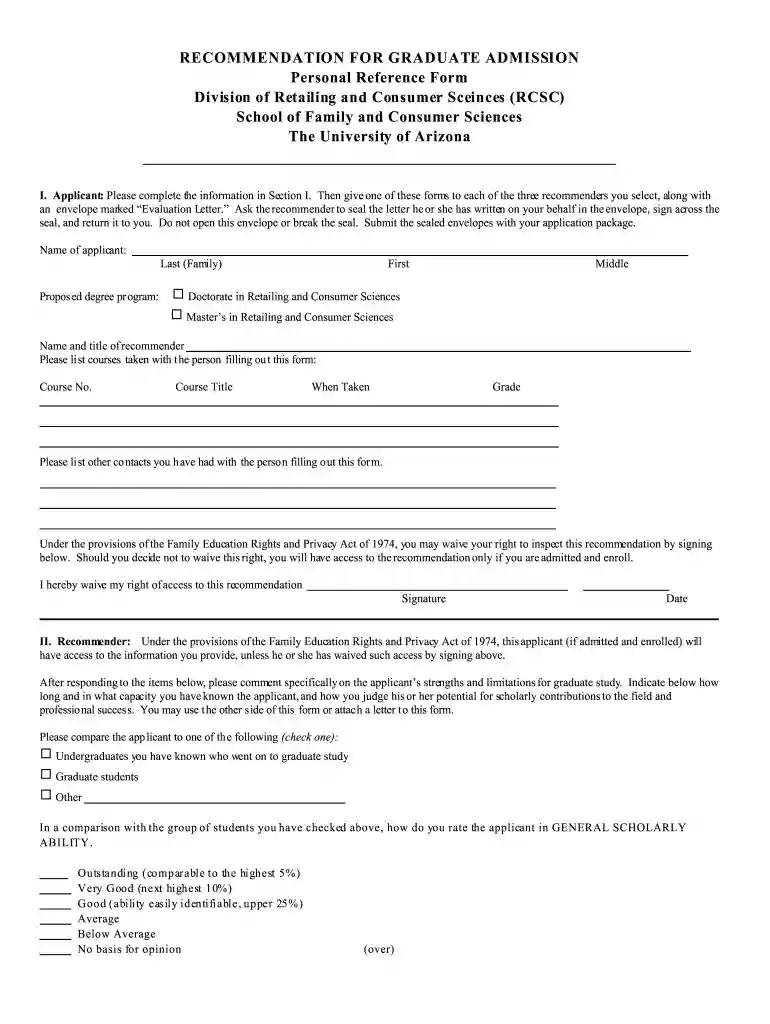
LIVE UPDATES: Latest news on coronavirus and higher Preview on Page 1

Here's how it works

01. Edit your form online
Type text, add images, blackout confidential details, add comments, highlights and more.

02. Sign it in a few clicks
Draw your signature, type it, upload its image, or use your mobile device as a signature pad.

03. Share your form with others
Send it via email, link, or fax. You can also download it, export it or print it out.

How to use or fill out LIVE UPDATES: Latest news on coronavirus and higher with our platform

Form edit decoration
9.5
Ease of Setup
DocHub User Ratings on G2
9.0
Ease of Use
DocHub User Ratings on G2
  1. Click ‘Get Form’ to open it in the editor.
  2. In Section I, enter your personal information including your name and proposed degree program. Ensure all fields are filled accurately.
  3. Provide the names and titles of your recommenders. Include details of courses taken with each recommender, specifying course numbers, titles, when taken, and grades.
  4. Decide whether to waive your right to inspect the recommendation by signing in the designated area. This is important for maintaining confidentiality.
  5. In Section II, recommenders will need to assess your strengths and limitations. They should indicate how long they have known you and provide a comparison with other students.
  6. Recommenders must rate your general scholarly ability and provide their opinion on various aspects of your potential as a graduate student.
  7. Finally, ensure that recommenders sign the form and return it sealed in an envelope marked 'Evaluation Letter'.

Start using our platform today for free to streamline your document editing process!

be ready to get more

Complete this form in 5 minutes or less

Get form

Security and compliance

At DocHub, your data security is our priority. We follow HIPAA, SOC2, GDPR, and other standards, so you can work on your documents with confidence.

Learn more
ccpa2
pci-dss
gdpr-compliance
hipaa
soc-compliance