Type text, add images, blackout confidential details, add comments, highlights and more.

02. Sign it in a few clicks
Draw your signature, type it, upload its image, or use your mobile device as a signature pad.

03. Share your form with others
Send it via email, link, or fax. You can also download it, export it or print it out.

How to use or fill out Pharmacy Claim Form (30-1) Completion (pcf30-1 comp) with Our Platform
Ease of Setup
DocHub User Ratings on G2
Ease of Use
DocHub User Ratings on G2
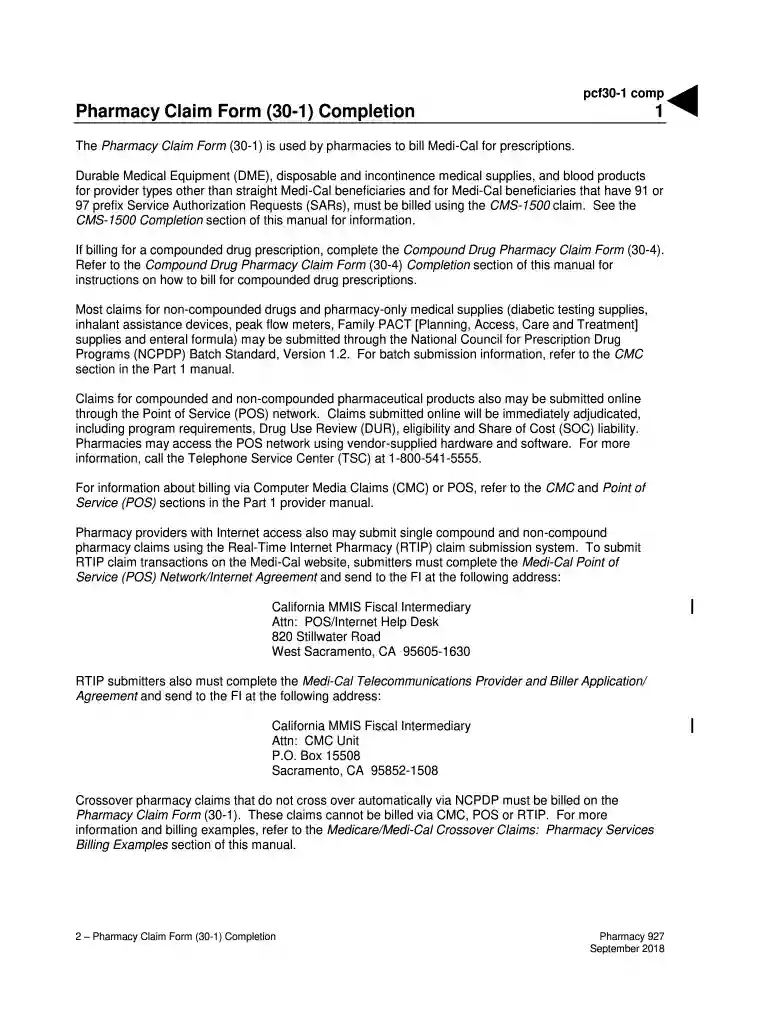
Click ‘Get Form’ to open the Pharmacy Claim Form (30-1) in our editor.
Begin by entering the CLAIM CONTROL NUMBER, which is for CA-MMIS FI use only. Leave this area blank as it will be filled by the FI.
In the ID QUALIFIER field, input '05' to identify your pharmacy provider.
Enter your PROVIDER ID, ensuring not to use a Medicare provider number.
Fill in your PROVIDER NAME, ADDRESS, and PHONE NUMBER accurately for processing.
Input the nine-digit ZIP CODE that matches your billing information on file.
For PATIENT NAME, enter the patient's last name, first name, and middle initial. If billing for a newborn using the mother’s ID number, include specific details as instructed.
Complete the MEDI-CAL IDENTIFICATION NUMBER as it appears on the Benefits Identification Card (BIC).
Indicate SEX using 'M' for male or 'F' for female based on BIC information.
Enter DATE OF BIRTH in MMDDCCYY format from the recipient’s BIC.
Start filling out your Pharmacy Claim Form (30-1) today using our platform for free!
Fill out Pharmacy Claim Form (30-1) Completion (pcf30-1 comp) online It's free
See more Pharmacy Claim Form (30-1) Completion (pcf30-1 comp) versions
We've got more versions of the Pharmacy Claim Form (30-1) Completion (pcf30-1 comp) form. Select the right Pharmacy Claim Form (30-1) Completion (pcf30-1 comp) version from the list and start editing it straight away!
The universal paper claim form, most relevant to the field of health and particularly health insurance, is generally known as the HCFA-1500 or CMS-1500. It is a standard form used in the United States to bill Medicare and Medicaid, as well as other third-party insurers.
What is the purpose of the universal claim form?
The purpose of the NCPDP Universal Claim Form is to streamline the claims process for prescription drugs and related services. This form allows healthcare providers to submit claims to insurers swiftly and accurately.
How are insurance claims processed at the pharmacy?
Claim Submission: The claim is processed electronically to the insurance payer. Reimbursement Processing: The insurance payer reviews the claim and determines the reimbursement amount. Payment Reconciliation: The pharmacy receives payment from the insurance payer and reconciles it with the submitted claim.
What is a universal claim form for pharmacy?
A universal claim form pharmacy is a type of claim form that can be used to submit pharmacy claims to multiple insurance providers. The form includes information about the patient, the drug prescribed, the date of service, and the cost of the prescription.
How to fill out ncpdp universal claim form?
How to fill out the NCPDP Universal Claim Form Sample? Gather all necessary patient and prescription information. Fill in the required fields including patient name, ID, and date of birth. Enter details regarding the insurance provider, including policy numbers. Double-check all entries for accuracy before submission.
Related Searches
Pharmacy claim form 30 1 completion pcf30 1 comp templatePharmacy claim form 30 1 completion pcf30 1 comp online
Security and compliance
At DocHub, your data security is our priority. We follow HIPAA, SOC2, GDPR, and other standards, so you can work on your documents with confidence.
What is the difference between a medical claim and a pharmacy claim?
When you bill for prescriptions through a pharmacy benefits manager (PBM), they deny or approve your claims almost instantly. When billing the medical benefit, the wait time is longer. Adjudicating claims can often take up to 14 days after you submit them.
Related links
2024-25382.pdf
Sep 30, 2024 DATES: These regulations are effective on January 1, 2025. FOR FURTHER INFORMATION CONTACT: MedicarePhysicianFeeSchedule@cms.hhs.gov, for any
Cookie consent notice
This site uses cookies to enhance site navigation and personalize your experience.
By using this site you agree to our use of cookies as described in our Privacy Notice.
You can modify your selections by visiting our Cookie and Advertising Notice.