




01. Edit your st 120 sample online
Type text, add images, blackout confidential details, add comments, highlights and more.

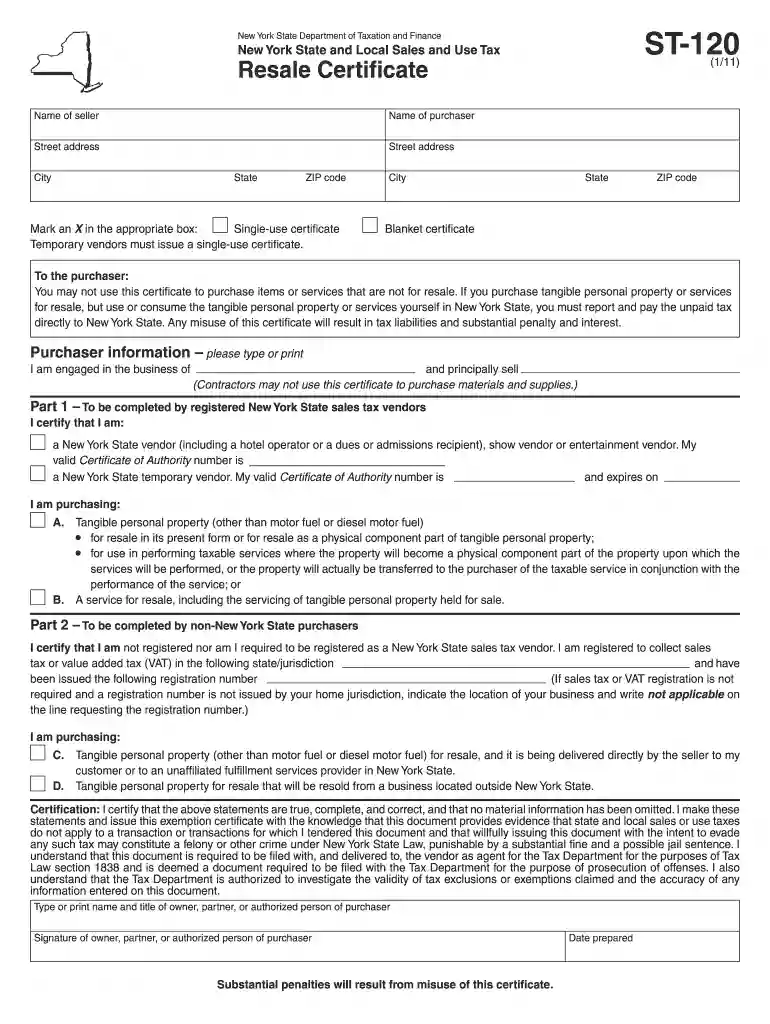
Type text, add images, blackout confidential details, add comments, highlights and more.

Draw your signature, type it, upload its image, or use your mobile device as a signature pad.

Send st 120 via email, link, or fax. You can also download it, export it or print it out.

Start using our platform today to easily fill out your ST-120 form online for free!
At DocHub, your data security is our priority. We follow HIPAA, SOC2, GDPR, and other standards, so you can work on your documents with confidence.



Form ST‑120, Resale Certificate, is a sales tax exemption certificate. This certificate is only for use by a purchaser who: is registered as a New YorkRead more
In this course students will learn concepts, terms, theory, equipment, instrumentation, supplies, anatomy, and procedures pertaining to minimally invasive
The Edwards 125 Class Strobe beacons are UL and cUL listed signaling devices, available in two versions, normal light output and high light output.Read more


