




Here's how it works

01. Edit your bd27 form online
Type text, add images, blackout confidential details, add comments, highlights and more.

02. Sign it in a few clicks
Draw your signature, type it, upload its image, or use your mobile device as a signature pad.

03. Share your form with others
Send bd 27 via email, link, or fax. You can also download it, export it or print it out.
How to use or fill out bd 27 with our platform

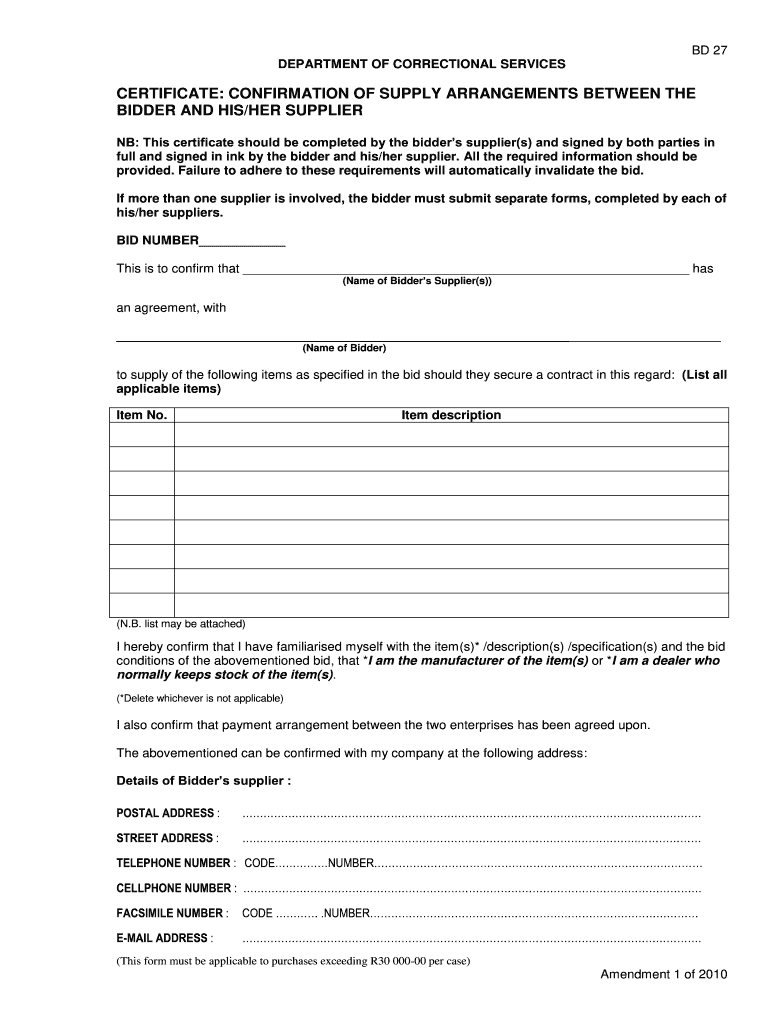
- Click ‘Get Form’ to open the bd 27 document in the editor.
- Begin by entering the BID NUMBER at the top of the form. This is essential for tracking your submission.
- In the section labeled 'This is to confirm that', input the name of your supplier(s) accurately.
- Next, specify the name of the bidder in the designated area to establish a clear agreement.
- List all applicable items that will be supplied as per your bid. Ensure this list is comprehensive and accurate.
- Confirm your familiarity with the item descriptions and specifications by checking the appropriate box, deleting whichever does not apply.
- Fill in the payment arrangement details between both parties clearly, ensuring transparency.
- Complete the supplier's contact information, including postal address, street address, telephone number, cellphone number, facsimile number, and email address.
- Finally, both parties must sign and print their names along with ID numbers at the bottom of the form to validate it.
Start filling out your bd 27 form online for free today!
Fill out bd 27 online
It's free
It's free
Security and compliance
At DocHub, your data security is our priority. We follow HIPAA, SOC2, GDPR, and other standards, so you can work on your documents with confidence.
Learn more




