




Here's how it works



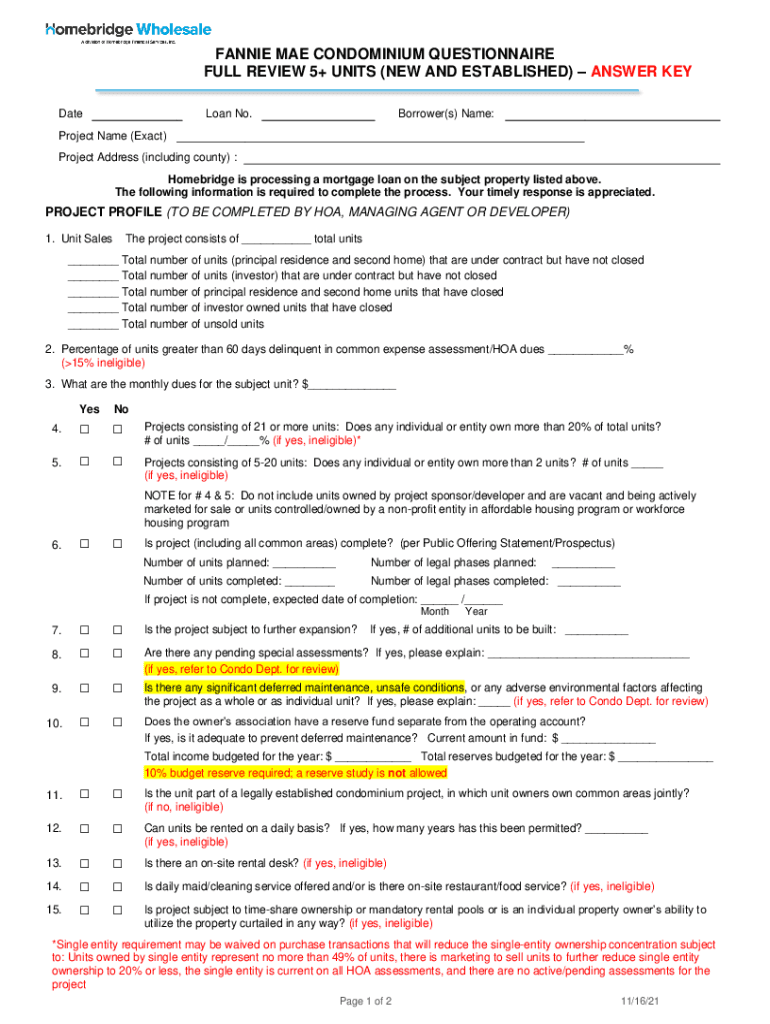
How to use or fill out homebridgewholesale wp-content uploadsFANNIE MAE CONDOMINIUM QUESTIONNAIRE FULL REVIEW 5+ UNITS

- Click ‘Get Form’ to open it in the editor.
- Begin by entering the date and loan number at the top of the form. This information is crucial for tracking your submission.
- Fill in the borrower(s) name, project name, and project address, ensuring accuracy as this will be used throughout the review process.
- In the PROJECT PROFILE section, provide details about unit sales. Specify total units, units under contract, and those that have closed. Be thorough to avoid delays.
- Indicate any delinquency percentages and monthly dues for the subject unit. This information helps assess financial health.
- Answer questions regarding ownership concentration and project completion status. These are critical for eligibility assessments.
- Review all sections carefully before submitting to ensure all required fields are completed accurately.
Start using our platform today to streamline your document editing and form completion!
It's free
See more homebridgewholesale wp-content uploadsFANNIE MAE CONDOMINIUM QUESTIONNAIRE FULL REVIEW 5+ UNITS versions
Got questions?
What is the best way to send my homebridgewholesale wp-content uploadsFANNIE MAE CONDOMINIUM QUESTIONNAIRE FULL REVIEW 5+ UNITS for eSignature?
Upload your homebridgewholesale wp-content uploadsFANNIE MAE CONDOMINIUM QUESTIONNAIRE FULL REVIEW 5+ UNITS to DocHub (after you’ve created an account for this). If you need to fill out fields in it, use appropriate tools from the upper pane. For instance, drop Signature Fields, assign each to a particular party, and click on Sign → Request signatures from others. Customize your message for your recipients and click Send Request. You can also send your form by fax or as a Signing link instead of using email (you’ll locate these options by navigating to the Menu → Send)
Can I sign my homebridgewholesale wp-content uploadsFANNIE MAE CONDOMINIUM QUESTIONNAIRE FULL REVIEW 5+ UNITS while I edit it?
When you edit your homebridgewholesale wp-content uploadsFANNIE MAE CONDOMINIUM QUESTIONNAIRE FULL REVIEW 5+ UNITS with DocHub, you will not need to look for other applications or solutions to sign it. An electronic signature is a component of DocHub’s extensive editing toolset, which allows you to implement changes in your form without jumping between platforms. Simply complete your form, double-check the correctness of your information and put your electronic signature at the end to make it submission-ready within minutes.
Security and compliance
At DocHub, your data security is our priority. We follow HIPAA, SOC2, GDPR, and other standards, so you can work on your documents with confidence.
Learn more


