




Here's how it works

01. Edit your reference request nhs form online
Type text, add images, blackout confidential details, add comments, highlights and more.

02. Sign it in a few clicks
Draw your signature, type it, upload its image, or use your mobile device as a signature pad.

03. Share your form with others
Send it via email, link, or fax. You can also download it, export it or print it out.
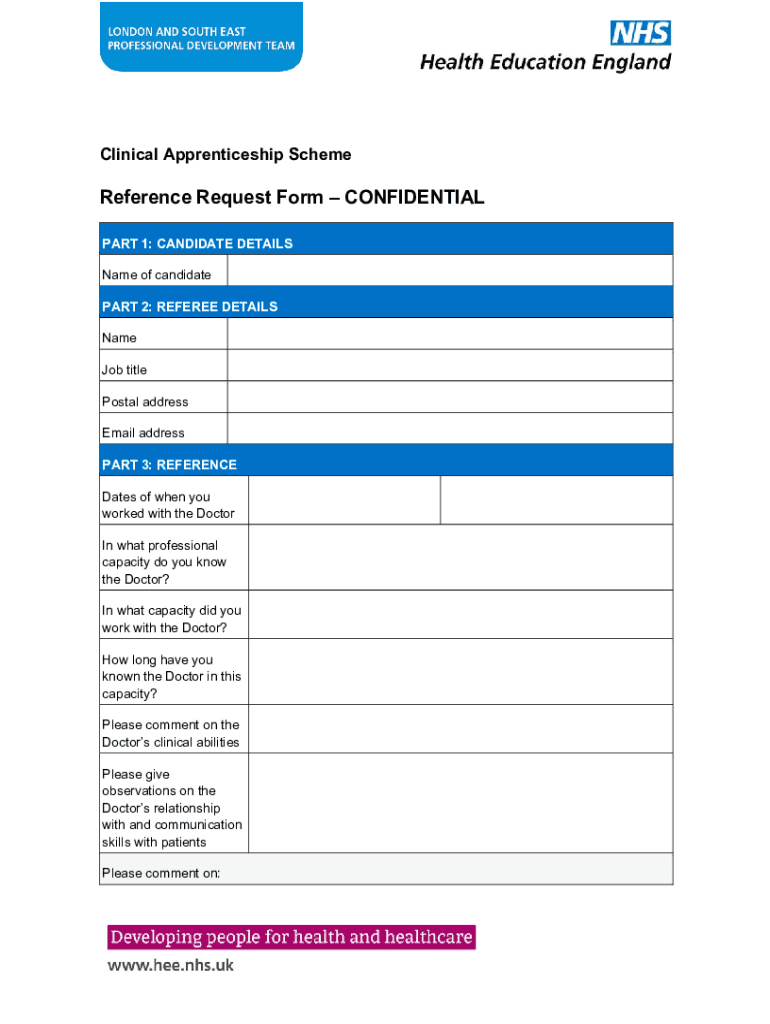
How to use or fill out the Clinical Apprenticeship Scheme Reference Request Form online

- Click ‘Get Form’ to open it in the editor.
- Begin with Part 1: Candidate Details. Enter the name of the candidate in the designated field.
- Proceed to Part 2: Referee Details. Fill in your name, job title, postal address, and email address accurately.
- In Part 3: Reference, provide details about your professional relationship with the Doctor. Specify the dates you worked together and describe your capacity.
- Comment on the Doctor’s clinical abilities and their communication skills with patients. Use clear and concise language for effective feedback.
- Complete additional observations regarding general conduct, timekeeping, teamwork, honesty, and integrity as required.
- Finally, sign and date the form in the signature section before submitting it via email or post as instructed.
Start filling out your form online for free today and streamline your document process!
Fill out Clinical Apprenticeship Scheme Reference Request Form online
It's free
It's free
See more Clinical Apprenticeship Scheme Reference Request Form versions
We've got more versions of the Clinical Apprenticeship Scheme Reference Request Form form. Select the right Clinical Apprenticeship Scheme Reference Request Form version from the list and start editing it straight away!
Security and compliance
At DocHub, your data security is our priority. We follow HIPAA, SOC2, GDPR, and other standards, so you can work on your documents with confidence.
Learn more




