




Here's how it works

01. Edit your caregiver applicant online
Type text, add images, blackout confidential details, add comments, highlights and more.

02. Sign it in a few clicks
Draw your signature, type it, upload its image, or use your mobile device as a signature pad.

03. Share your form with others
Send norman regional financial assistance via email, link, or fax. You can also download it, export it or print it out.
How to use or fill out norman regional financial assistance with our platform

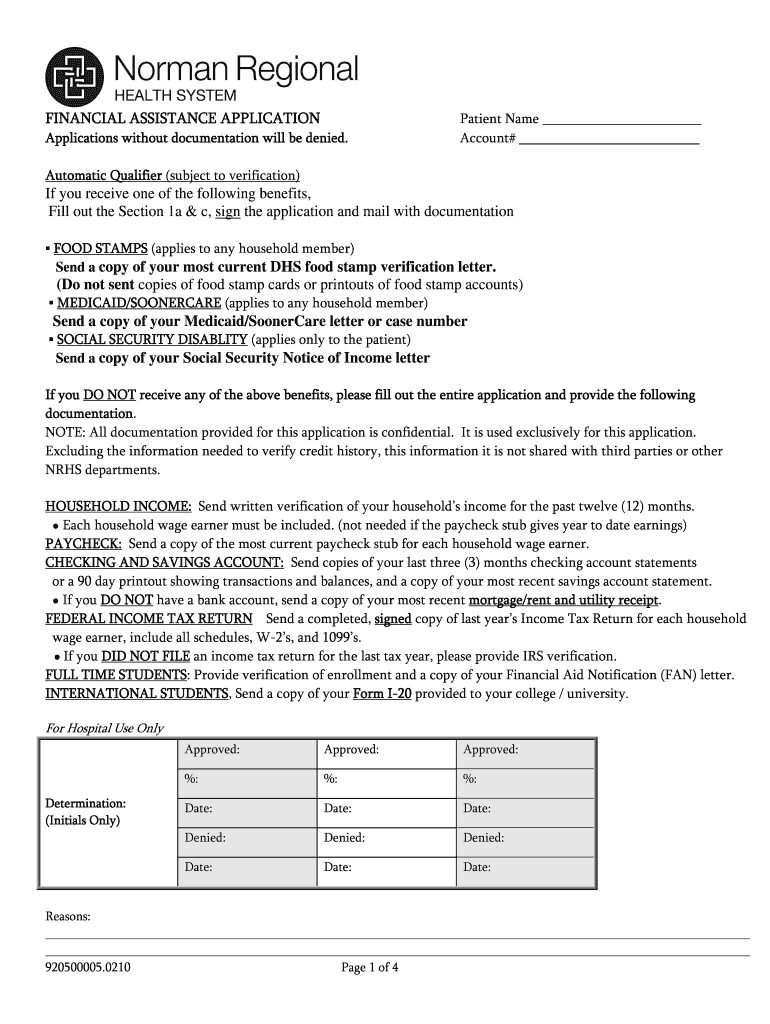
- Click ‘Get Form’ to open the norman regional financial assistance application in the editor.
- Begin by entering the Patient Name and Account Number at the top of the form. Ensure accuracy as this information is crucial for processing.
- If you receive benefits like Food Stamps, Medicaid, or Social Security Disability, complete Sections 1a & c. Attach the required documentation as specified.
- For those not receiving benefits, fill out the entire application. Provide written verification of household income for the past twelve months and include paycheck stubs if applicable.
- In Section 1, provide details about all household members including names, social security numbers, and employment information.
- Complete Section 2 regarding assets by listing bank accounts and their balances. Include property and vehicle details as necessary.
- Estimate your monthly expenses in Section 3. This helps in assessing your financial situation accurately.
- Finally, review all entries for accuracy before signing and dating the application. Remember to mail it within 21 days to avoid denial.
Start using our platform today to easily fill out your norman regional financial assistance application for free!
Fill out norman regional financial assistance online
It's free
It's free
Security and compliance
At DocHub, your data security is our priority. We follow HIPAA, SOC2, GDPR, and other standards, so you can work on your documents with confidence.
Learn more


