Stormready application form 2026

Get Form
storm ready application Preview on Page 1

Here's how it works

01. Edit your storm ready application online
Type text, add images, blackout confidential details, add comments, highlights and more.

02. Sign it in a few clicks
Draw your signature, type it, upload its image, or use your mobile device as a signature pad.

03. Share your form with others
Send it via email, link, or fax. You can also download it, export it or print it out.

How to use or fill out stormready application form with our platform

Form edit decoration
9.5
Ease of Setup
DocHub User Ratings on G2
9.0
Ease of Use
DocHub User Ratings on G2
  1. Click ‘Get Form’ to open the stormready application form in the editor.
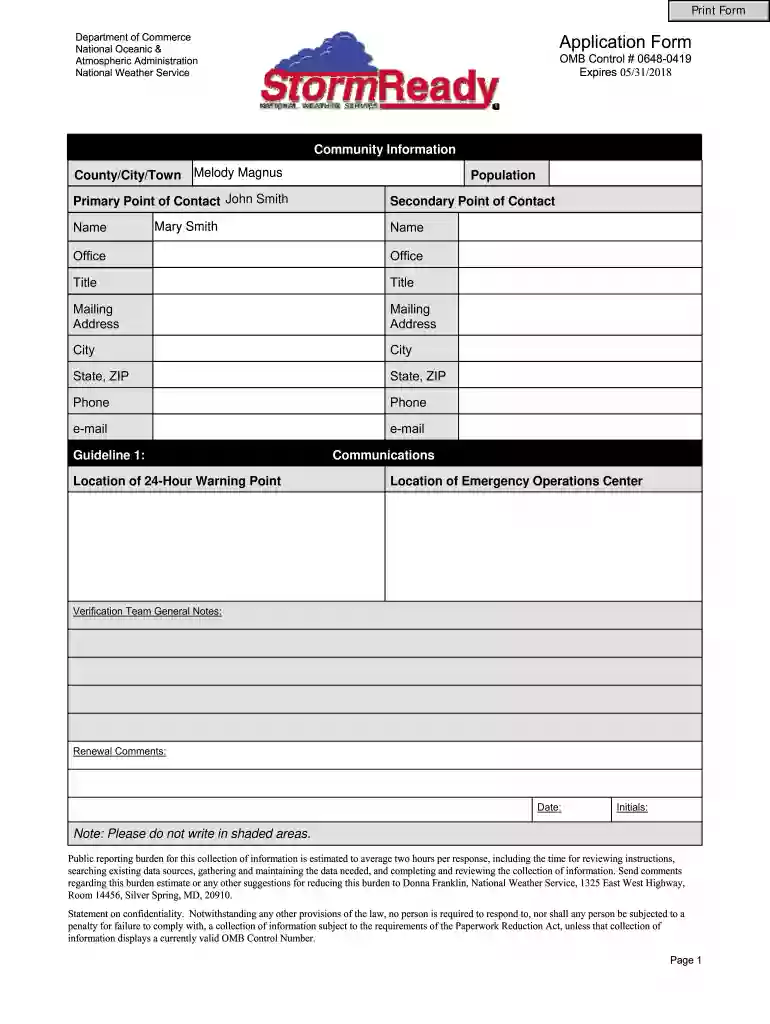
  2. Begin by filling out the 'Community Information' section. Enter your county, city, or town name, along with the population details. Provide contact information for both primary and secondary points of contact, including names, titles, mailing addresses, phone numbers, and email addresses.
  3. Proceed to 'Location of 24-Hour Warning Point' and 'Communications'. Here you will need to specify the location of your emergency operations center and list required equipment such as NOAA Weather Radio and other communication tools. Ensure you verify each item listed.
  4. In the 'Local Weather & Water Monitoring Equipment' section, indicate the necessary monitoring devices like anemometers and rain gauges. Fill in the required fields for verification.
  5. Complete the 'Community Preparedness' section by detailing any annual safety talks or community preparedness activities. If applicable, provide information about programs for subsidizing weather radios.
  6. Finally, review all sections for accuracy before signing off on the application. Ensure that all shaded areas remain unfilled as instructed.

Start using our platform today to easily complete your stormready application form online for free!

See more stormready application form versions

We've got more versions of the stormready application form form. Select the right stormready application form version from the list and start editing it straight away!
Versions Form popularity Fillable & printable
2018 4.9 Satisfied (38 Votes)
2015 4.3 Satisfied (39 Votes)
be ready to get more

Complete this form in 5 minutes or less

Get form

Got questions?

We have answers to the most popular questions from our customers. If you can't find an answer to your question, please contact us.
Contact us
DHS Form 250-02 - Joint Duty Assignment Application Applicants must use DHS Form 250-02 to apply to an open DHS Joint Duty Assignment. Visit the Joint Duty Program website for more information. If you have questions, contact jointdutyprogramoffice@hq.dhs.gov.
The form required to be completed by all employees prior to departing is Form 132-01, DHS Exit Checklist. The Federal legislation that supports the DHS records management mission is the Federal Records Act of 1950.
StormReady is a nationwide program which began in the summer of 2000. It is a. voluntary program designed to help counties and communities take a proactive approach to the kinds of severe weather that affect their areas by improving local hazardous weather operations and heightening public awareness.
The DHS Joint Duty Program is an intra- and inter-departmental program which offers civilian personnel professional and developmental opportunities. Joint duty assignments enhance operations and mission execution through unity of effort and collaboration.
be ready to get more

Complete this form in 5 minutes or less

Get form