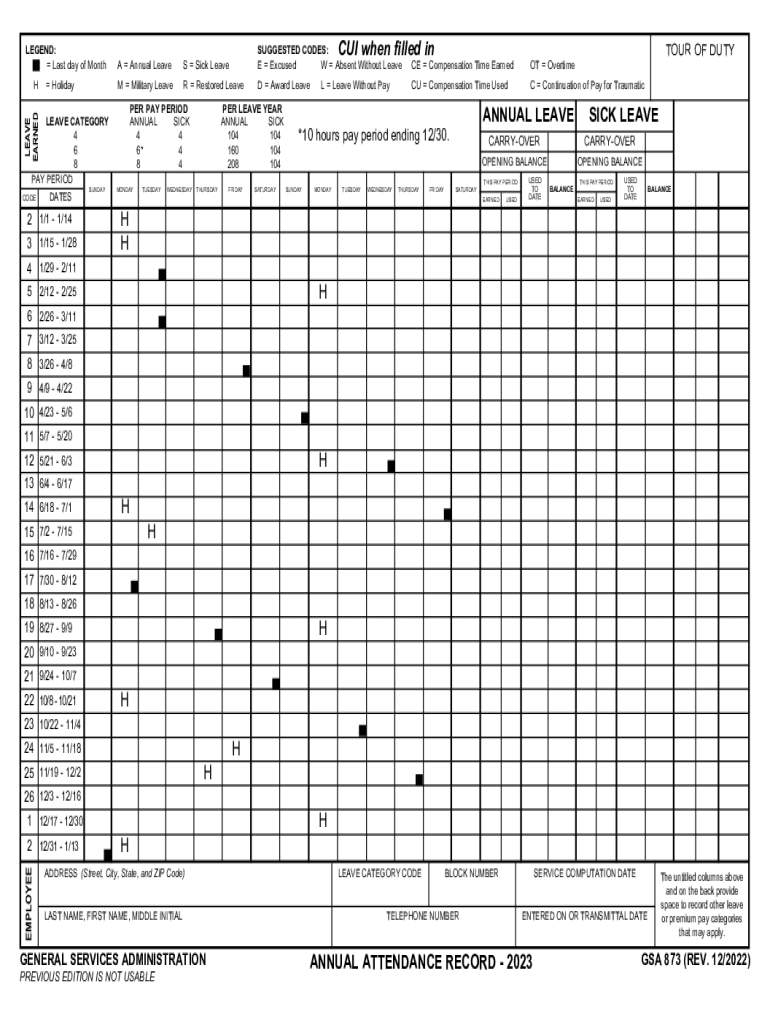
PER PAY PERIOD 2026

Get Form
PER PAY PERIOD Preview on Page 1

Here's how it works

01. Edit your form online
Type text, add images, blackout confidential details, add comments, highlights and more.
02. Sign it in a few clicks
Draw your signature, type it, upload its image, or use your mobile device as a signature pad.
03. Share your form with others
Send it via email, link, or fax. You can also download it, export it or print it out.

How to use or fill out PER PAY PERIOD with our platform

Form edit decoration
9.5
Ease of Setup
DocHub User Ratings on G2
9.0
Ease of Use
DocHub User Ratings on G2
  1. Click ‘Get Form’ to open the PER PAY PERIOD document in the editor.
  2. Begin by entering your personal information at the top of the form, including your last name, first name, middle initial, address, and telephone number.
  3. In the 'PAY PERIOD CODE' section, select the appropriate code corresponding to your pay period dates from the provided list.
  4. Fill in the 'LEAVE CATEGORY' section by indicating your leave types such as Annual or Sick Leave. Use suggested codes like 'S' for Sick Leave or 'E' for Excused.
  5. Record your leave balances and usage in the designated columns for each pay period. Ensure that you accurately reflect any earned or used leave.
  6. Review all entries for accuracy before saving or exporting your completed form.

Start using our platform today to streamline your PER PAY PERIOD documentation effortlessly!

See more PER PAY PERIOD versions

We've got more versions of the PER PAY PERIOD form. Select the right PER PAY PERIOD version from the list and start editing it straight away!
Versions Form popularity Fillable & printable
2022 4.7 Satisfied (52 Votes)
2020 4.8 Satisfied (50 Votes)
2018 4.1 Satisfied (30 Votes)
2017 4 Satisfied (25 Votes)
2014 4.1 Satisfied (57 Votes)
2013 4.1 Satisfied (69 Votes)
be ready to get more

Complete this form in 5 minutes or less

Get form

Got questions?

We have answers to the most popular questions from our customers. If you can't find an answer to your question, please contact us.
Contact us
A pay period is the timeframe for which an employee receives compensation. The pay period is an exact date range for calculating wages and salaries. For example, a company pays its employees once a month. The pay period for January would start on January 1 and end on January 31.
Each payroll cycle typically consists of 80 hours for a full-time employee. A bi-weekly pay period always begins and ends on a consistent day of the week.
A pay period is typically defined by its start and end dates. For example, pay period from January 1 to January 15. The estimated amount of an employees earnings for that specific pay period is usually estimated per pay period.
How do you calculate a pay period? Determine the start and end date of the pay period. Count the number of days/hours worked during the pay period. Multiply the number of days/hours worked by the employees daily rate/hourly wage to calculate the gross pay for the pay period.

Security and compliance

At DocHub, your data security is our priority. We follow HIPAA, SOC2, GDPR, and other standards, so you can work on your documents with confidence.

Learn more
ccpa2
pci-dss
gdpr-compliance
hipaa
soc-compliance
be ready to get more

Complete this form in 5 minutes or less

Get form