CMS 1500 Claim Form - BMC HealthNet Plan - bmchp-2026

Get Form
CMS 1500 Claim Form - BMC HealthNet Plan - bmchp Preview on Page 1

Here's how it works

01. Edit your form online
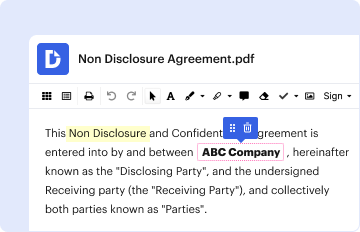
Type text, add images, blackout confidential details, add comments, highlights and more.

02. Sign it in a few clicks
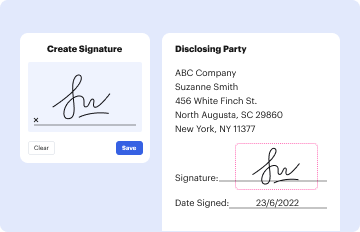
Draw your signature, type it, upload its image, or use your mobile device as a signature pad.
03. Share your form with others
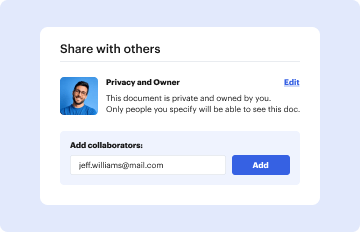
Send it via email, link, or fax. You can also download it, export it or print it out.

How to use or fill out CMS 1500 Claim Form - BMC HealthNet Plan - bmchp with our platform

Form edit decoration
9.5
Ease of Setup
DocHub User Ratings on G2
9.0
Ease of Use
DocHub User Ratings on G2
  1. Click ‘Get Form’ to open the CMS 1500 Claim Form in the editor.
  2. Begin by filling out the patient’s information in fields 2 through 6. Ensure you include the patient's name, birth date, address, and relationship to the insured.
  3. Next, complete sections for the insured's details (fields 4 through 9). This includes their name, address, and policy information.
  4. In section 10, indicate if the patient’s condition is related to employment or an accident by selecting 'Yes' or 'No' as applicable.
  5. Proceed to fill out diagnosis codes in section 21 and ensure that all services rendered are accurately documented in section 24.
  6. Finally, review your entries for accuracy before signing in sections 12 and 13. Once completed, save your form for submission.

Start using our platform today to easily fill out your CMS 1500 Claim Form online for free!

be ready to get more

Complete this form in 5 minutes or less

Get form

Got questions?

We have answers to the most popular questions from our customers. If you can't find an answer to your question, please contact us.
Contact us

Many software applications are available on the market for document modifying and signing. DocHub is one of the most widely used online solutions that comply with all security and compliance requirements and guarantees your eSigned documentation is legally enforceable. All you need to try it out is to create an account, add your CMS 1500 Claim Form - BMC HealthNet Plan - bmchp, provide the necessary details, and click Sign. Generate your eSignature by typing, drawing it, uploading its image to your document, or scanning a unique QR code.

If you are searching for a state-specific CMS 1500 Claim Form - BMC HealthNet Plan - bmchp sample, you can find it in our DocHub Forms & Templates catalog. Use the search field, key in your form’s name, and search through the results for your state. You may also filter out irrelevant results while browsing our catalog by categories.

Hard copy forms may be available from Intermediaries, Carriers, State Agencies, local Social Security Offices or End Stage Renal Disease Networks that service your State.
Providers sending professional and supplier claims to Medicare on paper must use Form CMS-1500 in a valid version.
Amazon.com : NEW CMS 1500 Claim Forms - 500 Sheets (02/12 Version) for Laser or Inkjet Printers : Business Claim Forms : Office Products.

Security and compliance

At DocHub, your data security is our priority. We follow HIPAA, SOC2, GDPR, and other standards, so you can work on your documents with confidence.

Learn more
ccpa2
pci-dss
gdpr-compliance
hipaa
soc-compliance
be ready to get more

Complete this form in 5 minutes or less

Get form

People also ask

Can CMS 1500 Forms be Handwritten? While it is technically possible to handwrite a CMS 1500 form, it is generally not recommended.
In order to purchase claim forms, you should contact the U.S. Government Printing Office at 1-866-512-1800, local printing companies in your area, and/or office supply stores. Each of the vendors above sells the CMS-1500 claim form in its various configurations (single part, multi-part, continuous feed, laser, etc).

Related links