Definition & Meaning
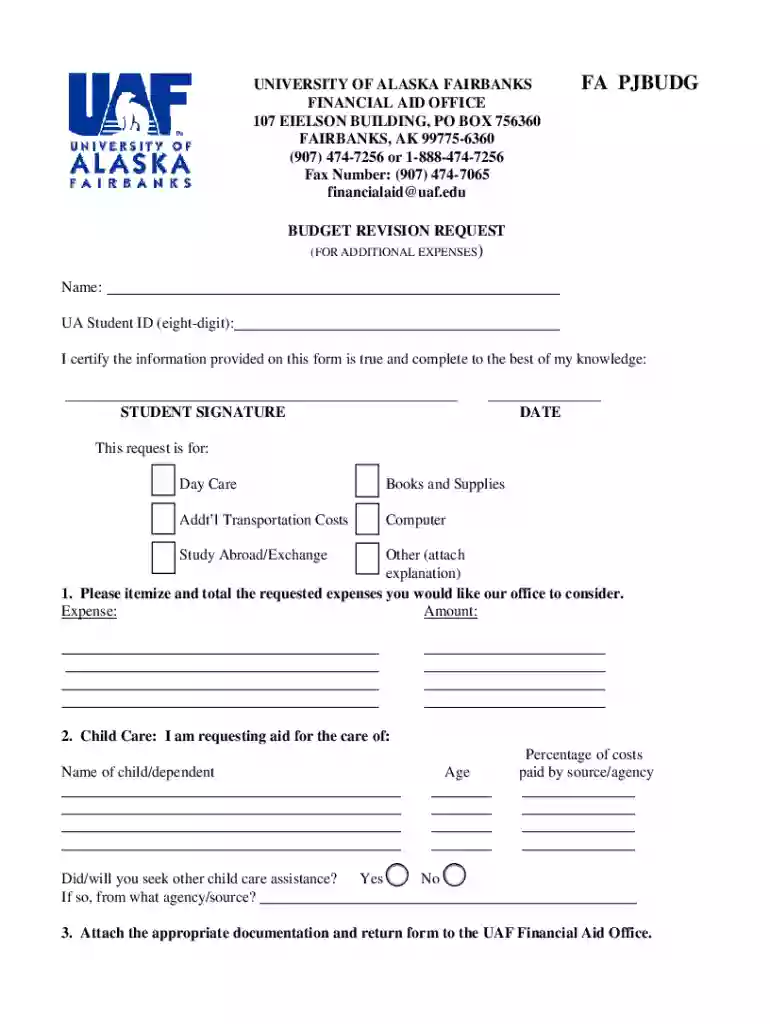
A form online is a digital version of a traditional paper form that can be accessed and completed over the internet. These forms are designed to facilitate various tasks, such as data collection, application submissions, or signing agreements, without the need for physical paperwork. Online forms use digital fields where users can input information, click checkboxes, and add signatures. Transitioning from paper to online forms streamlines processes, reduces errors, and increases accessibility.
Key Features of Online Forms
- Accessibility: Forms can be accessed from any device with internet connectivity, allowing for completion at any time and location.
- Customizable Fields: Users can create fillable fields such as text boxes, dropdown menus, and checkboxes to suit specific needs.
- Data Validation: Ensures that the information entered is accurate and complete before submission.
- Secure Transmission: Data is typically encrypted to protect user information during transfer.
- Immediate Submission: Once completed, data can be submitted instantly, which speeds up processes.
How to Use the Form Online
Using an online form involves several straightforward steps to ensure accurate completion and submission. It starts with accessing the form via a provided link or website and ends with submitting the form once all required fields are completed.
Step-by-Step Instructions
- Access the Form: Navigate to the platform hosting the form, like DocHub, and select the appropriate form from the library or upload your own.
- Fill in Mandatory Fields: Enter information in all required fields marked with an asterisk or highlighted in some way.
- Review the Information: Double-check all entries for accuracy to avoid processing delays.
- Attach Required Documents: Upload any necessary documents if the form requires additional documentation.
- Sign the Form: Use the electronic signature feature to add your signature. This can be drawn, typed, or uploaded as an image.
- Submit the Form: Click the submit button to send the form to the intended recipient.
Why Should You Form Online
Choosing to form online presents numerous advantages that enhance the efficiency and reliability of managing documentation processes. These benefits are crucial for both individual and organizational users.
Benefits of Online Forms
- Efficiency: Reduces the time needed to fill out and submit forms compared to paper-based methods.
- Cost Savings: Eliminates the need for printing, mailing, and storage of paper documents.
- Environmental Impact: Decreases paper consumption, supporting eco-friendly practices.
- Real-Time Data: Enables immediate data collection and processing, facilitating quicker decision-making.
- Reduced Errors: Automated checks help minimize human errors, ensuring more accurate data collection.
Key Elements of the Form Online
Understanding and designing key elements in an online form is critical for effective data collection and user experience. Each form needs to include specific elements tailored to its purpose.
Essential Components
- Descriptive Title: Clearly indicates the form's purpose to the user.
- Instructions and Guidelines: Provides detailed instructions on how to fill in the form and submit it.
- Contact Information: Allows users to provide contact details for follow-up if necessary.
- Date and Signature Fields: Ensures the form is current and legally binding where applicable.
- Confirmation Message: Informs users of successful submission and what to expect next.
Steps to Complete the Form Online
Completing an online form involves a clear sequence of actions to guarantee a smooth process from start to finish. These actions differ slightly depending on the form's complexity and purpose.
Comprehensive Steps
- Registration/Login: If required, create an account or log in to access the form.
- Navigate to the Form: Use the platform’s interface to find and open the desired form, or upload your document.
- Input Data: Manually enter necessary details or use autofill features when applicable.
- Utilize Help Features: Access any available help sections or tutorials if you encounter difficulties.
- Save Progress: Some platforms allow you to save your progress and return later.
- Finalize and Submit: Ensure completion of all steps before final submission.
Legal Use of the Form Online
Online forms are often used for legal purposes, requiring compliance with standard legal and regulatory protocols. They often carry the same legal weight as paper forms when properly executed.
Compliance Considerations
- Electronic Signatures: Recognized under the ESIGN Act, which ensures they are legally binding.
- Privacy and Data Protection: Adheres to data privacy laws such as GDPR and CCPA.
- Audit Trails: Maintains a record of all interactions with the form, which is valuable for audits and legal inquiries.
- Regulatory Standards: Forms used in specific industries (such as healthcare or finance) must comply with relevant regulations.
Examples of Using the Form Online
Online forms are versatile and can be adapted to numerous scenarios across different fields. Their flexibility aids in numerous applications ranging from simple surveys to complex legal agreements.
Practical Use Cases
- Business Applications: Employment applications, client intake forms, and feedback surveys.
- Educational Institutions: Student registration, examination applications, and feedback collection.
- Healthcare: Patient intake forms, medical history submissions, and follow-up queries.
- Government Agencies: Online tax forms, permits, and license applications.
- Event Management: Registrations, RSVPs, and feedback surveys after events.
State-Specific Rules for the Form Online
Various states in the U.S. have specific regulations and practices governing the usage of online forms, particularly in sectors like real estate, health, and law.
Important State Considerations
- Compliance Variations: Some states may have unique requirements for forms used in legal processes.
- Digital Signature Acceptance: States like California and New York have specific guidelines for electronic digital signatures.
- Data Retention and Privacy: Each state may have its specifics regarding how long data can be retained and how it should be protected.
- Industry-Specific Regulations: Particular industries might have state-enforced guidelines that affect how forms are structured and submitted online.
Software Compatibility
To maximize efficiency, it is essential that online forms are compatible with various software solutions, especially those frequently used in business and individual settings.
Software Integration
- Document Management Systems: Compatibility with software like DocHub ensures seamless edits and signatures.
- Accounting Software: Forms can integrate with QuickBooks or other similar platforms for easier financial record-keeping.
- Customer Relationship Management: Integration with CRM systems to streamline data processing.
- Cloud Storage Services: Use with Google Drive, Dropbox, or similar services to store and share completed forms easily.