St vincent de paul donation receipt 2026

Get Form
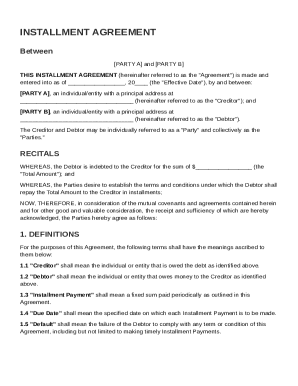
st vincent de paul donation receipt Preview on Page 1

Here's how it works

01. Edit your st vincent de paul donation receipt online
Type text, add images, blackout confidential details, add comments, highlights and more.
02. Sign it in a few clicks
Draw your signature, type it, upload its image, or use your mobile device as a signature pad.
03. Share your form with others
Send st vincent de paul tax receipt via email, link, or fax. You can also download it, export it or print it out.

How to use or fill out st vincent de paul donation receipt with our platform

Form edit decoration
9.5
Ease of Setup
DocHub User Ratings on G2
9.0
Ease of Use
DocHub User Ratings on G2
  1. Click ‘Get Form’ to open the st vincent de paul donation receipt in the editor.
  2. Begin by entering your name and contact information in the designated fields. This ensures that your donation is properly recorded.
  3. Next, list the items you are donating. Be specific about each item, including quantity and condition (e.g., good, fair). This will help you keep an accurate record for tax purposes.
  4. If applicable, indicate any larger items such as furniture or appliances in the appropriate section of the form. Ensure that you provide a detailed description.
  5. Finally, review all entered information for accuracy before saving or printing your completed receipt. This step is crucial for maintaining proper documentation for your tax deductions.

Start using our platform today to streamline your donation process and ensure all details are captured effortlessly!

be ready to get more

Complete this form in 5 minutes or less

Get form

Got questions?

We have answers to the most popular questions from our customers. If you can't find an answer to your question, please contact us.
Contact us

Approving documents on a mobile device is quick, straightforward, and doesn’t require software installation when you have an account with DocHub. Log in from any browser, fill in your empty fields with your information, and click on Sign → Create your signature. You can draw your eSignature just as you usually do on paper, add its picture to your st vincent de paul donation receipt, or type in your name and stylize its look. Whatever option you select, your documentation will be valid.

You can easily edit and complete your st vincent de paul donation receipt on any iOS device. Open an internet browser of your choice, go to the DocHub site, authorize or create a new account, add your file for editing, and make your required alterations. Our service is mobile-friendly, so utilizing its functions on your smartphone will be a no-brainer, even on the first try.

For contributions of cash, check, or other monetary gift (regardless of amount), you must maintain a record of the contribution: a bank record or a written communication from the qualified organization containing the name of the organization, the amount, and the date of the contribution.
Yes. First, craft your donation receipt outline with all the legal requirements included. Then, customize this basic template based on donation type, such as noncash contributions or monetary support. Be sure to review your donation receipt templates annually to make any necessary updates.
However, no matter the form, every receipt must include six items to meet the standards set forth by the IRS. Name of the Charity and Name of the Donor. Date of the Contribution. Detailed Description of the Property Donated. Amount of the Contribution.

Security and compliance

At DocHub, your data security is our priority. We follow HIPAA, SOC2, GDPR, and other standards, so you can work on your documents with confidence.

Learn more
ccpa2
pci-dss
gdpr-compliance
hipaa
soc-compliance
be ready to get more

Complete this form in 5 minutes or less

Get form

People also ask

Charitable donation receipts contain information regarding the gift (donor name, organization name, gift amount, gift type, etc.). According to the IRS, nonprofits must recognize any gift over $250 with a receipt. In-kind donation receipt. In-kind gifts come in the form of goods or services rather than money.
501(c)(3) Tax-Compliant Donation Receipt Requirements The name of the organization; The amount of cash contribution; A description (but not the value) of non-cash contribution; A statement that no goods or services were provided by the organization in return for the contribution, if that was the case;
You need to submit your donation receipts to claim your donation tax credit. The easiest way to do this is in myIR. If you do not have myIR, you can submit your receipts using the Tax credit claim form IR526.
Goodwill receipts are more than just a piece of paperthey are crucial to maximizing tax deductions. Whether donating clothing, furniture, or household goods, keep your donation receipts safe and organized for a hassle-free tax-filing experience.
Anyone can receive a donation invoice for a donation that has occurred in any capacity. However, a 501c3 donation receipt is given when a donation is granted to an officially titled 501c3 organization.

Related links