
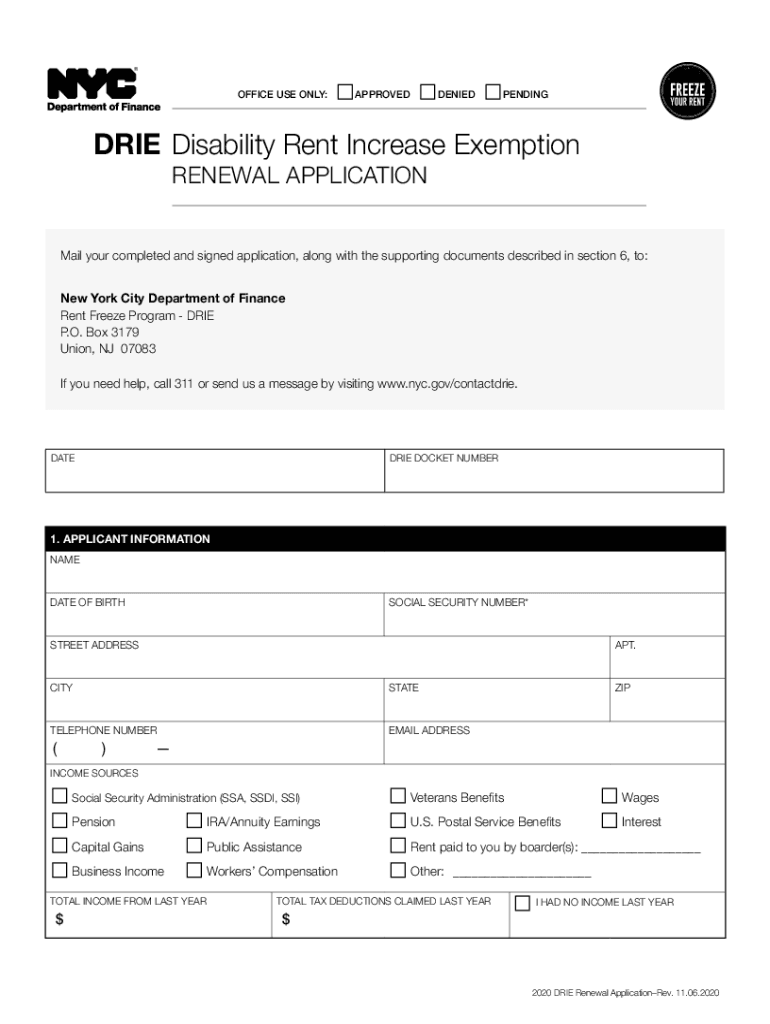







Definition and Meaning
The "Disabled Persons and Senior Citizens Special Rights" form provides a framework for eligible individuals to access a variety of benefits designed to assist with financial and legal challenges. Typically, these rights aim to ease the cost of living by providing exemptions, tax breaks, or other measures tailored to the needs of disabled individuals and senior citizens.
Key Features
- Exemptions and Discounts: These may include property tax exemptions, reduced public transportation fares, and utility discounts.
- Legal Protections: Encompass anti-discrimination measures and accommodations in housing and employment.
- Access to Services: Improved access to healthcare, counseling, and recreational facilities.
How to Use the Disabled Persons and Senior Citizens Special Rights
These rights can be used to alleviate financial burdens and ensure legal protections. The process typically involves submitting a formal application that outlines your eligibility, supported by relevant documentation.
Practical Applications
- Property Tax Relief: Individuals can apply for exemptions to reduce property tax liabilities.
- Utility Discount Programs: Submit your completed form to utility service providers to qualify for discounted rates.
- Public Transport Subsidies: Use the rights documentation when purchasing tickets or passes to access discounted fares.
Eligibility Criteria
The form targets disabled persons and senior citizens who meet specific criteria. Eligibility often depends on age, disability status, and income level.


Typical Eligibility Requirements
- Age: Typically, individuals over 65 qualify as senior citizens.
- Disability: Must be certified by a recognized medical authority.
- Income Thresholds: Some programs may include an income cap to ensure benefits are directed to those most in need.
Steps to Complete the Disabled Persons and Senior Citizens Special Rights
Completing the form involves gathering necessary documentation and following specified steps to ensure the application is correctly processed.
- Gather Documentation: Collect proof of identity, age, disability status, and income.
- Fill the Form: Carefully complete each section, ensuring accuracy to avoid processing delays.
- Review: Check for completeness and accuracy before submission.
- Submit: Send the form through the appropriate channel—online, by mail, or in-person.
Tips for Successful Completion
- Stay Organized: Maintain a checklist of required documents.
- Double-Check Details: Ensure all information is accurate and up-to-date.
- Seek Assistance: Consult with local agencies if you need guidance during the process.
Required Documents
Submissions must be accompanied by various documents to verify eligibility and identity.
Commonly Required Documents
- Proof of Identity: Driver’s license, passport, or state ID.
- Proof of Age: Birth certificate or senior ID card.
- Disability Certification: Recent medical reports or disability certificates.
- Income Statements: Recent tax returns or pay stubs.
Legal Use of the Disabled Persons and Senior Citizens Special Rights
The legal framework surrounding these rights ensures protections against discrimination and guarantees access to public facilities and services of daily life.
Legal Protections
- Non-Discrimination: Uphold equal treatment across housing, employment, and access to services.
- Reasonable Accommodations: Mandate modifications to remove barriers in public and private spaces.
Form Submission Methods
The form can typically be submitted through multiple channels, providing flexibility for applicants.
Submission Options
- Online: Provides a streamlined, fast option for tech-savvy individuals.
- Mail: A traditional method that suits those who prefer or require paper copies.
- In-Person: Ideal for those seeking guidance from qualified personnel during submission.
Application Process and Approval Time
Understanding the process and expected timelines can help manage expectations and ensure timely benefits.
Application Steps
- Submission: Followed by an acknowledgment of receipt.
- Review: Agencies verify information and assess eligibility.
- Approval: Applicants are notified, typically within a specified period.
Expected Timeline
- Standard Processing Time: Usually takes four to six weeks, though this varies by state and program.
Who Typically Uses the Disabled Persons and Senior Citizens Special Rights
These rights serve a significant portion of the population with varied needs.

Beneficiary Demographics
- Elderly Individuals: Primarily for those aged 65 and over.
- Persons with Disabilities: Individuals with certified disabilities have enhanced access to critical services.
- Low-Income Families: Those meeting income criteria benefit from subsidies and exemptions.
By comprehensively addressing these topics, individuals can gain a full understanding of "Disabled Persons and Senior Citizens Special Rights" and effectively leverage the benefits available through various programs and protections.




