




01. Edit your form online
Type text, add images, blackout confidential details, add comments, highlights and more.

Type text, add images, blackout confidential details, add comments, highlights and more.

Draw your signature, type it, upload its image, or use your mobile device as a signature pad.

Send it via email, link, or fax. You can also download it, export it or print it out.
Forms online refer to digital versions of physical forms that allow users to fill out, submit, and manage documents over the internet. This digitization improves the convenience and efficiency of handling various types of forms, ranging from tax applications to business registration. Primarily, online forms save time and reduce the need for mailing or in-person submissions by enabling users to perform tasks at their own pace without geographical limitations. The comprehensive nature of these online forms covers a range of fields, ensuring users can provide all necessary data with guided prompts for a more structured data collection process.
Using a form online involves several straightforward steps aimed at simplifying the submission process. First, users need to access the relevant platform hosting the form — this may be a government website or a dedicated document management service like DocHub. Upon opening the form, users can input information using text fields, checkboxes, or other interactive elements. After completing all necessary sections, the form can be reviewed for accuracy before submission. Many platforms provide the option to save progress, allowing users to return to the form later. Once satisfied, users can submit the form electronically, often receiving a confirmation notification or a reference number for their records.
Online forms often include several key components that guide users through the information collection process. These typically involve text input fields for personal information, dropdown menus for selecting categorical data, and checkboxes for confirming declarations. Signature fields allow users to authenticate their inputs, often through a digital signature. Online forms also provide instructions or tooltip features, which can clarify complex sections. Furthermore, databases and preset validation rules help ensure the information provided is accurate and complete before submission.
Filling out forms online comes with legal implications that assure parties involved in the transaction of their validity and compliance. Typically, forms filled in and submitted electronically hold the same legal value as traditional paper forms, given that the platform ensures compliance with data protection regulations, such as encryption standards and identity verification processes. The ESIGN Act in the U.S. legitimizes digital signatures, ensuring that electronically signed documents hold legal standing in most scenarios.
Online forms often need to integrate with various software systems to streamline processing. Platforms like DocHub ensure compatibility with significant tools like TurboTax and QuickBooks, allowing seamless data transfer and integration. This compatibility minimizes input duplication, directly importing pertinent data for tax forms or financial documents. It also supports various file formats — DOC, PDF, XLS — ensuring that users can work with their preferred or system-required formats without conversion hassles.
Online forms serve versatile purposes across various sectors. Business professionals frequently use them for applications such as business registration or tax filings. Individual users might engage with online forms for visa applications or driver’s license renewals. In academic settings, online forms streamline scholarship applications, allowing students to submit applications efficiently and track their progress.
While online forms simplify the process, non-compliance can result in significant penalties, especially in regulatory contexts such as tax filings or mandatory business reporting. Inaccuracies or omissions can lead to fines or legal actions. It is crucial to ensure that all information provided is complete and truthful, adhering to deadlines set forth by governing bodies or service providers.
Transitioning from paper to digital forms introduces numerous advantages, such as reduced processing costs, storage space, and environmental impacts. Digital forms offer flexibility and ease of access, but organizations must create backup systems to mitigate data loss and ensure data continuity. Additionally, digital forms reduce the potential for errors through automated checks and increase the efficiency of data retrieval and analysis.
These detailed sections capture the critical aspects of forms online, ensuring users are well-informed about their utility, compliance, and processes.
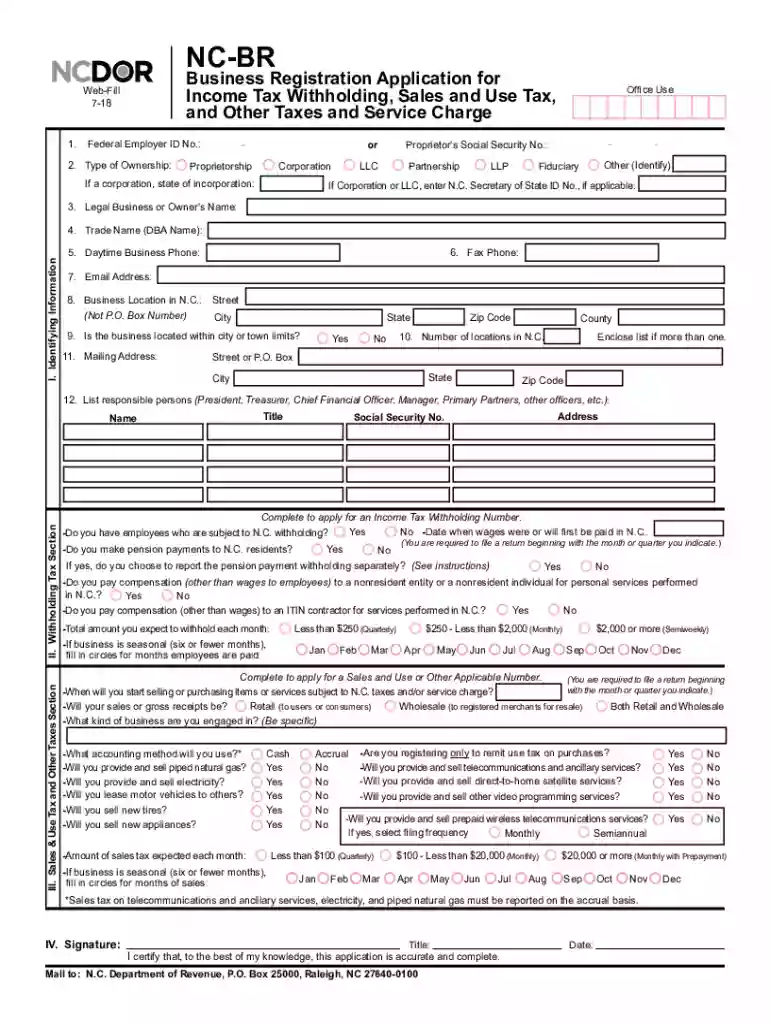
We've got more versions of the North Carolina Business Registration Application form. Select the right North Carolina Business Registration Application version from the list and start editing it straight away!
At DocHub, your data security is our priority. We follow HIPAA, SOC2, GDPR, and other standards, so you can work on your documents with confidence.
The cost to register LLC Articles of Organization in North Carolina is $125. NOTE: Each April, you will be required to file an annual report and pay $202 toRead more
The Departments online business registration allows you to electronically register for an account ID number for income tax withholding, sales and use tax,Read more
Data Report Registration. Data Report Registration Overview. Application for Authorization to Register. Electronic Data Transfer (EDT). History of NBRead more


