




01. Edit your tax organizer online
Type text, add images, blackout confidential details, add comments, highlights and more.

Type text, add images, blackout confidential details, add comments, highlights and more.

Draw your signature, type it, upload its image, or use your mobile device as a signature pad.

Send tax income organizer via email, link, or fax. You can also download it, export it or print it out.
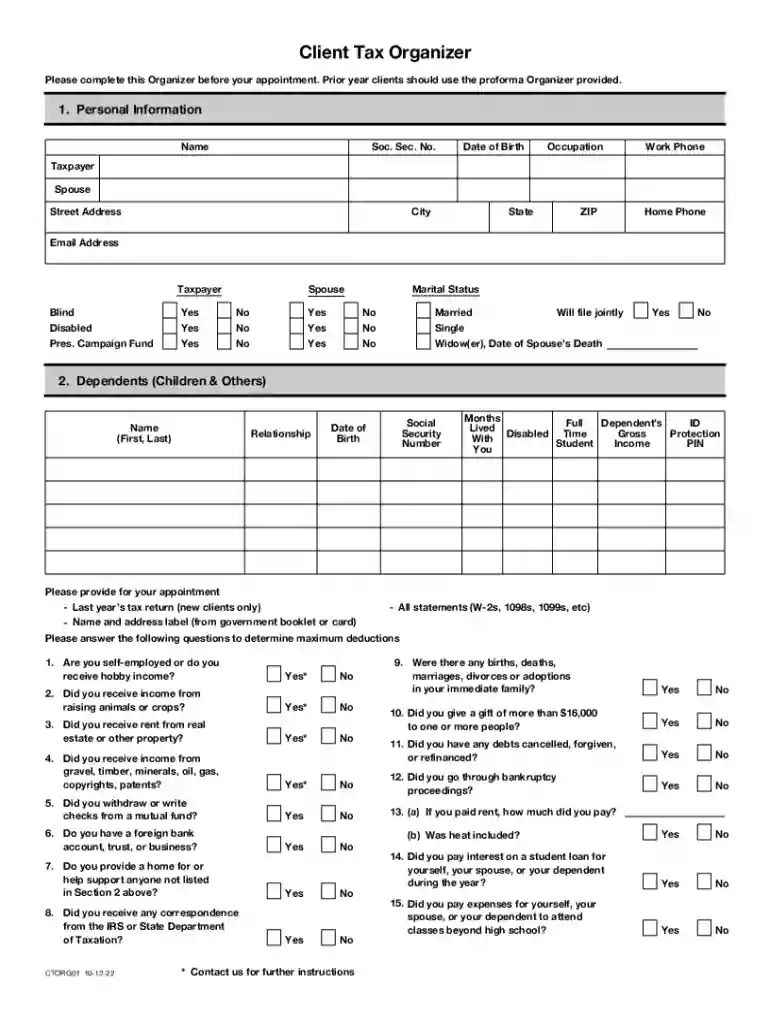
The Client Tax Organizer Worksheet is a structured document designed to facilitate the collection of necessary financial information for tax preparation. It serves as a preliminary tool for individuals and tax professionals to gather and organize details such as income, expenses, and deductions. By using this worksheet, clients can ensure they provide comprehensive data, which is crucial for accurate tax return filing and maximizing potential deductions.
Completing the Client Tax Organizer Worksheet involves a systematic approach to gather and document financial information required for tax filing.
To maximize the efficiency of the tax filing process, the Client Tax Organizer Worksheet should be filled out methodically.
Understanding terminology within the Client Tax Organizer Worksheet is essential for effective completion and communication with tax professionals.
The form includes multiple sections designed to capture all critical aspects of an individual’s financial landscape.
Filling out the worksheet accurately is part of legal compliance with tax filing requirements.
Efficient completion of the worksheet relies on gathering an array of documents beforehand.
In the digital age, deciding between a digital or printed version of the Client Tax Organizer Worksheet can influence the efficiency and accuracy of data collection.
By understanding and utilizing these blocks, users can ensure the effective and lawful use of the Client Tax Organizer Worksheet for optimal tax return preparation.
We've got more versions of the tax organizer form. Select the right tax organizer version from the list and start editing it straight away!
With DocHub, it’s quite simple. The platform offers users an add-on called DocHub for Gmail, which you can find in the Google Workspace Marketplace without being charged. Install it and give it access to your Google account. Open your email with your 2023 tax organizer template attached and click on the add-on button in the right-side panel. Log in to your DocHub account, and upload the file to our editor, where you can complete it and sign.
If you store your files in Google Drive, there is no need to download your free printable tax organizer on your computer and upload it back to our editor. A significantly simpler way is to set up a browser extension created by DocHub to simplify this flow. The extension allows editing PDFs right in your internet browser. Alternatively, you may integrate your DocHub and Gmail accounts for more efficient editing.
At DocHub, your data security is our priority. We follow HIPAA, SOC2, GDPR, and other standards, so you can work on your documents with confidence.
Find your $1M business idea. 12 founder stories 110 templates 19 frameworks 60+ tools AI-powered business plans. Everything entrepreneurs need in oneRead more
You will need: Tax Information such as Forms W-2, 1099, 1098, 1095. Social Security cards or ITIN letters forRead more


