
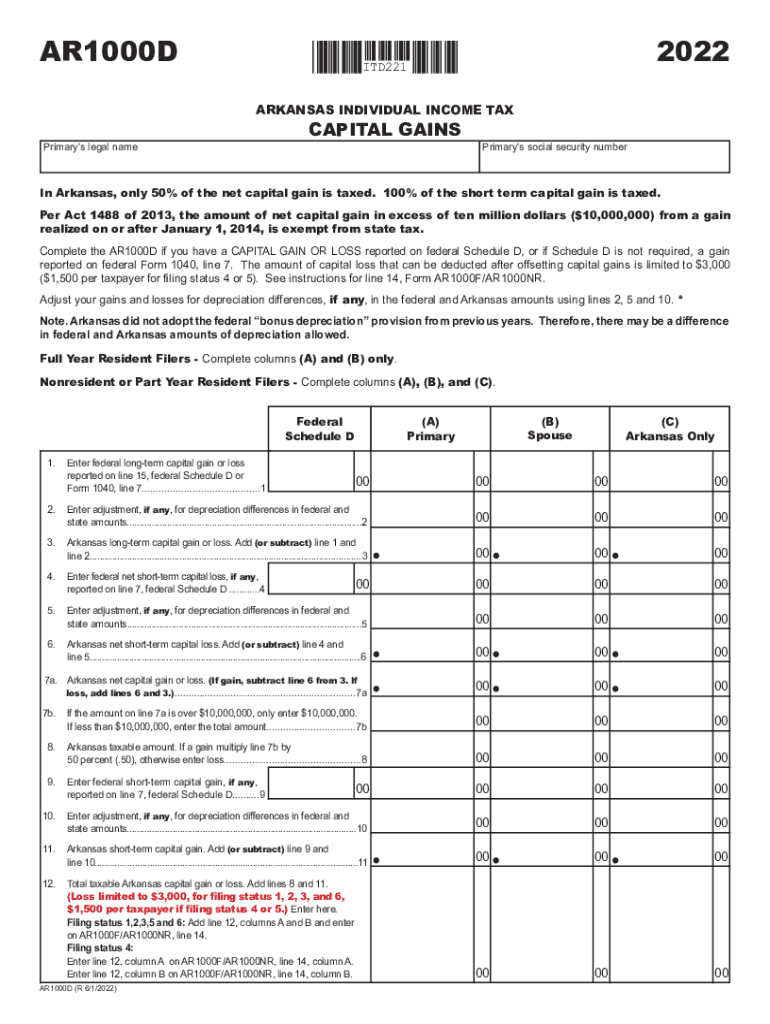







Definition and Meaning of Primary's Legal Name
In the context of legal and official documentation, the "Primary's legal name" refers to the official name that is recognized legally for an individual or entity. This name is used in all formal transactions and legal contracts. For individuals, it typically includes the first name, middle name or initial, and last name as reflected on government-issued documents such as birth certificates or driver's licenses. For businesses, the legal name is the registered name under which the entity operates and conducts business. It is crucial for maintaining consistency in legal records and ensuring compliance with various legal requirements.
How to Use the Primary's Legal Name
The primary's legal name should be used consistently in all legal documents and interactions. Whether you're filling out tax forms, signing contracts, or creating a business profile, using the correct legal name ensures that there are no discrepancies that might lead to legal challenges or delays. Here are several key areas where the primary's legal name is essential:
- Official Identification: Government documents such as passports and social security cards.
- Financial Transactions: Bank accounts, loan applications, and investment accounts.
- Legal Contracts: Employment agreements, leases, and purchase agreements.
- Healthcare: Medical records and insurance documents.
Ensuring the accuracy of the primary's legal name in these contexts helps prevent errors and maintains the integrity of legal documents.
How to Obtain the Primary's Legal Name
Obtaining the primary's legal name typically involves referring to official records and documents. For individuals, this includes checking identification documents such as:
- Birth certificates.
- Passports.
- Driver's licenses.
- Social security cards.
For businesses, the legal name can be found by reviewing:
- Business Registration Documents: Such as Articles of Incorporation or a Business License.
- State Business Registries: Many states maintain online databases where the legal names of registered businesses can be accessed.
- Public Records: Various public databases list business and corporate legal names.
Ensuring that you have access to these documents will help you verify and use the correct legal name in all official matters.
Steps to Complete Forms Using the Primary's Legal Name
When completing forms that require the primary's legal name, it is critical to follow precise steps to ensure accuracy and compliance:
- Identify the Form Requirements: Clearly understand which sections require the primary’s legal name and any specific format instructions.
- Consult Official Documents: Reference the correct spelling and format from government-issued identification or business registration documents.
- Enter the Name Consistently: Ensure that the name is entered consistently across all sections of the form to prevent errors.
- Double-Check for Errors: Review the completed form for any spelling errors or omissions before submission.
- Retention: Keep a copy of the completed form for your records.
By following these steps, you can ensure that the primary's legal name is accurately documented, avoiding potential legal issues or administrative delays.
Why Should You Use the Primary's Legal Name
Using the primary's legal name in official documents and transactions is essential for several reasons:
- Legal Consistency: Ensures that all official records match, which is crucial for legal recognition and enforcement.
- Avoidance of Disputes: Prevents potential disputes that might arise from discrepancies in identity verification.
- Professionalism: Adheres to professional standards and practices required in legal and business environments.
- Compliance: Meets legal obligations that mandate the use of the legal name in official documentation.
By understanding the importance of using the primary's legal name, individuals and businesses can maintain compliance and ensure smooth transactional processes.
Key Elements of the Primary's Legal Name
The primary's legal name contains critical elements that need to be correctly used in all legal and official settings:
- First Name: The given name of the individual or primary identifier in case of a business.
- Middle Name or Initial: Although optional, when included, it should be consistent with official records.
- Last Name: Family or surname for individuals or main business identifier in case of entities.
- Suffixes: Such as Jr., Sr., or III, when applicable, should appear exactly as they do in official records.
These elements together help in distinctly identifying individuals and businesses in all legal and formal engagements.
State-Specific Rules for Primary's Legal Name
In the United States, there can be variations in how the primary's legal name is defined or required by different state jurisdictions. Here are examples of state-specific considerations:
- State Registries: Some states may require businesses operating within their jurisdiction to register their legal name with a state-specific organization, such as a Secretary of State office.
- Name Change Requirements: Processes and documentation for changing a legal name can vary significantly between states for individuals and entities.
- Local Business Filing Requirements: States might have different requirements for DBA (Doing Business As) names, particularly how they're listed alongside legal names.
Understanding these variations is crucial for compliance with both state and federal regulations regarding the use of a legal name.
Legal Use of the Primary's Legal Name
The legal use of the primary's legal name is enforced by various laws and regulations to ensure the integrity and transparency of official records. Here are key legal considerations:
- Identity Verification: Legal names are necessary to verify identity for law enforcement and contractual agreements.
- Contractual Obligations: Ensures that parties entering into a contract are clearly identified and legally bound by the terms.
- Regulatory Compliance: Entities are required to use their legal name in reporting and compliance documents filed with government bodies such as the IRS.
These legal frameworks protect against fraud, identity theft, and misrepresentation, underscoring the importance of using the legal name in official contexts.




