




01. Edit your form online
Type text, add images, blackout confidential details, add comments, highlights and more.

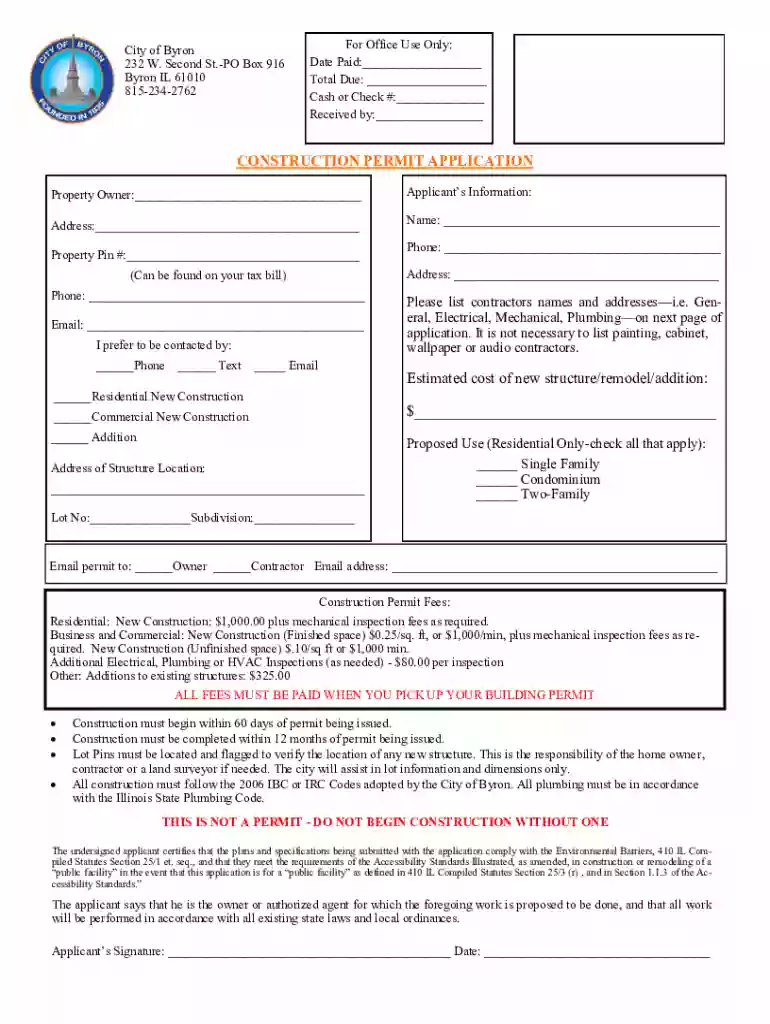
Type text, add images, blackout confidential details, add comments, highlights and more.

Draw your signature, type it, upload its image, or use your mobile device as a signature pad.

Send it via email, link, or fax. You can also download it, export it or print it out.

Start using our platform today to streamline your Construction Permit Application process for free!
We've got more versions of the Construction Permit Application - Byron, IL form. Select the right Construction Permit Application - Byron, IL version from the list and start editing it straight away!
| Versions | Form popularity | Fillable & printable |
|---|---|---|
| 2021 | 4.8 Satisfied (33 Votes) |
Yes, and it’s really straightforward! DocHub is an online PDF editor with advanced document processing capabilities that allow you quickly modify your documents, complete empty fields and insert new ones for other people to fill out, and create eSignatures in several ways. Add your Construction Permit Application - Byron, IL, provide information as required, and decide how you want to eSign your template - by typing your name, drawing your signature, uploading its picture, or utilizing a QR code.
If you edit your Construction Permit Application - Byron, IL with DocHub, you only need a steady internet connection and virtually any web browser installed on your device. No need to install any third-party software or study guides. Just open a tab with DocHub, drag and drop your file, and edit it on the spot.
At DocHub, your data security is our priority. We follow HIPAA, SOC2, GDPR, and other standards, so you can work on your documents with confidence.
We address these questions by creating a new hand-collected database spanning a century of monthly building permit quantities and valuations for all U.S. statesRead more
In applications requiring more than 1 Form C contact, a multicontact relay may be used instead of 2, 3 or 4 of the standard type HG Mercury-Wetted ContactRead more
All applications should be submitted via mail, email or in person. Rock Island, IL 61201 Phone: 309-786-4451 Monday through Friday 8 am to 4:30 pm


