




Here's how it works



How to use or fill out Forms available online Washington State Health Care Authority

- Click ‘Get Form’ to open it in the editor.
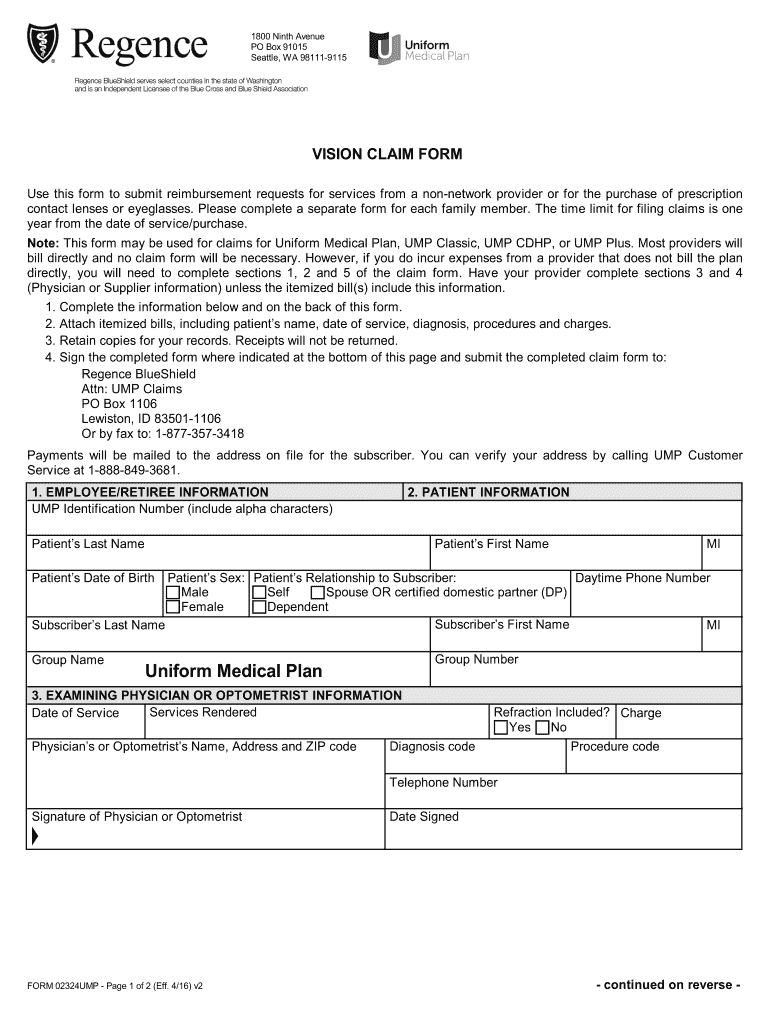
- Begin by filling out the EMPLOYEE/RETIREE INFORMATION section. Enter your UMP Identification Number, ensuring to include any alpha characters.
- Next, complete the PATIENT INFORMATION section with the patient's last name, first name, middle initial, date of birth, sex, and relationship to the subscriber. Include a daytime phone number for contact.
- In the EXAMINING PHYSICIAN OR OPTOMETRIST INFORMATION section, provide details about the services rendered including the date of service and physician's information. Ensure you include diagnosis and procedure codes.
- For SUPPLIER INFORMATION, either have your provider complete this section or attach a copy of the prescription. Fill in details regarding lenses or glasses ordered.
- Finally, sign in the EMPLOYEE/RETIREE RELEASE INFORMATION section to authorize release of medical information necessary for processing your claim.
Start using our platform today to easily fill out and submit your forms for free!
It's free
See more Forms available online Washington State Health Care Authority versions
Got questions?
Can I sign my careforms electronically?
As outlined by eSignature laws, forms signed digitally have the same validity as traditionally approved ones. You can eSign almost any business and private documentation. Four types of documents still demand handwritten signatures only - wills and testamentary trusts, court orders and other court papers, state statutes regulating divorce, adoption, or other family law, and notice of cancellation of utility services. If you follow the regulations and utilize a trustworthy and compliant software solution, like DocHub, you can eSign your careforms without printing it.
Can I edit Forms available online Washington State Health Care Authority on my phone?
As a comprehensive document modifying service, DocHub is accessible on smart phones. Open DocHub in your choice of mobile internet browser and employ our smart mobile-friendly toolset to fill out your Forms available online Washington State Health Care Authority.
Security and compliance
At DocHub, your data security is our priority. We follow HIPAA, SOC2, GDPR, and other standards, so you can work on your documents with confidence.
Learn more




