Definition and Meaning
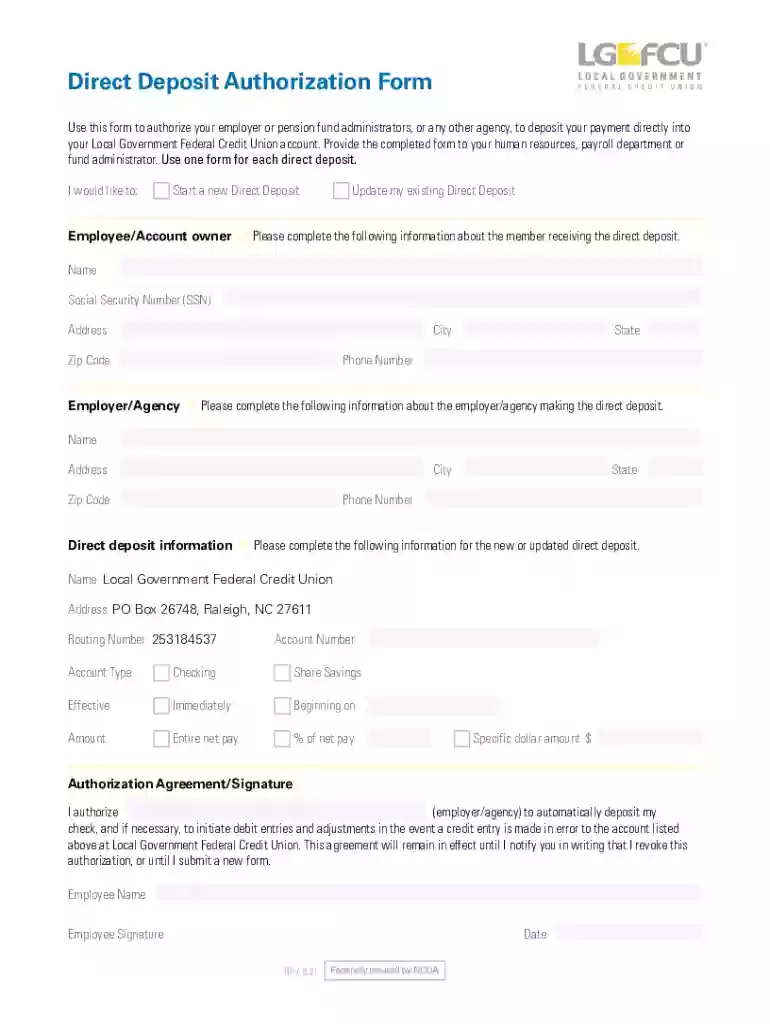
The free direct deposit authorization form is a document that empowers employees to authorize their employer to transfer payroll checks directly into their bank accounts. This automated system ensures that funds are available to employees immediately upon receipt, minimizing elapsed time and reducing the risk associated with paper checks. The form typically includes sections for personal information, banking details, and an authorization statement.
Key Components
- Employee Information: Includes the employee’s full name, address, and contact details.
- Bank Details: Requires the name of the bank, routing number, and account number.
- Authorization Agreement: A legal consent that grants permission for the direct deposit.
Practical Examples
- An employee updating their deposit form after changing banks.
- New hires submitting the form during orientation to streamline their payroll setup.
How to Use the Free Direct Deposit Authorization Form
The direct deposit form can be filled out using a PDF or Word template. Follow these steps to complete the process:
- Access the Document: Download the form from a trusted source such as your workplace HR portal or DocHub.
- Fill Out Personal Details: Enter your full legal name, home address, and contact information.
- Provide Banking Information: Accurately type in the bank name, routing number, and account number. Double-check for errors.
- Sign the Authorization: Depending on your version, type or handwrite your signature to validate the form.
- Submit the Form: Return the completed form to your employer's HR department through email or a secure online system.
Edge Cases
- Changes in employment status may necessitate a form update.
- Switching between checking and savings accounts requires resubmission.
Steps to Complete the Authorization Form
Completing this form involves several critical steps that ensure accuracy and compliance:
- Gather Required Information: Collect your bank account details and ensure you have a valid identifier, such as a driver's license.
- Enter Data Carefully: Mistakes in banking information can result in delays, so accuracy is paramount.
- Review Authorization Terms: Understand the legal implications of authorizing electronic transfers.
Scenarios
- Freelancers establishing automated client payments.
- Part-time workers ensuring timely paycheck deposits.
Who Typically Uses this Form
This form is chiefly employed by various groups who benefit from its convenience and efficiency:
- Employees: Those preferring automated payroll processing over physical checks.
- Employers: Companies looking to streamline payroll systems.
Examples of Users
- Remote workers who infrequently visit the office.
- Employees vacationing during payroll cycles.
Key Elements of the Authorization Form
Certain elements are fundamental for setting up a direct deposit:
- Identification Information: Ensures the right employee is associated with the transaction.
- Financial Institution Details: Verifies where the money should be deposited.
- Authorized Signatures: Confirms consent and ensures legality.
Subsections
- Optional Deposits: Some forms allow allocation to multiple accounts.
- Frequency of Deposits: Specify how often deposits should occur.
Legal Use and Compliance
Ensuring compliance with financial regulations, this form abides by pertinent U.S. laws:
- ESIGN Act: Governs the acceptance of electronic signatures for legal purposes.
- Banking Regulations: Adheres to guidelines safeguarding financial transactions.
Relevant Considerations
- Verify all signatures for valid consent.
- Update forms in compliance with changing legal standards.
State-Specific Rules
While generally uniform, some states have additional stipulations regarding direct deposits:
- California and New York: Have specific employee consent laws.
- Texas: Mandates employer reimbursement for fees generated by account errors.
Nuanced Differences
- State labor laws may affect how forms need to be submitted.
Examples of Using the Form
Real-world applications of this form demonstrate its utility in diverse contexts:
- Case Study 1: An account manager uses the form to adjust their budgetary planning.
- Case Study 2: A construction company offers new employees direct deposit as part of their benefit package.
Variations and Edge Cases
- Seasonal workers adapting the form for different employers.
- Dual-income households splitting deposits into joint accounts.