




Full Year Resident Filers - Complete columns (A) and (B), LI XVLQJ OLQJ VWDWXV PDUULHG OLQJ VHSDUDWHO RQ WKH VDPH UHWXUQ - dfa arkansas 2026

Get Form
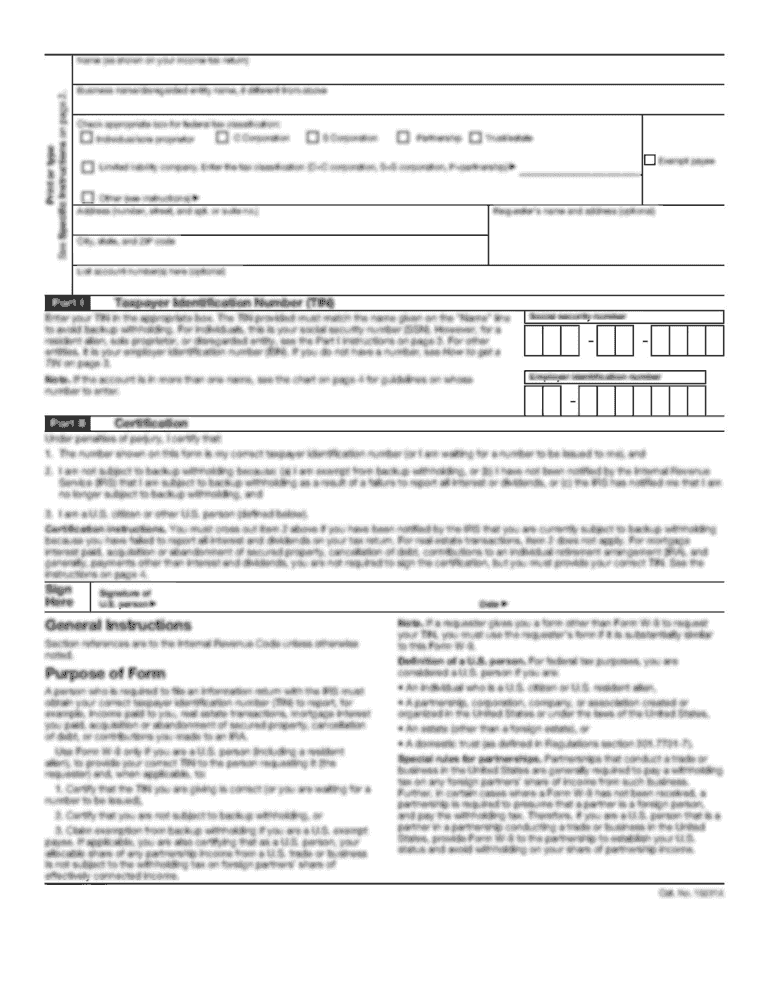
Full Year Resident Filers - Complete columns (A) and (B), LI XVLQJ OLQJ VWDWXV PDUULHG OLQJ VHSDUDWHO RQ WKH VDPH UHWXUQ - dfa arkansas Preview on Page 1

Here's how it works

01. Edit your form online
Type text, add images, blackout confidential details, add comments, highlights and more.
02. Sign it in a few clicks
Draw your signature, type it, upload its image, or use your mobile device as a signature pad.
03. Share your form with others
Send it via email, link, or fax. You can also download it, export it or print it out.

Definition and Purpose of the Full Year Resident Filers Form

The Full Year Resident Filers form, often referred to in conjunction with the Arkansas Individual Income Tax Schedule of Adjustments (AR1000ADJ), is essential for individuals who have maintained Arkansas residency for the entire tax year. This form provides the necessary framework for reporting income accurately and making appropriate adjustments as stipulated by state tax regulations.

By completing this form, filers ensure they comply with Arkansas tax law, allowing them to declare adjustments related to various types of income, including that of a spouse, as well as any applicable Arkansas-specific tax deductions. For taxpayers, understanding the distinctions between full-year resident and part-year resident filings is crucial to determining the correct approach to completing their tax obligations.

Key components of the form include:

  • Identifying Information: Personal details such as name, address, and Social Security number.
  • Income Reporting: Sections for reporting various types of income, including wages, self-employment income, and dividends.
  • Adjustments: Specific adjustments allowed under Arkansas law, which may lower taxable income.

Understanding these core elements is crucial for ensuring accuracy and compliance when navigating Arkansas's tax filing process.

Step-by-Step Instructions for Completing the Form

Completing the Full Year Resident Filers form involves several distinct steps that guide taxpayers through the process of reporting their income and applicable adjustments. These steps help ensure accuracy and compliance with state tax regulations.

  1. Gather Required Documents:

    • Collect W-2 forms from employers.
    • Gather 1099 forms for additional income such as freelance or contract work.
    • Compile documentation for deductions and credits, such as receipts for educational expenses or mortgage interest.
  2. Complete Identification Section:

    • Fill in your name, Social Security number, and address in the appropriate fields.
    • Ensure that all information is accurate to avoid processing delays.
  3. Report Income:

    • Use columns (A) and (B) to accurately report income from various sources, including wages and interest.
    • Ensure that all income reported corresponds with the documents gathered earlier.
  4. Make Adjustments:

    • Identify adjustments applicable under Arkansas tax law, such as the subtraction of qualified retirement contributions or other deductions.
    • Use the specific guidelines provided within the form to calculate and report these adjustments correctly.
  5. Double-Check Entries:

    • Review each entry carefully, ensuring that all calculations are correct and all necessary fields are filled out completely.
    • Mistakes in this section can lead to delays or additional scrutiny from tax authorities.
  6. Sign and Submit:

    • Sign the form where indicated.
    • Choose your submission method—either electronically via the e-filing option or by mailing a printed form to the appropriate Arkansas state tax authority.

Each of these steps plays a critical role in ensuring the form is completed correctly, ultimately impacting any refunds or amounts owed.

Important Terms Related to the Form

Understanding the terminology associated with the Full Year Resident Filers form is important for successful completion and compliance with Arkansas tax regulations. Here are several key terms related to the form:

  • Gross Income: This includes all income received in the form of money, goods, or services that are not exempt from tax. This term encompasses wages, business income, dividends, and interest.

  • Adjustments to Income: These are specific deductions allowed when calculating taxable income, adjusting gross income to arrive at a lower taxable amount. Examples include contributions to retirement accounts or tuition expenses.

  • Filing Status: Refers to the category that reflects the taxpayer's marital situation and affects tax rates and the eligibility for specific deductions. Common statuses include single, married filing jointly, or head of household.

  • Deductions: Amounts that taxpayers can subtract from their gross income to reduce taxable income, leading to lower overall tax liability. Deductions may include state and local taxes, mortgage interest, and certain medical expenses.

  • Tax Credits: These are direct reductions of the tax owed, as opposed to deductions which only reduce taxable income. Tax credits may apply for education costs, childcare expenses, and energy-efficient home improvements.

Familiarity with these terms can enhance understanding of the filing process and the implications of each component when completing the Full Year Resident Filers form.

Common Errors to Avoid

When completing the Full Year Resident Filers form, there are several common mistakes that can lead to delays, audits, or penalties. Being aware of these pitfalls can help taxpayers avoid potential issues:

  • Omitted Income: Failing to report all sources of income can result in significant penalties. It is essential to ensure that all income sources, including freelance work or investment income, are accurately reported.

  • Incorrect Social Security Number: Errors in entering a taxpayer’s or dependent’s Social Security number can lead to processing delays. Always double-check the numbers for accuracy.

  • Calculation Errors: Simple math errors in calculating total income, adjustments, and final tax owed can lead to misinformation in tax filings. Use tax software or worksheets to verify calculations.

  • Neglecting Signatures: A common oversight is failing to sign the form upon completion. A signature legitimizes the document; without it, submissions may be rejected.

  • Missed Deadlines: Filing after the deadline can incur late fees and penalties. Keeping track of tax deadlines is crucial for timely and compliant filing.

Addressing these common issues can save time and resources, ensuring a smoother filing process.

Filing Submission Methods

The Full Year Resident Filers form can be submitted through several methods, providing flexibility to taxpayers based on their preferences and circumstances. Each method offers distinct advantages regarding convenience, speed, and acknowledgement of receipt.

  1. Online Submission:

    • E-filing through Arkansas’s online tax portal is highly recommended for its speed and efficiency.
    • Tax software options integrated with state e-filing systems help automate calculations, reduce errors, and streamline the submission of forms.
  2. Mail:

    • Taxpayers can opt to mail a printed and signed copy of the form to the Arkansas Department of Finance and Administration (DFA).
    • It is advisable to use certified mail or another trackable option to ensure the submission is received and to have proof of filing.
  3. In-Person Submission:

    • Filers may also choose to submit their forms in person at designated Arkansas tax offices.
    • This method allows for immediate feedback and questions to be addressed by tax professionals onsite.

Timely and correct submission of the Full Year Resident Filers form is crucial for compliance with state tax code and for the establishment of a clear record with the tax authorities.

be ready to get more

Complete this form in 5 minutes or less

Get form

Got questions?

We have answers to the most popular questions from our customers. If you can't find an answer to your question, please contact us.
Contact us

Sure, a typed name is accepted as a valid electronic signature when you create it on your form utilizing a compliant solution like DocHub. Simply upload your Full Year Resident Filers - Complete columns (A) and (B), LI XVLQJ OLQJ VWDWXV PDUULHG OLQJ VHSDUDWHO RQ WKH VDPH UHWXUQ - dfa arkansas to our editor, click Sign in the top tool pane → Create your signature → Type your name in the proper tab, and decide how it will appear on your document.

You can complete and eSign your Full Year Resident Filers - Complete columns (A) and (B), LI XVLQJ OLQJ VWDWXV PDUULHG OLQJ VHSDUDWHO RQ WKH VDPH UHWXUQ - dfa arkansas on the internet, even on a tight deadline. All you need to access top-notch editing tools on any device is a DocHub account, that you can sign up in a couple of moments. After you register, upload your file or find what you are searching for in our catalog, complete it utilizing the editing tools you want, and place your electronic signature on it at the end.

You also may check the status of your refund by calling +1 (501) 682-1100 or toll free at +(800) 882-9275. If you e-filed, your refund should be issued within twenty-one business days after acknowledgment of the receipt of the return.
What are the best states to retire for taxes on retirement withdrawals? Nine states have no income tax. These are Alaska, Florida, Nevada, New Hampshire, South Dakota, Tennessee, Texas, Washington, and Wyoming. An additional 4 states do not tax income from IRAs.
While California exempts Social Security retirement benefits from taxation, all other forms of retirement income are subject to the states income tax rates, which range from 1% to 13.3%.
be ready to get more

Complete this form in 5 minutes or less

Get form

People also ask

Form AR1000NR (2024) - Arkansas Individual Part Year Income Tax Return. This is the tax form used by non-residents (NR) or part-year residents of Arkansas (AR) to file their state income tax return for tax year 2024.
Age 65 or Disabled Homeowner Property Tax Relief.
Arkansas allows you take a subtraction for your pension income for up to $6,000 on your state return. If you are filing as married filing jointly and your spouse receives a pension as well, you are both entitled to a $6,000 exemption on your Arkansas return for your pension income.
For REFUND RETURN: Arkansas State Income Tax, P.O. Box 1000, Little Rock, AR 72203-1000; For TAX DUE RETURN: Arkansas State Income Tax, P.O. Box 2144, Little Rock, AR 72203-2144; For NO TAX DUE RETURN: Arkansas State Income Tax, P.O. Box 2144, Little Rock, AR 72203-2144.