
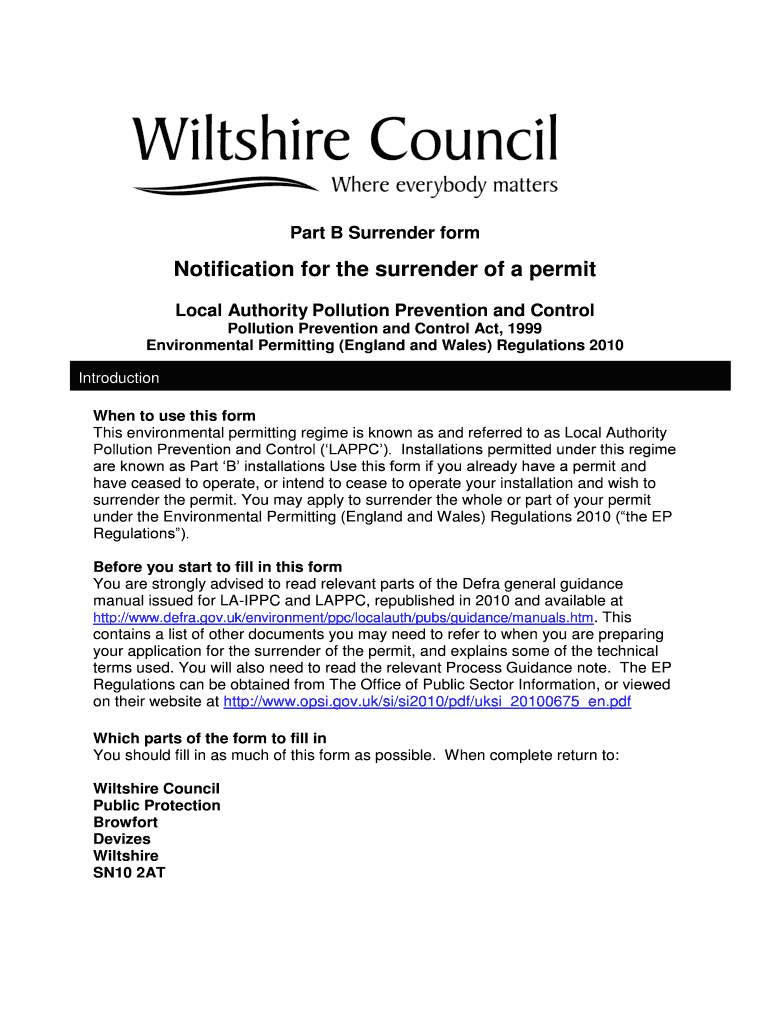







Definition & Meaning
The Part B Surrender form is a critical document used within the United States for notifying Local Authorities of the intention to surrender an environmental permit. This form is a key component under the Local Authority Pollution Prevention and Control (LAPPC) regime. It primarily serves to outline the process of permit surrender, ensuring that operators correctly inform authorities about their decision to relinquish their environmental responsibilities concerning a specific installation.
-
Purpose: The core purpose of this form is to ensure compliance with environmental regulations by providing the necessary details to authorities when an operator chooses to cease operations that require a permit.
-
Components: This form typically involves sections detailing the installation, operator information, and any parts of the permit being surrendered. It also addresses commercial confidentiality concerns and data protection, essential for handling sensitive information properly.
Steps to Complete the Part B Surrender Form
Completing the Part B Surrender form requires careful attention to detail to ensure all legal requirements are met. This process involves several key steps:
-
Gather Necessary Information: Collect documentation on the installation, including the permit number and operator details. This includes names, contact information, and addresses.
-
Detail Permit Sections: Identify and specify which parts of the permit are being surrendered. This requires an understanding of the permit's scope and the implications of surrendering each section.
-
Provide Supporting Documentation: Attach necessary documentation to support your application. This may include environmental assessments, reports on the installation's current condition, and any previous audits or inspections.
-
Complete the Confidentiality Sections: If any information is commercially sensitive, specify this clearly to ensure it remains protected during processing.
-
Submit the Form: Choose a submission method as per regulations – this could be online, via mail, or in person, depending on local authority guidelines.
Key Elements of the Part B Surrender Form
Understanding the key elements of the Part B Surrender form is crucial for accurately completing and submitting it.
-
Installation Information: Includes precise details about the site, such as location, size, and type of operation.
-
Operator Information: Covers the entity responsible for the installation, requiring full legal names and contact details.
-
Permit Sections to Surrender: Outlines the specific sections of the permit that are no longer necessary or applicable, facilitating environmental compliance adjustments.
-
Commercial Confidentiality: A segment that allows the operator to highlight any information that should remain confidential due to competitive sensitivity.
Important Terms Related to Part B Surrender Form
Familiarity with important terms ensures accurate completion of the form, avoiding common pitfalls and errors.
-
LAPPC: Local Authority Pollution Prevention and Control – a framework governing environmental permits for installations.
-
Permit: Authorization issued by authorities to conduct specific operational activities that may impact the environment.
-
Surrender: The formal process of releasing a permit, indicating cessation of regulated activities.
-
Commercial Confidentiality: A protective measure for sensitive business information that should not be disclosed publicly.
Legal Use of the Part B Surrender Form
The Part B Surrender form is a legally binding document when filed correctly. It ensures that all environmental legislative requirements under LAPPC are met, offering transparency and compliance for environmental operations.
-
Compliant Procedure: Following the procedural guidelines ensures lawful surrender, avoiding potential legal complications or fines.
-
Data Protection: The form includes sections requiring operators to adhere to data protection laws, safeguarding sensitive information.
Who Typically Uses the Part B Surrender Form
The form caters primarily to operators of installations under environmental regulation. Understanding the typical users helps contextualize its application.
-
Industrial Operators: Businesses operating under LAPPC permits for manufacturing, waste management, or other pollution-risk activities.
-
Environmental Consultants: Professionals providing guidance on compliance and environmental management.
-
Legal Advisors: Offering support for the legal implications of permit surrender.


Variation and Alternatives
Though the Part B Surrender form is standardized for particular applications, variations may exist based on regional requirements or specific industries. Alternative forms might be applicable depending on the nature of the business or type of installation.
-
Regional Adaptations: Some states or localities may have customized versions reflecting local environmental legislation nuances.
-
Industry-Specific Forms: Certain industrial sectors may have special forms tailored to their environmental impact and regulatory compliance requirements.
Required Documents
Supporting documentation is crucial for the successful processing of the Part B Surrender form. Ensuring all necessary documents accompany the form can streamline the process significantly.
-
Environmental Reports: Outline the current environmental condition of the installation site.
-
Inspection Certificates: Documentation from past inspections or audits that validate compliance history and current status.
-
Operational Summaries: Reports detailing activities conducted at the installation, supporting the cessation rationale.




