




Here's how it works

01. Edit your ftb 3586 online
Type text, add images, blackout confidential details, add comments, highlights and more.

02. Sign it in a few clicks
Draw your signature, type it, upload its image, or use your mobile device as a signature pad.

03. Share your form with others
Send it via email, link, or fax. You can also download it, export it or print it out.
How to use or fill out ftb 3586 form with our platform

- Click ‘Get Form’ to open the FTB 3586 in the editor.
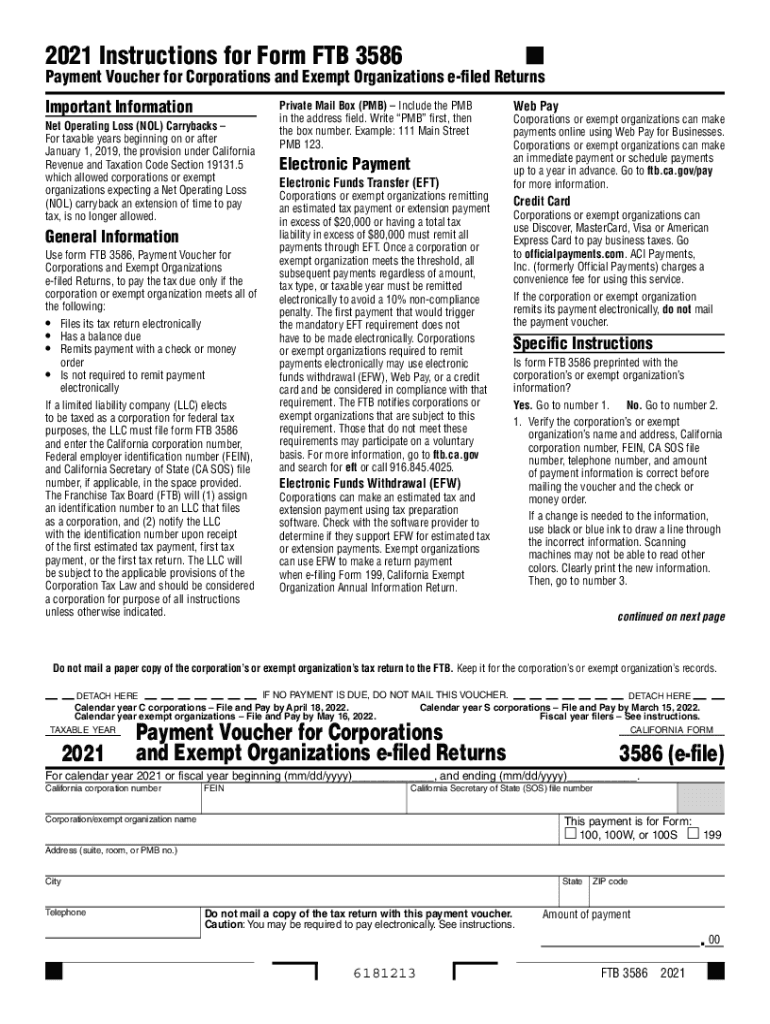
- If the form is preprinted with your corporation’s information, verify that all details such as name, address, California corporation number, and FEIN are correct. If changes are needed, use black or blue ink to cross out incorrect information and clearly print the new details.
- For those without preprinted information, fill in your corporation's name and address in capital letters. Include your California corporation number, FEIN, CA SOS file number, telephone number, and the amount of payment.
- Ensure that the information on the FTB 3586 matches what was electronically submitted to the FTB. Make your check or money order payable to 'Franchise Tax Board' and include relevant identifiers on it.
- Enclose your payment with the voucher but do not staple them together. Mail it to the specified address for processing.
Start using our platform today for free to simplify your FTB 3586 form completion!
Fill out ftb 3586 form online
It's free
It's free
See more ftb 3586 form versions
We've got more versions of the ftb 3586 form form. Select the right ftb 3586 form version from the list and start editing it straight away!
| Versions | Form popularity | Fillable & printable |
|---|---|---|
| 2025 | 4.7 Satisfied (55 Votes) | |
| 2023 | 4.1 Satisfied (36 Votes) | |
| 2022 | 4.8 Satisfied (22 Votes) | |
| 2021 | 4.8 Satisfied (176 Votes) | |
| 2020 | 4.1 Satisfied (51 Votes) | |
| 2019 | 4.3 Satisfied (135 Votes) | |
| 2018 | 4.3 Satisfied (138 Votes) | |
| 2017 | 4.4 Satisfied (64 Votes) | |
| 2016 | 4.4 Satisfied (142 Votes) |
Security and compliance
At DocHub, your data security is our priority. We follow HIPAA, SOC2, GDPR, and other standards, so you can work on your documents with confidence.
Learn more


