




Here's how it works

01. Edit your what is the accelerated pretrial rehabilitation program ct online
Type text, add images, blackout confidential details, add comments, highlights and more.

02. Sign it in a few clicks
Draw your signature, type it, upload its image, or use your mobile device as a signature pad.

03. Share your form with others
Send accelerated rehabilitation ct via email, link, or fax. You can also download it, export it or print it out.
How to use or fill out ct accelerated rehabilitation with our platform

- Click 'Get Form' to open the ct accelerated rehabilitation application in the editor.
- Begin by filling out the 'Application' section. Enter your name, address, and contact information accurately. Ensure that all details are correct to avoid delays.
- Next, complete the 'Military Status' section if applicable. Indicate whether you have served in the U.S. Armed Forces and provide any necessary details regarding your discharge status.
- Review the statements regarding eligibility for accelerated rehabilitation. Confirm your understanding by checking the appropriate boxes and signing where indicated.
- Once completed, save your form and print it. Submit the original to the Clerk of Court and keep a copy for your records.
- If required, send a copy of your application to the prosecuting attorney and ensure you pay any applicable fees unless you qualify for a fee waiver.
Start using our platform today to streamline your document editing and submission process for free!
Fill out ct accelerated rehabilitation online
It's free
See more ct accelerated rehabilitation versions
We've got more versions of the ct accelerated rehabilitation form. Select the right ct accelerated rehabilitation version from the list and start editing it straight away!
Security and compliance
At DocHub, your data security is our priority. We follow HIPAA, SOC2, GDPR, and other standards, so you can work on your documents with confidence.
Learn more


Related forms

Mexican Trademark Registration Form
The document is a form from the Mexican Institute of Industrial Property (IMPI) for the application of protection for di ...
Responsibility Letter for Travel
The document is a 'CARTA RESPONSIVA' from Tecún Umán, Guatemala, in which an individual formally states their responsibi ...
COFEPRIS Drug Registration Form
The document is a detailed form for the registration, extension, and alphanumeric key assignment of herbal remedies and ...

IRS Form 1099-MISC
The document is a Form 1099-MISC, which reports various types of income such as rents, royalties, and nonemployee compen ...

Codicil Form
The document is a codicil form intended for individuals to modify their existing wills. It includes instructions on how ...

Security Disposal Authorization Form
The document outlines an agreement between the account holder and Pershing LLC for the disposal of a security identified ...
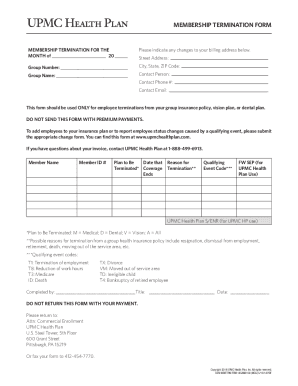
Membership Termination Form
The document is a Membership Termination Form for employees to officially terminate their group insurance, vision, or de ...

Iowa Affidavit of Common Law Marriage
The document is an affidavit for common law marriage in the State of Iowa, where two individuals declare their intention ...