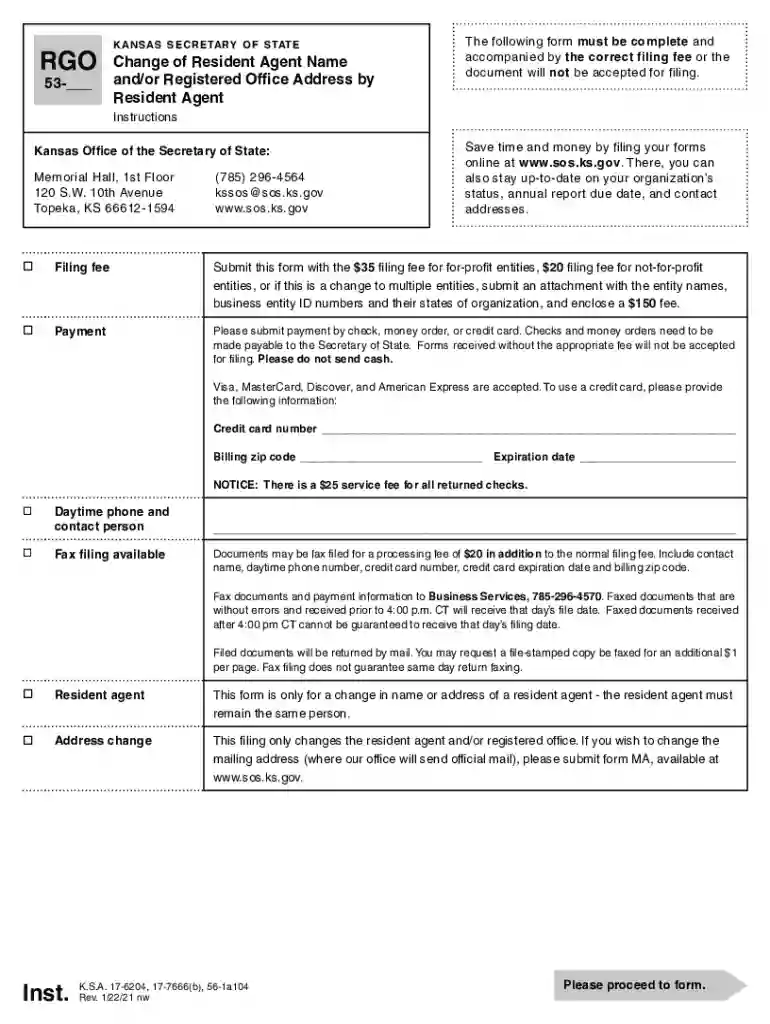
Kansas sos rgo 2026

Get Form
kansas sos rgo Preview on Page 1

Here's how it works

01. Edit your form online
Type text, add images, blackout confidential details, add comments, highlights and more.

02. Sign it in a few clicks
Draw your signature, type it, upload its image, or use your mobile device as a signature pad.

03. Share your form with others
Send it via email, link, or fax. You can also download it, export it or print it out.

How to use or fill out kansas sos rgo with our platform

Form edit decoration
9.5
Ease of Setup
DocHub User Ratings on G2
9.0
Ease of Use
DocHub User Ratings on G2
  1. Click ‘Get Form’ to open the kansas sos rgo in the editor.
  2. Begin by entering your name as the resident agent in the designated field. Ensure it matches the records with the Secretary of State.
  3. Input the Business Entity ID number, which is crucial for identification. Do not confuse this with the Federal Employer ID Number (FEIN).
  4. Fill in the current resident agent's name and registered office address. Remember, a street address is required; P.O. boxes are not acceptable.
  5. Next, provide the new resident agent's name and registered office address, again ensuring it is a valid street address.
  6. Specify the effective date for this change. You can choose either an immediate effect or a future date.
  7. Finally, sign and date the form, declaring under penalty of perjury that all information provided is accurate.

Start using our platform today to streamline your document editing and filing process for free!

See more kansas sos rgo versions

We've got more versions of the kansas sos rgo form. Select the right kansas sos rgo version from the list and start editing it straight away!
Versions Form popularity Fillable & printable
2021 4.8 Satisfied (50 Votes)
2015 4.3 Satisfied (78 Votes)
2010 4.4 Satisfied (329 Votes)
be ready to get more

Complete this form in 5 minutes or less

Get form

Got questions?

We have answers to the most popular questions from our customers. If you can't find an answer to your question, please contact us.
Contact us

Of course, electronically drawing your signature is acceptable, but only if you use a tool that complies with industry regulations and policies. Try DocHub, which ensures eSignature validity under ESIGN and UETA requirements. All you need to eSign your kansas sos rgo is an account with DocHub and an internet connection. After you open your document in our editor, click Sign and choose the Draw tool.

If you edit your kansas sos rgo with DocHub, you merely need a stable internet connection and virtually any web browser installed on your device. No need to install any third-party software or research guides. Just open a tab with DocHub, drag and drop your file, and modify it on the spot.

From the Business Entity Search Station homepage, click Business Entity Database. On the next screen, click the link to search By business entity name. Now you can enter your desired LLC name in the Name of Business field and click Search. This database searches all business entities registered in Kansas.
To revive or reinstate your Kansas LLC, youll need to submit the following to the Kansas Secretary of State: a completed Certificate of Reinstatement of Limited Liability Company. all past due biennial reports. the $35 filing fee plus fees for late biennial reports, if needed.
Businesses must renew their Kansas Certificate of Authorization every two years to avoid expiration and/or cancellation. Each Certificate a business holds needs renewed separately by the Principal in responsible charge.

Security and compliance

At DocHub, your data security is our priority. We follow HIPAA, SOC2, GDPR, and other standards, so you can work on your documents with confidence.

Learn more
ccpa2
pci-dss
gdpr-compliance
hipaa
soc-compliance
be ready to get more

Complete this form in 5 minutes or less

Get form

People also ask

All documents filed with the Secretary of States Office are publicly available and can be viewed and only be obtained online: File Stamp Copies: A non-certified copy of any document filed with the Kansas Secretary of State. File-stamped copies are available without a fee.
LLC taxed as a Corporation: Yes. Your LLC must file tax returns with the IRS and the Kansas Department of Revenue to pay your Kansas income tax. Check with your accountant to make sure you file all the correct documents.

Related links