




Here's how it works

01. Edit your tn annual sales report online
Type text, add images, blackout confidential details, add comments, highlights and more.

02. Sign it in a few clicks
Draw your signature, type it, upload its image, or use your mobile device as a signature pad.

03. Share your form with others
Send annual sales report tn via email, link, or fax. You can also download it, export it or print it out.
How to use or fill out tennessee annual sales report with our platform

- Click ‘Get Form’ to open the Tennessee Annual Sales Report in the editor.
- Begin by entering the 'Name of Dealership' and 'ADDRESS' in the designated fields. Ensure accuracy as this information is crucial for identification.
- Fill in the 'County of Dealership' and 'Motor Vehicle Dealer license number'. This helps in verifying your dealership's credentials.
- Input the total number of 'New Units sold' and 'Used Units sold' from January 1, 2020, to December 31, 2020. Make sure these figures are accurate as they impact your reporting.
- Calculate and enter the 'Total Motor Vehicle units sold', which includes both wholesale and retail sales during the specified period.
- Indicate the number of dealer plates purchased in 2020. This is essential for compliance with state regulations.
- Review all entered information for accuracy before signing. The owner or authorized agent must certify that the information is true and correct by signing and printing their name, title, and date.
Start using our platform today to easily complete your Tennessee Annual Sales Report online for free!
Fill out tennessee annual sales report online
It's free
It's free
See more tennessee annual sales report versions
We've got more versions of the tennessee annual sales report form. Select the right tennessee annual sales report version from the list and start editing it straight away!
Security and compliance
At DocHub, your data security is our priority. We follow HIPAA, SOC2, GDPR, and other standards, so you can work on your documents with confidence.
Learn more


Related forms
Philippine Consulate Outreach Notice
The document outlines the details of a Consular Outreach Mission by the Philippine Consulate General in Los Angeles, sch ...
Barking Dog Complaint Form - Baw Baw Shire Council
The document is a Barking Dog Complaint Form that residents must complete to report persistent barking from a neighbor's ...
Present Value Concepts
The document explains present value concepts, emphasizing their importance in financial accounting under IFRS compared t ...

What is accounting - Wiley
The document outlines the fundamentals of accounting within the hospitality industry, emphasizing its importance for eff ...

THE LONG ARC
The document discusses the evolution of democracy in the United States, emphasizing that it is a continuous process rath ...
Equity Method Accounting - Definition, Explanation, Examples
The document provides a comprehensive overview of the accounting treatment for consolidated financial statements after a ...
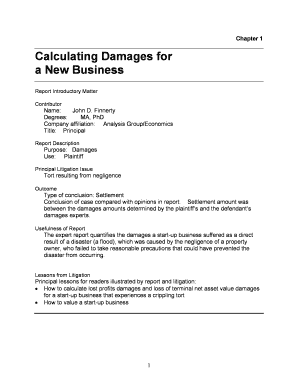
Calculating Damages for
The document is an expert report by John D. Finnerty, Ph.D., detailing the damages suffered by New Plastics Corporation ...