




Here's how it works

01. Edit your rhode island annual report online
Type text, add images, blackout confidential details, add comments, highlights and more.

02. Sign it in a few clicks
Draw your signature, type it, upload its image, or use your mobile device as a signature pad.

03. Share your form with others
Send total income tax return document island via email, link, or fax. You can also download it, export it or print it out.
How to use or fill out Personal Income Tax Forms - State of Rhode Island with our platform

- Click ‘Get Form’ to open the Personal Income Tax Form in the editor.
- Begin by entering your name(s) and social security number as shown on Form RI-1040NR.
- In Part 1, complete the Allocation and Tax Worksheet by filling in your income details from Federal Form 1040 or 1040-SR for each applicable line.
- Calculate your total income by adding lines 1 through 7, then enter this total on line 8.
- Proceed to calculate your Adjusted Gross Income (AGI) by subtracting any adjustments listed on line 9 from your total on line 8.
- Continue through Parts 2 and 3, ensuring you accurately allocate wages and business income as required, using the provided calculations.
Start using our platform today to easily fill out your Rhode Island Personal Income Tax Forms for free!
Fill out Personal Income Tax Forms - State of Rhode Island ...File Your Annual Report - Rhode Island - Nellie M. GorbeaRhode Island Office of the General TreasurerPersonal Income Tax Forms - State of Rhode Island ... online
It's free
See more Personal Income Tax Forms - State of Rhode Island ...File Your Annual Report - Rhode Island - Nellie M. GorbeaRhode Island Office of the General TreasurerPersonal Income Tax Forms - State of Rhode Island ... versions
We've got more versions of the Personal Income Tax Forms - State of Rhode Island ...File Your Annual Report - Rhode Island - Nellie M. GorbeaRhode Island Office of the General TreasurerPersonal Income Tax Forms - State of Rhode Island ... form. Select the right Personal Income Tax Forms - State of Rhode Island ...File Your Annual Report - Rhode Island - Nellie M. GorbeaRhode Island Office of the General TreasurerPersonal Income Tax Forms - State of Rhode Island ... version from the list and start editing it straight away!
Security and compliance
At DocHub, your data security is our priority. We follow HIPAA, SOC2, GDPR, and other standards, so you can work on your documents with confidence.
Learn more


Related forms
C:MELONIEWorking Paper Series2-05 covers wpd - yosemite epa
The paper 'Optimal Pollution Abatement – Whose Benefits Matter, and How Much?' by Wayne B. Gray and Ronald J. Shadbegian ...
Arsenic Removal from Drinking Water by CoagulationFiltration U S EPA Demonstration Project at Town o
Arsenic Removal from Drinking Water by CoagulationFiltration U S EPA Demonstration Project at Town o
February 2, 2010 CBCA 1800-FEMA In the Matter of MOSS POINT - cbca gsa
The document discusses an arbitration case involving the Moss Point School District (MPSD) and the Federal Emergency Man ...
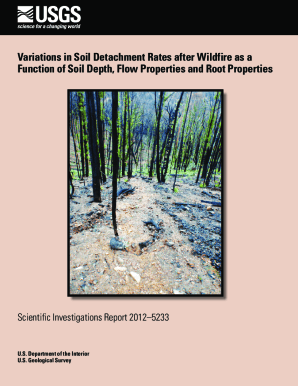
Burned Area RehabilitationU S Department of the Interior
The document investigates the variations in soil detachment rates following wildfires, focusing on how these rates are i ...
Calculation of Evapotranspiration Using Color-Infrared Photography
The document discusses the calculation of evapotranspiration using color-infrared photography, focusing on a study condu ...
TOEFL iBT Score Reinstatement Request Form - Ets
The document is a TOEFL iBT Score Reinstatement Request Form, which allows individuals to request the reinstatement of t ...
Canada medical cannabis form
This document serves as a medical authorization for patients to use cannabis for medical purposes under the Access to Ca ...
Dete internship make
The document outlines the requirements for preservice teachers applying for employment in Queensland state schools, spec ...