Motion default failure plead 2026

Get Form
motion default failure plead Preview on Page 1

Here's how it works

01. Edit your form online
Type text, add images, blackout confidential details, add comments, highlights and more.

02. Sign it in a few clicks
Draw your signature, type it, upload its image, or use your mobile device as a signature pad.

03. Share your form with others
Send it via email, link, or fax. You can also download it, export it or print it out.

How to use or fill out motion default failure plead with our platform

Form edit decoration
9.5
Ease of Setup
DocHub User Ratings on G2
9.0
Ease of Use
DocHub User Ratings on G2
  1. Click ‘Get Form’ to open the motion default failure plead in the editor.
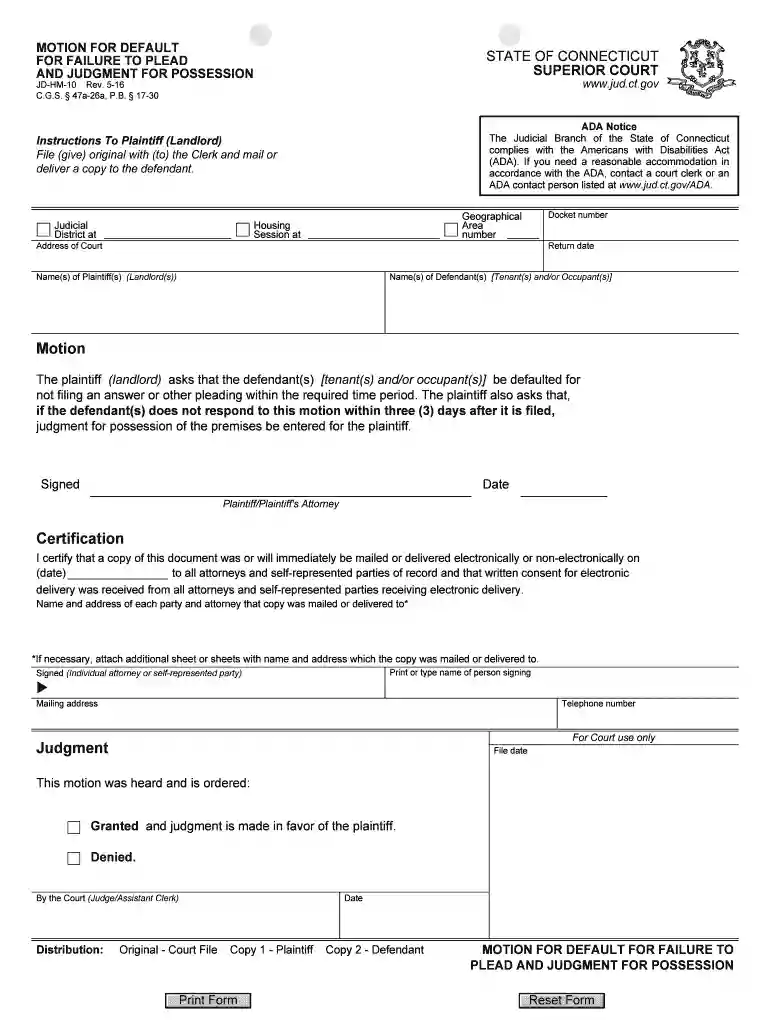
  2. Begin by entering the Judicial District and Address of Court at the top of the form. This information is crucial for proper filing.
  3. Fill in the Docket number and Geographical Area number as required. These identifiers help track your case within the court system.
  4. Input the names of the Plaintiff(s) (Landlord(s)) and Defendant(s) (Tenant(s) and/or Occupant(s)). Ensure accuracy to avoid delays.
  5. In the Motion section, clearly state your request for default due to non-filing by the defendant. Specify that judgment for possession is sought if no response is received within three days.
  6. Sign and date the document in the designated area, ensuring that all necessary parties are included in your certification section.
  7. Review all entries for accuracy before saving or exporting your completed form for submission.

Start using our platform today to streamline your document editing and ensure a smooth filing process!

See more motion default failure plead versions

We've got more versions of the motion default failure plead form. Select the right motion default failure plead version from the list and start editing it straight away!
Versions Form popularity Fillable & printable
2020 4.8 Satisfied (111 Votes)
2016 4.4 Satisfied (292 Votes)
2012 4.4 Satisfied (45 Votes)
be ready to get more

Complete this form in 5 minutes or less

Get form

Got questions?

We have answers to the most popular questions from our customers. If you can't find an answer to your question, please contact us.
Contact us
Challenging the Entry of Default A defendant can challenge the entry of default by filing a motion pursuant to Federal Rule of Civil Procedure 55(c), which allows the court to set it aside for good cause shown. Under certain circumstances, the court is required to do so.
A defendant can challenge the entry of default by filing a motion pursuant to Federal Rule of Civil Procedure 55(c), which allows the court to set it aside for good cause shown. Under certain circumstances, the court is required to do so.
United States District Court. Generally, a party is in default if it has failed to plead or otherwise respond in a timely fashion to a pleading seeking affirmative relief against the party. See Fed. R. Civ.
Also known as a motion for default, having a default judgment placed against you is a method used to expedite cases where you do not show up in court. If you are looking to get out of the default judgment, then you will need to file a motion to vacate or set aside judgment.
If you do not respond in time, then you will have a default judgment entered against you. Also known as a motion for default, having a default judgment placed against you is a method used to expedite cases where you do not show up in court.

Security and compliance

At DocHub, your data security is our priority. We follow HIPAA, SOC2, GDPR, and other standards, so you can work on your documents with confidence.

Learn more
ccpa2
pci-dss
gdpr-compliance
hipaa
soc-compliance
be ready to get more

Complete this form in 5 minutes or less

Get form