Type text, add images, blackout confidential details, add comments, highlights and more.

02. Sign it in a few clicks
Draw your signature, type it, upload its image, or use your mobile device as a signature pad.

03. Share your form with others
Send it via email, link, or fax. You can also download it, export it or print it out.

How to use or fill out - tax alaska with our platform
Ease of Setup
DocHub User Ratings on G2
Ease of Use
DocHub User Ratings on G2
Click ‘Get Form’ to open it in the editor.
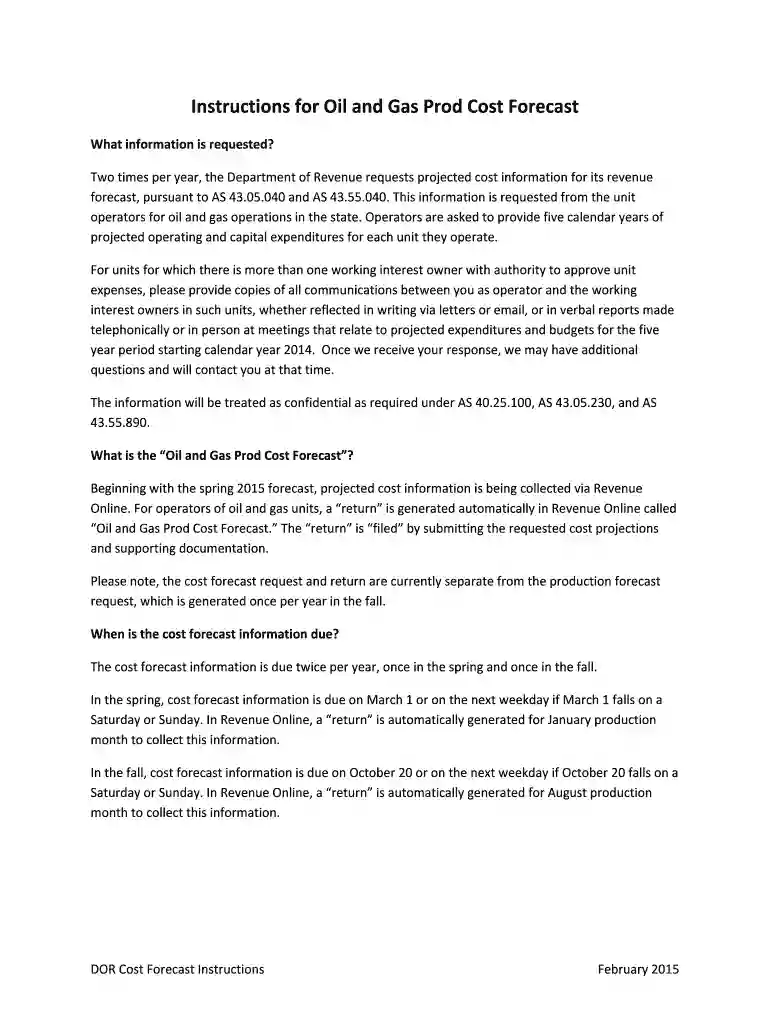
Complete the taxpayer information section by entering the name and contact details of the person we should reach out to for any questions. The company name, ID, and address will auto-populate.
Enter projected operating expenditures. For each unit you operate, click ‘Add an operating unit’, select the region and unit name. If a unit does not auto-populate, enter it under ‘Non-Unitized Production’. Input projected operating expenditures in whole dollars for each of the next five years.
Repeat step 3 for projected capital expenditures by clicking ‘Add an operating unit’ again and following similar instructions.
Upload supporting documentation as attachments. Include all communications with working interest owners regarding projected expenditures.
Review all entered information for accuracy, then click ‘Submit’ and e-sign using your Revenue Online password.
If additional information is needed post-submission, select ‘Amend a return’ from your Oil and Gas production tax account.
Start using our platform today to streamline your tax filing process for free!
With the pipeline, the petroleum industry boomed, increasing economic activity in the state. In subsequent years, Alaska was able to compensate for individual income tax revenue losses through growth in its severance tax and royalties from petroleum. These taxes amounted to 47 percent of state revenue in 2022.
Why does Alaska have no state income tax?
1 After completion of the Trans-Alaska Oil Pipeline, Alaska repealed its individual income tax in 1980. 2 Of note, Alaska does impose a corporate income tax and limited excise taxes on individuals but is also one of five states that does not impose a state sales tax.
How much is the tax in Alaska?
Alaska does not have a state sales tax but has an average combined state and local sales tax rate of 1.82 percent. Alaska has a 1.07 percent effective property tax rate on owner-occupied housing value.
How do states with no state tax make money?
For example, Alaska takes advantage of its abundance of oil, while Nevada generates revenue from its booming gaming and tourism industries. Federal aid: Often, a part of the funding comes from the federal government, which allocates aid to all states, including those with no income taxes.
Is there any sales tax in Alaska?
There is no state sales tax in Alaska; however, local governments which include boroughs, the Alaska equivalent of counties, and municipalities may levy up a sales tax. Municipal sales taxes are collected in addition to borough sales taxes, if any. Regulations and exemptions vary widely across the state.
Related Searches
Tax alaska calculatorTax alaska salaryIncome tax alaskaAlaska sales taxAlaska property taxAlaska income tax calculatorOnline tax alaskaAlaska Department of Revenue
Security and compliance
At DocHub, your data security is our priority. We follow HIPAA, SOC2, GDPR, and other standards, so you can work on your documents with confidence.
How much is $100,000 a year after taxes in Alaska?
If you make $100,000 a year living in the region of Alaska, United States of America, you will be taxed $22,671. That means that your net pay will be $77,329 per year, or $6,444 per month.
Are there tax benefits to living in Alaska?
There is no state income tax, which means things like Social Security and pension payments are not taxed at all by the state. In fact, Alaska pays people just to live in the state permanently. The Alaska Permanent Fund Dividend, which is $1,702 in 2024, goes to every Alaska resident.
Related links
ALASKA TAXABLE 2022
Taxes levied by a city within a borough must be collected by a borough and returned in full to the city levying the tax. This provision applies to home rule and
Cookie consent notice
This site uses cookies to enhance site navigation and personalize your experience.
By using this site you agree to our use of cookies as described in our Privacy Notice.
You can modify your selections by visiting our Cookie and Advertising Notice.