




Here's how it works

01. Edit your 8453 pe online
Type text, add images, blackout confidential details, add comments, highlights and more.

02. Sign it in a few clicks
Draw your signature, type it, upload its image, or use your mobile device as a signature pad.

03. Share your form with others
Send form 8453 pe via email, link, or fax. You can also download it, export it or print it out.
How to use or fill out PA-40 2017 form with our platform

- Click ‘Get Form’ to open the PA-40 2017 form in the editor.
- Begin by entering your Social Security Number and your spouse’s if applicable. Ensure you print clearly in black ink.
- Select your residency status by filling in the appropriate oval: Resident, Nonresident, or Part-Year Resident.
- Indicate your filing status by selecting from options such as Single, Married Filing Jointly, or Married Filing Separately.
- Fill out your personal information including names, addresses, and occupations. Make sure all fields are completed accurately.
- Proceed to report your income on Lines 1a through 9. Enter gross compensation and any deductions as instructed.
- Complete the tax liability calculations on Lines 12 through 28, ensuring all totals are accurate before submission.
Start using our platform today for free to simplify your PA-40 form completion!
Fill out pa 40 2017 form online
It's free
It's free
See more pa 40 2017 form versions
We've got more versions of the pa 40 2017 form form. Select the right pa 40 2017 form version from the list and start editing it straight away!
| Versions | Form popularity | Fillable & printable |
|---|---|---|
| 2025 | 4.4 Satisfied (32 Votes) | |
| 2024 | 4.7 Satisfied (37 Votes) | |
| 2022 | 4.2 Satisfied (45 Votes) | |
| 2021 | 4.9 Satisfied (55 Votes) | |
| 2020 | 4.3 Satisfied (206 Votes) | |
| 2019 | 4.2 Satisfied (53 Votes) | |
| 2018 | 4.3 Satisfied (42 Votes) | |
| 2017 | 4.3 Satisfied (76 Votes) | |
| 2016 | 4.4 Satisfied (349 Votes) | |
| 2015 | 4.1 Satisfied (53 Votes) | |
| 2014 | 4.2 Satisfied (60 Votes) | |
| 2012 | 4.4 Satisfied (216 Votes) | |
| 2010 | 4 Satisfied (37 Votes) | |
| 2009 | 4 Satisfied (38 Votes) | |
| 2008 | 4 Satisfied (50 Votes) |
Security and compliance
At DocHub, your data security is our priority. We follow HIPAA, SOC2, GDPR, and other standards, so you can work on your documents with confidence.
Learn more


Related forms
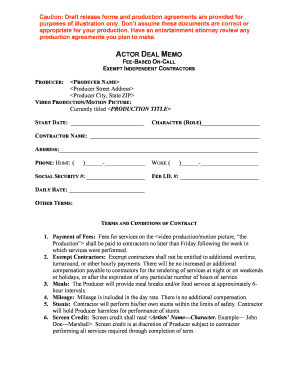
Actor deal memo
The document is a draft actor deal memo outlining the terms and conditions for independent contractors involved in a vid ...

CH-260 Proof of Service of Order After Hearing by Mail
The document is a Civil Harassment Restraining Order After Hearing (form CH-130) issued by the Superior Court of Califor ...

BOF 110 - GENERAL NOTICE OF FIREARM PROHIBITION AND POWER OF ATTORNEY FOR FIREARMS RELINQUISHMEN, SA
BOF 110 - GENERAL NOTICE OF FIREARM PROHIBITION AND POWER OF ATTORNEY FOR FIREARMS RELINQUISHMEN, SA
The document is a General Notice of Firearm Prohibition and Power of Attorney for Firearms Relinquishment, Sale, or Tran ...

Common Landlord Tenant (Unlawful Detainer) Forms
The document is a legal form (UD-110) used in the Superior Court of California for issuing a judgment in unlawful detain ...

ME-811 FL Case Demographics Information
The document FL/E-ME-811 is a Family Law Case Demographics Information Sheet used for child custody and visitation cases ...

California Request to Set Uncontested Matter
The document is a request form for setting an uncontested matter for hearing in the Superior Court of California, County ...

DV-720 Response to Request to Renew Restraining Order(Domestic Violence Prevention) Judicial Council
DV-720 Response to Request to Renew Restraining Order(Domestic Violence Prevention) Judicial Council
The document DV-720 is a form used to respond to a request for renewing a restraining order in California. It provides i ...

CH-250 Proof of Service by Mail Judicial Council forms
The document CH-250 is a Proof of Service by Mail form used in California for civil harassment restraining orders. It ou ...