




Here's how it works

01. Edit your department of revenue mississippi online
Type text, add images, blackout confidential details, add comments, highlights and more.

02. Sign it in a few clicks
Draw your signature, type it, upload its image, or use your mobile device as a signature pad.

03. Share your form with others
Send department of revenue ms via email, link, or fax. You can also download it, export it or print it out.
How to use or fill out Mississippi Department of Revenue - MS.GOV with DocHub

- Click ‘Get Form’ to open it in the editor.
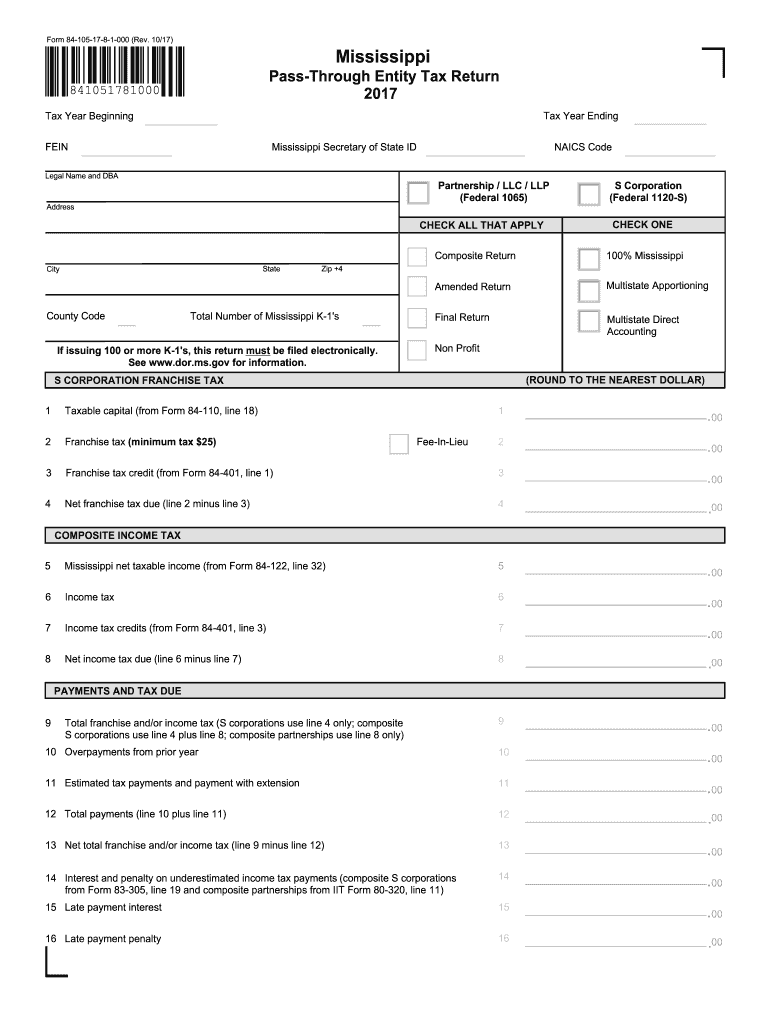
- Begin by entering your FEIN and Mississippi Secretary of State ID in the designated fields. Ensure that all information is accurate to avoid processing delays.
- Fill in the legal name and DBA, along with the NAICS code. Select the appropriate entity type (Partnership, LLC, LLP, or S Corporation) and check any applicable boxes regarding your return type.
- Complete the address section, including state, city, county code, and zip code. If you are issuing 100 or more K-1s, remember that this return must be filed electronically.
- Proceed to calculate your franchise tax and composite income tax by filling out the relevant fields based on previous forms as indicated. Make sure to round amounts to the nearest dollar.
- Finally, review all entries for accuracy before signing and dating the form at the bottom. If needed, attach any additional schedules or payment vouchers.
Start using our platform today for free to streamline your form completion process!
Fill out Mississippi Department of Revenue - MS.GOV online
It's free
It's free
See more Mississippi Department of Revenue - MS.GOV versions
We've got more versions of the Mississippi Department of Revenue - MS.GOV form. Select the right Mississippi Department of Revenue - MS.GOV version from the list and start editing it straight away!
| Versions | Form popularity | Fillable & printable |
|---|---|---|
| 2025 | 4.7 Satisfied (23 Votes) | |
| 2024 | 4.5 Satisfied (55 Votes) | |
| 2023 | 4.9 Satisfied (58 Votes) | |
| 2022 | 4.4 Satisfied (60 Votes) | |
| 2022 | 4.1 Satisfied (21 Votes) | |
| 2021 | 4.8 Satisfied (111 Votes) | |
| 2020 | 4.2 Satisfied (61 Votes) | |
| 2019 | 4.4 Satisfied (137 Votes) | |
| 2018 | 4.1 Satisfied (69 Votes) | |
| 2017 | 4.2 Satisfied (60 Votes) |
Got questions?
We have answers to the most popular questions from our customers. If you can't find an answer to your question, please contact us.
Contact us
How do I check the status of my Mississippi state tax refund?
You may check the status of your refund online at TAP. If you cannot check online, you may call (601) 923-7801. Office representatives do not have any information that you cannot view online in TAP.
How to pay MS state taxes online?
Pay by credit card or e-check. Go to .ms.gov/dor/quickpay. There is an additional convenience fee to pay through the ms.gov portal.
Who do I contact about state taxes in Mississippi?
The Mississippi Department of Revenue at 662-562-4489.
Do seniors pay state income tax in Mississippi?
Generally, retirement income, pensions and annuities are not subject to Mississippi Income tax if the recipient has met the retirement plan requirements.
Security and compliance
At DocHub, your data security is our priority. We follow HIPAA, SOC2, GDPR, and other standards, so you can work on your documents with confidence.
Learn more




