




Here's how it works

01. Edit your form online
Type text, add images, blackout confidential details, add comments, highlights and more.

02. Sign it in a few clicks
Draw your signature, type it, upload its image, or use your mobile device as a signature pad.

03. Share your form with others
Send it via email, link, or fax. You can also download it, export it or print it out.
How to use or fill out dyed diesel 2015 form with our platform

- Click ‘Get Form’ to open the dyed diesel 2015 form in the editor.
- Begin by filling out Item 1 for Sole Owner Identification. Enter your first name, middle initial, and last name.
- In Item 2, provide your Social Security number (SSN). If you do not have an SSN, check the appropriate box.
- For Items 3 to 8, if applicable, enter your Texas taxpayer number or Texas Identification Number as required.
- If you are part of a partnership or corporation, skip to Item 4 and specify your organization type. Provide the legal name in Item 5.
- Complete Items 9 through 24 by providing your mailing address, business information, and fuel use type. Ensure all fields are filled accurately.
- Finally, sign the document in the designated area to validate your application before submitting it.
Start using our platform today for free to streamline your form completion process!
Fill out dyed diesel 2015 form online
It's free
It's free
See more dyed diesel 2015 form versions
We've got more versions of the dyed diesel 2015 form form. Select the right dyed diesel 2015 form version from the list and start editing it straight away!
Security and compliance
At DocHub, your data security is our priority. We follow HIPAA, SOC2, GDPR, and other standards, so you can work on your documents with confidence.
Learn more


Related forms

Hi, I'm interested in booking a game of golf - planDisney
The document is a booking form for organizing a golf day at Brampton Park Golf Club. It includes sections for contact de ...

Business OfficePutnam Valley Central School District
The document is a Vendor Approval Form for the Putnam Valley Central School District in New York. It collects essential ...

Vendor Approval Form 2014 - Putnam Valley Central School
The document is a Vendor Approval Form for the Putnam Valley Central School District in New York. It collects essential ...

Enforce, Change, End Contact After Adoption Agreement
The document is a 'Contact After Adoption Agreement' form (ADOPT-310) used in California, outlining the details and cons ...

WRITTEN TRIAL BY DECLARATION INSTRUCTIONS TO DEFENDANT
The document provides instructions for defendants in Sacramento Superior Court to request a Written Trial by Declaration ...

Form 7 worksafebc
The document is an 'Employer’s Report of Injury or Occupational Disease' required by the Workers Compensation Act, manda ...
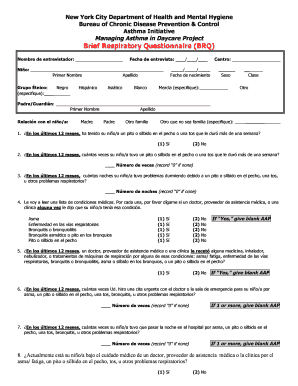
Brief Respiratory Questionnaire (BRQ) - Hudson Valley Asthma - hudsonvalleyasthmacoalition
Brief Respiratory Questionnaire (BRQ) - Hudson Valley Asthma - hudsonvalleyasthmacoalition
The document is a Brief Respiratory Questionnaire (BRQ) designed for the New York City Department of Health and Mental H ...
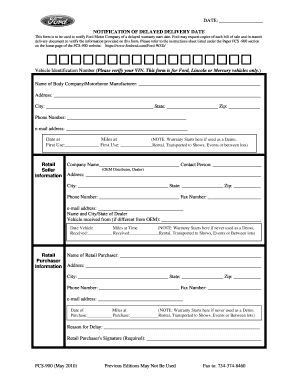
Ford delayed warranty start form
The document is a notification form for Ford Motor Company to report a delayed warranty start date for Ford, Lincoln, or ...