




Here's how it works

01. Edit your lincoln financial withdrawal request online online
Type text, add images, blackout confidential details, add comments, highlights and more.

02. Sign it in a few clicks
Draw your signature, type it, upload its image, or use your mobile device as a signature pad.

03. Share your form with others
Send lincoln financial withdrawal request via email, link, or fax. You can also download it, export it or print it out.
How to use or fill out Lincoln Financial withdrawal forms with our platform

- Click ‘Get Form’ to open the Lincoln Financial withdrawal form in the editor.
- Begin by filling out the General Plan Information section. Enter your plan name, ID, contract number, social security number, participant name, daytime phone number, and address. If you wish to change your address on record or provide a temporary address for this check only, select the appropriate option.
- In the Distribution Information section, choose the type of distribution you are requesting by checking the relevant box (e.g., Excess deferral). Fill in the source of funds and specify the withdrawal amount along with any gains/losses.
- Complete the Voluntary Tax Withholding Election section by indicating your preferred withholding percentage. Consult your tax advisor if needed.
- For payment instructions, select how you want to receive your funds—by check or electronic transfer. If opting for electronic transfer, ensure you provide accurate bank details including account type and routing number.
- Finally, sign and date the form in the Participant Signature section to certify that all information is complete and accurate. Ensure that any required signatures from plan sponsors or trustees are also included before submission.
Start using our platform today to easily fill out your Lincoln Financial withdrawal forms online for free!
Fill out lincoln financial withdrawal forms online
It's free
See more lincoln financial withdrawal forms versions
We've got more versions of the lincoln financial withdrawal forms form. Select the right lincoln financial withdrawal forms version from the list and start editing it straight away!
| Versions | Form popularity | Fillable & printable |
|---|---|---|
| 2011 | 4.8 Satisfied (52 Votes) |
Security and compliance
At DocHub, your data security is our priority. We follow HIPAA, SOC2, GDPR, and other standards, so you can work on your documents with confidence.
Learn more


Related forms

Jdf844
The document is a legal notice from the Denver Probate Court regarding the appointment of an emergency guardian for a re ...

Forms
The document is a court order from the Denver Probate Court appointing a guardian for an adult deemed incapacitated. It ...
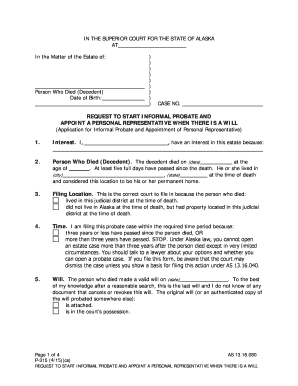
P-315 Request to Start Informal Probate and Appoint a Personal Representative When There Is a Will (
P-315 Request to Start Informal Probate and Appoint a Personal Representative When There Is a Will (
The document is a legal application submitted to the Superior Court of Alaska for initiating informal probate and appoin ...

Alaska sc 1
The document is a legal complaint filed in the District Court of Alaska, where the plaintiff, a corporation, claims that ...

Dr 357
The document provides detailed instructions for responding to a motion from the other parent regarding the payment of ch ...

227 reregistration
The document is an application form (FORM DHHS 227) for reregistration under the North Carolina Controlled Substances Ac ...
Usda rdloss guaranteed get
The document is a user guide for the Single Family Housing Guaranteed Loan Program (SFHGLP) Loss Claim, Future and Addit ...

Ad349