Type text, add images, blackout confidential details, add comments, highlights and more.
02. Sign it in a few clicks
Draw your signature, type it, upload its image, or use your mobile device as a signature pad.
03. Share your form with others
Send it via email, link, or fax. You can also download it, export it or print it out.
How to use or fill out ms probate with our platform
Ease of Setup
DocHub User Ratings on G2
Ease of Use
DocHub User Ratings on G2
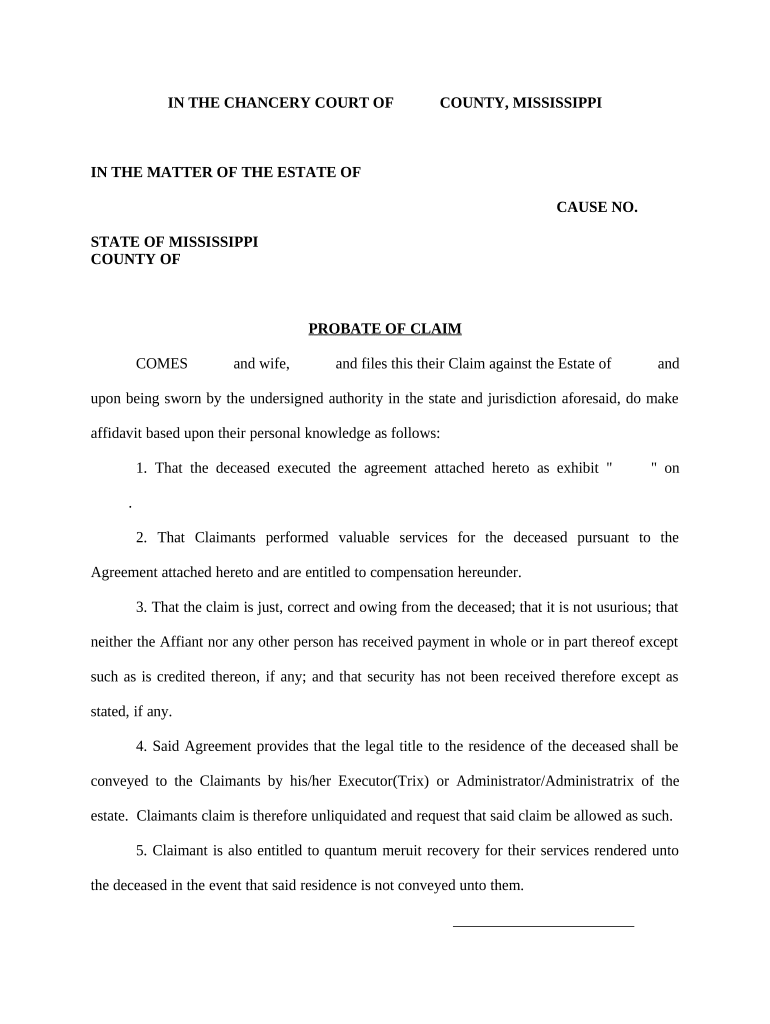
Click ‘Get Form’ to open the ms probate document in the editor.
Begin by entering the name of the deceased and the relevant cause number at the top of the form. Ensure that all details are accurate to avoid any delays.
In the section where it states 'COMES', fill in your name and your spouse's name, if applicable. This identifies you as the claimant against the estate.
Attach any necessary agreements as exhibits by clicking on 'Add Attachment' in our editor. Make sure to reference these attachments correctly in your claim.
Complete each statement regarding your claim, ensuring you provide personal knowledge and details about services rendered. Use text boxes for clarity.
Sign and date the affidavit section at the bottom of the form. You can easily add your signature using our platform’s signing feature.
Finally, ensure a notary public signs off on your document before submission. You can also utilize our platform to find notary services nearby.
Start filling out your ms probate form today for free with our user-friendly editor!
Mississippi circuit court case searchDeSoto County, ms court docket searchChancery Court Jackson MSJackson County Chancery Court judgesChancery Court Pascagoula MSJackson county ms probate courtMississippi divorce records online freeChancery Court Hinds County
Security and compliance
At DocHub, your data security is our priority. We follow HIPAA, SOC2, GDPR, and other standards, so you can work on your documents with confidence.
by W Nussbaum 2015 Cited by 7 In this capacity, she coordinates the DuPage County. Juvenile Justice Council and develops, implements, and evaluates various probation initiatives. Ms.Read more
Cookie consent notice
This site uses cookies to enhance site navigation and personalize your experience.
By using this site you agree to our use of cookies as described in our Privacy Notice.
You can modify your selections by visiting our Cookie and Advertising Notice.