Nevada breach 2026

Get Form
nevada breach Preview on Page 1

Here's how it works

01. Edit your form online
Type text, add images, blackout confidential details, add comments, highlights and more.
02. Sign it in a few clicks
Draw your signature, type it, upload its image, or use your mobile device as a signature pad.
03. Share your form with others
Send it via email, link, or fax. You can also download it, export it or print it out.

How to use or fill out nevada breach with our platform

Form edit decoration
9.5
Ease of Setup
DocHub User Ratings on G2
9.0
Ease of Use
DocHub User Ratings on G2
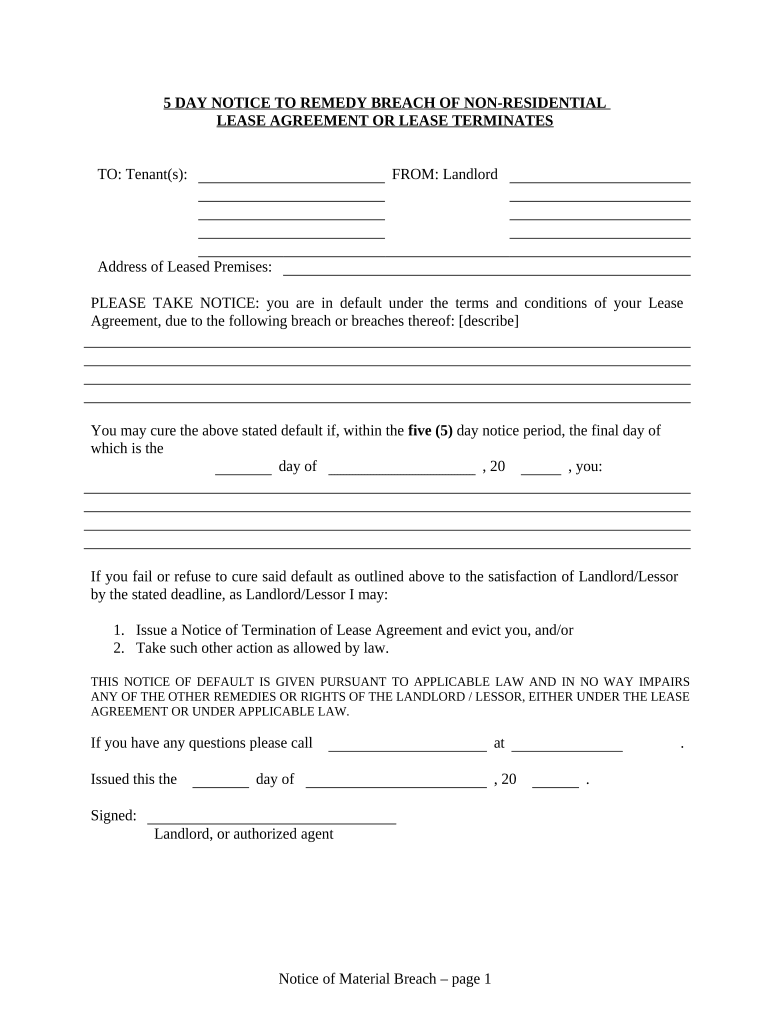
  1. Click ‘Get Form’ to open the nevada breach document in the editor.
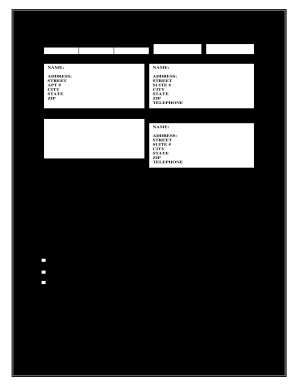
  2. Begin by entering the Tenant(s) name in the designated field at the top of the form. This ensures that the notice is correctly addressed.
  3. Next, fill in your name as the Landlord and provide the address of the leased premises. This information is crucial for identifying both parties involved.
  4. In the section labeled 'breach or breaches thereof,' describe clearly and concisely what default has occurred under the Lease Agreement.
  5. Specify the deadline date for curing the default within five days. Make sure to enter this accurately to avoid any legal complications.
  6. Complete the proof of delivery section by indicating how you delivered this notice to the Tenant, whether by hand, registered mail, or posting on their door.
  7. Finally, sign and date the document where indicated, ensuring all fields are filled out before saving or exporting your completed form.

Start using our platform today to streamline your document editing and ensure a smooth process!

be ready to get more

Complete this form in 5 minutes or less

Get form

Got questions?

We have answers to the most popular questions from our customers. If you can't find an answer to your question, please contact us.
Contact us

Of course, you’ll find numerous applications for this on the web. Nonetheless, if you need to eSign your nevada breach without installing extra software, DocHub is the best choice you can make. This robust editor works on mobile devices just like on desktops. Open our editor in any internet browser, register or sign in to your account, and start managing your forms.

Document editing with DocHub is equally convenient on desktop and mobile devices. You just need an internet browser to modify your nevada breach on Android. Open our site and sign in to access the tools you require. Add your document and introduce your intended modifications. After that, you can keep your form in your document storage or send it out right away.

Early Sunday, August 24, the State of Nevada identified a ransomware-based cyber incident and immediately activated its cyber response plan, engaging in 24/7 recovery efforts. To contain the threat, teams isolated and took some systems offline while restoring others safely in stages.
No mandatory meal break: For shifts shorter than 8 hours, there is no legal requirement for a meal break. However, if an employee works longer than 6 hours and the employer chooses to provide a meal break, it must be at least 30 minutes and would typically be unpaid.
Nevadas 4/10 rule allows employees to work four 10-hour shifts in a week without triggering daily overtime. To use this arrangement, both the employer and employee must agree in writing. This written agreement clearly outlines the schedule and ensures compliance with Nevadas overtime laws.

Security and compliance

At DocHub, your data security is our priority. We follow HIPAA, SOC2, GDPR, and other standards, so you can work on your documents with confidence.

Learn more
ccpa2
pci-dss
gdpr-compliance
hipaa
soc-compliance

People also ask

How many hours straight can you legally work in Nevada? Nevada does not limit the number of consecutive hours an employee can work in a single shift. However, those under 16 may not work more than 8 hours in one day or 48 hours within a workweek.
Cyberattack cost MGM Resorts about $100 million, Las Vegas company says. The company said it deliberately shut down a number of services to mitigate risk to customer information after the hack last month.
What Is Nevadas 24-Hour Clock? Under NRS 608.0126, Nevada defines a workday as a period of 24 consecutive hours that begins when the employee starts worknot midnight to midnight as is common in other states. If an employee begins their shift at 6:00 AM, their workday runs until 6:00 AM the next day.
A mental health crisis hold lasts for up to 72 hours. If, at any time during the crisis hold, the healthcare provider overseeing your care believes you need additional treatment to address your mental health crisis, they may petition the court for a court ordered admission to extend the hold.
The Nevada Division of Insurance (DOI) and Department of Motor Vehicles (DMV) have both been impacted by a ransomware attack on the states government agencies.

Related links