Bill of Sale in Connection with Sale of Business by Individual or Corporate Seller - New Jersey 2026

Get Form
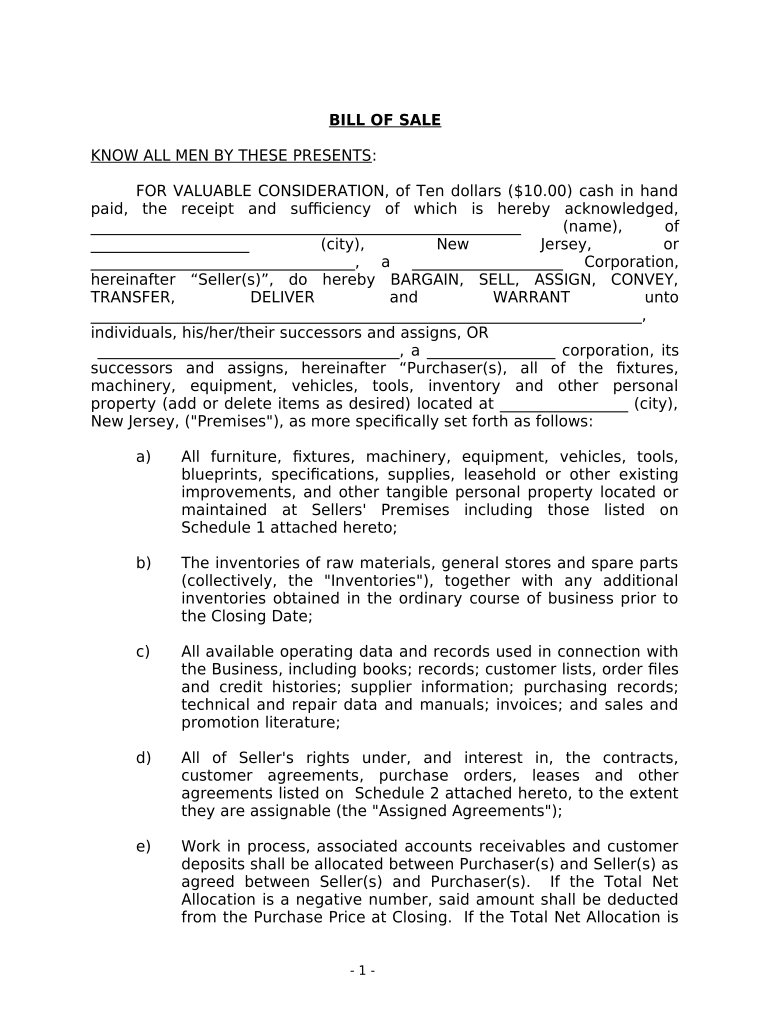
bill of sale for a business Preview on Page 1

Here's how it works

01. Edit your bill of sale for a business online
Type text, add images, blackout confidential details, add comments, highlights and more.
02. Sign it in a few clicks
Draw your signature, type it, upload its image, or use your mobile device as a signature pad.
03. Share your form with others
Send bill of sale for business via email, link, or fax. You can also download it, export it or print it out.

How to use or fill out Bill of Sale in Connection with Sale of Business by Individual or Corporate Seller - New Jersey

Form edit decoration
9.5
Ease of Setup
DocHub User Ratings on G2
9.0
Ease of Use
DocHub User Ratings on G2
  1. Click ‘Get Form’ to open it in the editor.
  2. Begin by entering the Seller's name and address in the designated fields. Ensure accuracy as this identifies the party transferring ownership.
  3. Next, specify the Purchaser's name and address. This is crucial for legal identification of the new owner.
  4. In the section detailing the assets being sold, list all items included in the sale. You can add or delete items as necessary to reflect what is being transferred.
  5. Review and complete any additional sections regarding warranties, licenses, and agreements that are part of the sale. Make sure all relevant details are included.
  6. Finally, ensure both parties sign and date the document where indicated. If applicable, include notarization for added legal validity.

Start using our platform today to easily fill out your Bill of Sale for free!

be ready to get more

Complete this form in 5 minutes or less

Get form

Got questions?

We have answers to the most popular questions from our customers. If you can't find an answer to your question, please contact us.
Contact us
While you can create your own bill of sale, we recommend you use a fillable bill of sale template. This will ensure you include all the necessary details for a valid document. Is a bill of sale the same as a title transfer? No, a bill of sale and a title transfer are separate legal documents.
Although most New Jersey bill of sale documents will not require notarization, this document will need to be signed by both the buyer and seller and presented to the DMV before the new owner can obtain a new registration and title.
Can a bill of sale be handwritten? While it is common to present a bill of sale in a digital format, you can also create a handwritten bill of sale. Whats most important is to include all of the pertinent details in the bill of sale in order to protect both parties.
A bill of sale for a private party vehicle transfer does not need to be docHubd in New Jersey, but some may choose to do so. The only time when a notary is required is if the vehicle being purchased comes from a state that does not issue titles, then a docHubd statement from the buyer and seller will be required.
Most states do not require a notary to witness the signing of a bill of sale. Moreover, by law, a notary public must witness both parties signing the document in Louisiana, Nebraska, Maryland, New Hampshire, West Virginia, and Montana. Notaries are optional in other states.

Security and compliance

At DocHub, your data security is our priority. We follow HIPAA, SOC2, GDPR, and other standards, so you can work on your documents with confidence.

Learn more
ccpa2
pci-dss
gdpr-compliance
hipaa
soc-compliance

People also ask

That might get you to wonder if a handwritten bill of sale is legally binding. Handwritten bills of sale are indeed contractual agreements so long as they have the right elements.

nj bill of sale