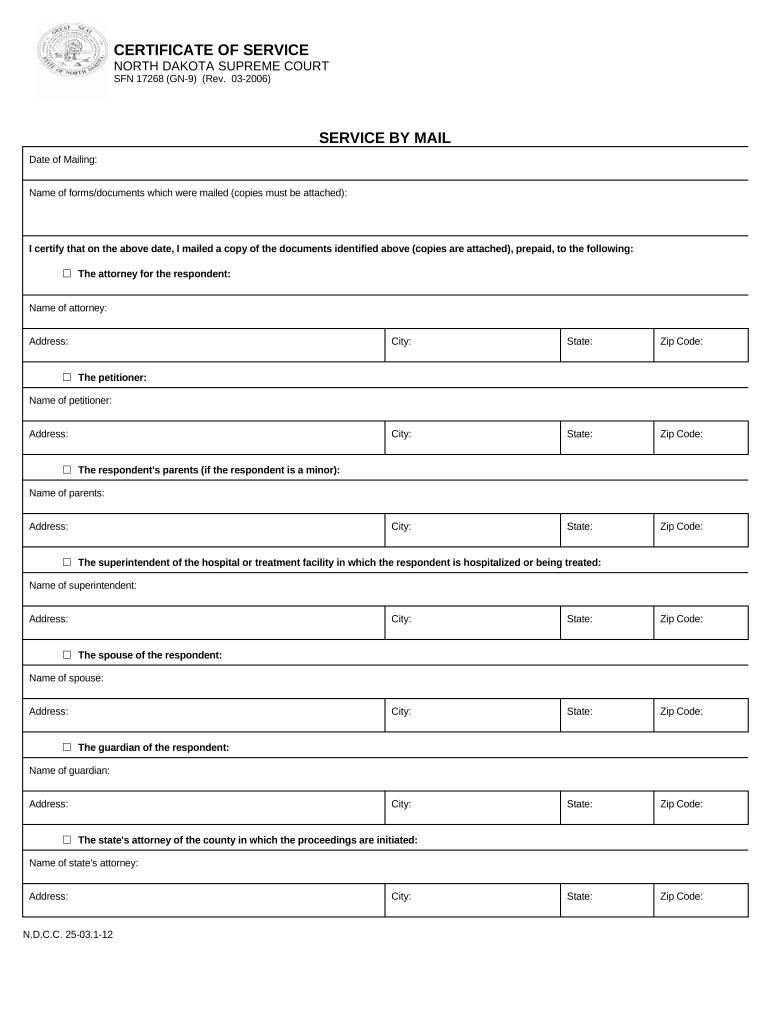
North Dakota Certificate of Service - North Dakota 2026

Get Form
North Dakota Certificate of Service - North Dakota Preview on Page 1

Here's how it works

01. Edit your form online
Type text, add images, blackout confidential details, add comments, highlights and more.
02. Sign it in a few clicks
Draw your signature, type it, upload its image, or use your mobile device as a signature pad.
03. Share your form with others
Send it via email, link, or fax. You can also download it, export it or print it out.

How to use or fill out North Dakota Certificate of Service - North Dakota with DocHub

Form edit decoration
9.5
Ease of Setup
DocHub User Ratings on G2
9.0
Ease of Use
DocHub User Ratings on G2
  1. Click ‘Get Form’ to open the North Dakota Certificate of Service in our editor.
  2. Begin by entering the 'Date of Mailing' at the top of the form. This is crucial for establishing when the documents were sent.
  3. List the names of the forms or documents mailed in the designated section, ensuring that copies are attached as required.
  4. Fill in the details for each recipient. Start with 'The attorney for the respondent' by entering their name and address, including city, state, and zip code.
  5. Continue filling out information for other recipients such as 'The petitioner', 'The respondent’s parents', and others as applicable, ensuring all fields are completed accurately.
  6. For personal service, enter the 'Date of Service' and 'Time of Service', then provide the name of the respondent and confirm delivery details.
  7. Finally, sign where indicated to certify that you have completed this document correctly.

Start using our platform today to easily complete your North Dakota Certificate of Service online for free!

be ready to get more

Complete this form in 5 minutes or less

Get form

Got questions?

We have answers to the most popular questions from our customers. If you can't find an answer to your question, please contact us.
Contact us
Request a certificate online by searching for the entity on the Secretary of States Business Search feature and clicking the request certificate button at the top of the entity details. Certificates can also be requested by calling, faxing, mailing, or emailing a request to the secretary of state.
You can conveniently conduct online searches of district court record information by name, citation number, or case number. The search site is located on the Supreme Courts website at: Case Search Pay Fines. An online search will show you record information maintained anywhere in the state.
Proof of service shows the state district court when, how, and where the other parties were served. Proof of service also shows the documents that were served. An affidavit, declaration of service, or certificate of service gives the court proof of service.
The court must impose sentence or other authorized disposition without unnecessary delay. Until disposition, the court may continue or alter bail or require the defendant to be held without bail.

Security and compliance

At DocHub, your data security is our priority. We follow HIPAA, SOC2, GDPR, and other standards, so you can work on your documents with confidence.

Learn more
ccpa2
pci-dss
gdpr-compliance
hipaa
soc-compliance
be ready to get more

Complete this form in 5 minutes or less

Get form