Legal Last Will and Testament Form for Divorced and Remarried Person with Mine, Yours and Ours Children - Minnesota 2026

Get Form
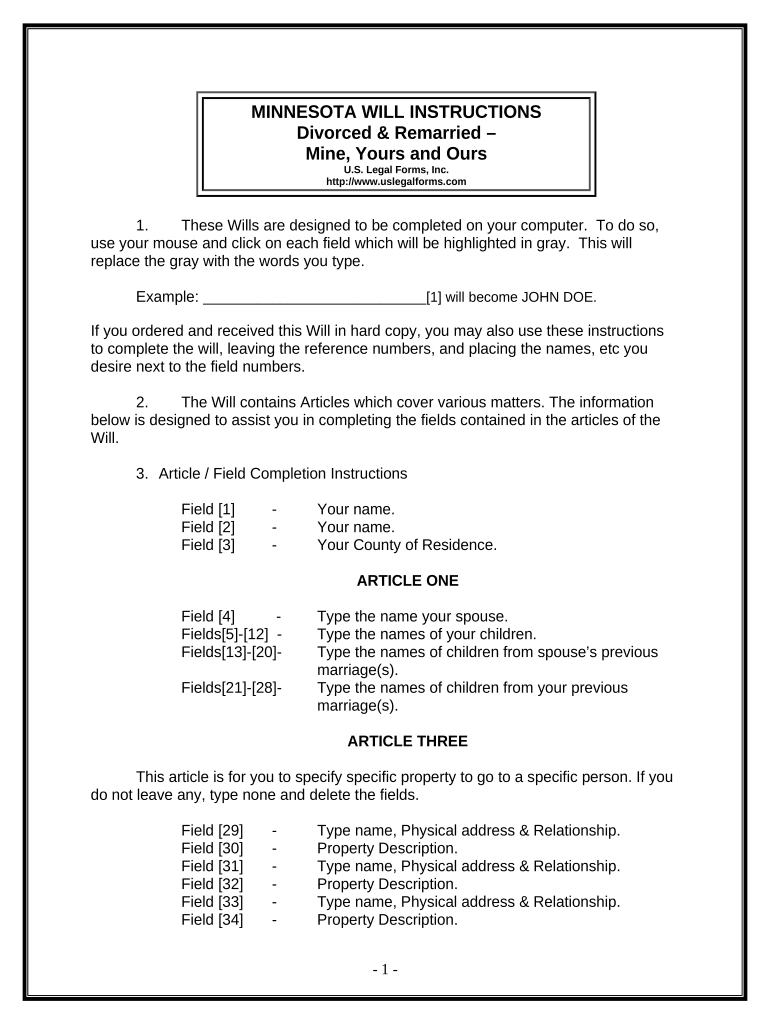
Legal Last Will and Testament Form for Divorced and Remarried Person with Mine, Yours and Ours Children - Minnesota Preview on Page 1

Here's how it works

01. Edit your form online
Type text, add images, blackout confidential details, add comments, highlights and more.
02. Sign it in a few clicks
Draw your signature, type it, upload its image, or use your mobile device as a signature pad.
03. Share your form with others
Send it via email, link, or fax. You can also download it, export it or print it out.

How to use or fill out Legal Last Will and Testament Form for Divorced and Remarried Person with Mine, Yours and Ours Children - Minnesota

Form edit decoration
9.5
Ease of Setup
DocHub User Ratings on G2
9.0
Ease of Use
DocHub User Ratings on G2
  1. Click ‘Get Form’ to open it in the editor.
  2. Begin by entering your name in Field [1], followed by your county of residence in Field [3].
  3. In Article One, provide your spouse's name in Field [4] and list the names of all children from both marriages in Fields [5]-[20].
  4. For specific bequests, navigate to Article Three. Fill in the names and relationships of individuals receiving property along with a description of that property in Fields [29]-[36]. If no specific property is to be left, type 'none'.
  5. In Article Four, designate who will receive your homestead by filling out the relevant fields. Ensure you sign where indicated.
  6. Continue through Articles Five to Eleven, providing necessary details about remaining property distribution, guardianship for minor children, and appointing a personal representative.
  7. Once completed, review all entries for accuracy before printing. Remember to sign the document in front of two witnesses.

Start using our platform today to easily complete your Legal Last Will and Testament form online for free!

be ready to get more

Complete this form in 5 minutes or less

Get form

Got questions?

We have answers to the most popular questions from our customers. If you can't find an answer to your question, please contact us.
Contact us

Yes, you can use DocHub for signing any business and private paperwork, including your Legal Last Will and Testament Form for Divorced and Remarried Person with Mine, Yours and Ours Children - Minnesota. All eSignatures you create with our tool are legally binding and court-admissible, as DocHub complies with standards required by ESIGN and UETA. Save your completed document with a detailed Audit Trail if needed.

If you want to edit your Legal Last Will and Testament Form for Divorced and Remarried Person with Mine, Yours and Ours Children - Minnesota on the internet quickly, it does not matter what internet browser you employ. DocHub’s simple editing tools are accessible using any internet browser. Simply open the appropriate tab in the editor, add your document, and fill it out without stress.

If you are of legal age and of sound mind, you can draft your own will. However, a will drafted by an attorney is much more likely to encompass all the estate law provisions, insuring a legal description of your wishes. A will document from the Internet or a software package can fail you as well.
Does my will need to be docHubd? No, in Minnesota, you do not need to docHub your will to make it legal. But Minnesota lets you make your will self-proving. If you want to do that you need to go to a notary. A self-proving will helps prove that your will is valid if it is contested in court.
You need to list the date, that it is your last Will and testament, and that you are of sound mind. You will need a list of all properties you own, stocks and bonds, cars, jewelry, paintings, etc. Everything of yours you want to leave to members of your family, friends, or someone you work with.

Security and compliance

At DocHub, your data security is our priority. We follow HIPAA, SOC2, GDPR, and other standards, so you can work on your documents with confidence.

Learn more
ccpa2
pci-dss
gdpr-compliance
hipaa
soc-compliance

People also ask

Use LawDepots Last Will and Testament template to ensure you cover all aspects of your estate. Our questionnaire guides you through the process and saves your work, so you can update your Will anytime you need. Select your state to choose the template that complies with local laws.
The will must be in writing; The will must be signed by you, by another person at your direction and in your presence, or by your conservator pursuant to a court order; The will must be witnessed by at least two people, both of whom must also sign the will; and. You must intend for the document to operate as a will.

Related links