




Here's how it works

01. Edit your aetna short term disability online
Type text, add images, blackout confidential details, add comments, highlights and more.

02. Sign it in a few clicks
Draw your signature, type it, upload its image, or use your mobile device as a signature pad.

03. Share your form with others
Send aetna short term disability form via email, link, or fax. You can also download it, export it or print it out.
How to use or fill out Aetna Short Term Disability Attending Physician Statement

- Click ‘Get Form’ to open the Aetna Short Term Disability Attending Physician Statement in our editor.
- Begin with the 'Patient Information' section. Fill in the patient's name, year of birth, claim number, employer name, and job title. Ensure all fields are completed accurately.
- Proceed to 'Dates of Disability'. Indicate the start and end dates of the disability, and specify if the condition is work-related. If applicable, provide the date of injury or illness.
- In the 'Restrictions and Limitations' section, detail any accommodations that can be made for modified duty assignments based on your assessment of the patient’s capabilities.
- Complete the 'Diagnosis/Symptoms' section by listing all relevant medical conditions along with their ICD-9 codes.
- Fill out the 'Surgery and Treatment' section if applicable, including hospitalization details and treatment summaries.
- Finally, sign and date the form at the bottom. Ensure that your contact information is also provided for any follow-up.
Start using our platform today to streamline your document editing process for free!
Fill out aetna short term disability attending physician statement online
It's free
It's free
See more aetna short term disability attending physician statement versions
We've got more versions of the aetna short term disability attending physician statement form. Select the right aetna short term disability attending physician statement version from the list and start editing it straight away!
| Versions | Form popularity | Fillable & printable |
|---|---|---|
| 2012 | 4.9 Satisfied (44 Votes) |
Security and compliance
At DocHub, your data security is our priority. We follow HIPAA, SOC2, GDPR, and other standards, so you can work on your documents with confidence.
Learn more


Related forms
Frequently Asked Questions About Uniting for Ukraine - USCIS
The document is a Vaccine Declaration for COVID-19 required for travelers aged 12 and over entering the Netherlands from ...
Te7 form pdf
The document is Form TE7, an application for permission to file a statement out of time or request an extension regardin ...
Claim of Exemption and Request for Hearing Form - marioncountyclerk
The document outlines a Claim of Exemption and Request for Hearing related to garnishments, allowing defendants to asser ...

MI HAP Provider Prior Authorization Request Form
The document is a MI HAP Provider Prior Authorization Request Form, which outlines the necessary information and require ...
Pelvic Support Survey Bladder Symptoms: Prolapse - USF Health
The document is a Pelvic Support Survey designed to assess various bladder and bowel symptoms, including incontinence, u ...
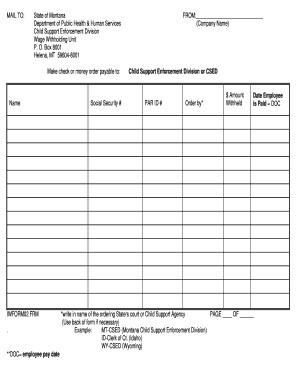
Employer income form
The document is a form for the Child Support Enforcement Division in Montana, intended for companies to report wage with ...