




01. Edit your rita form 37 instructions online
Type text, add images, blackout confidential details, add comments, highlights and more.

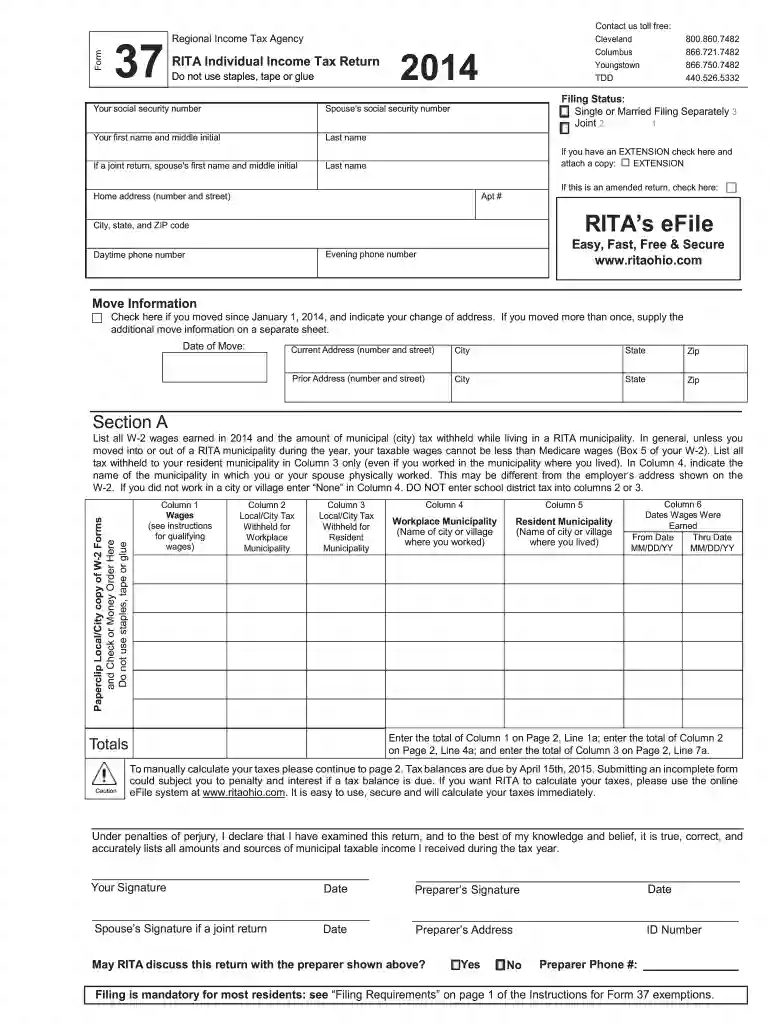
Type text, add images, blackout confidential details, add comments, highlights and more.

Draw your signature, type it, upload its image, or use your mobile device as a signature pad.

Send form 37 rita via email, link, or fax. You can also download it, export it or print it out.

Start using our platform today for free to simplify filling out your rita form 37 tax 2014!
We've got more versions of the rita form 37 instructions form. Select the right rita form 37 instructions version from the list and start editing it straight away!
| Versions | Form popularity | Fillable & printable |
|---|---|---|
| 2024 | 4.3 Satisfied (44 Votes) | |
| 2023 | 4.4 Satisfied (28 Votes) | |
| 2022 | 4.5 Satisfied (45 Votes) | |
| 2021 | 4.1 Satisfied (48 Votes) | |
| 2020 | 4.8 Satisfied (122 Votes) | |
| 2019 | 4.3 Satisfied (52 Votes) | |
| 2018 | 4.2 Satisfied (54 Votes) | |
| 2017 | 4.4 Satisfied (1828 Votes) | |
| 2016 | 4.4 Satisfied (474 Votes) | |
| 2015 | 4.4 Satisfied (207 Votes) | |
| 2014 | 4.4 Satisfied (1186 Votes) | |
| 2013 | 4.3 Satisfied (44 Votes) | |
| 2012 | 4.3 Satisfied (70 Votes) | |
| 2011 | 4.3 Satisfied (60 Votes) | |
| 2010 | 4 Satisfied (30 Votes) |
At DocHub, your data security is our priority. We follow HIPAA, SOC2, GDPR, and other standards, so you can work on your documents with confidence.
The credit allowed under subsection (a) for any taxable year shall not exceed the excess (if any) of the taxpayers net income tax over the greater ofRead more
Oct 31, 2007 The primary factor is an increase in tax collections, mainly sales tax, by $998,829. That is a. 49 percent increase from prior year. The salesRead more
File Form 37 by April 15, 2014. If you file after this date, you may be subject to penalties and interest. An annual return is required whether you have taxRead more


