Type text, add images, blackout confidential details, add comments, highlights and more.
02. Sign it in a few clicks
Draw your signature, type it, upload its image, or use your mobile device as a signature pad.
03. Share your form with others
Send sample letter of reimbursement via email, link, or fax. You can also download it, export it or print it out.
How to use or fill out reimbursement form with our platform
Ease of Setup
DocHub User Ratings on G2
Ease of Use
DocHub User Ratings on G2
Click ‘Get Form’ to open the reimbursement form in the editor.
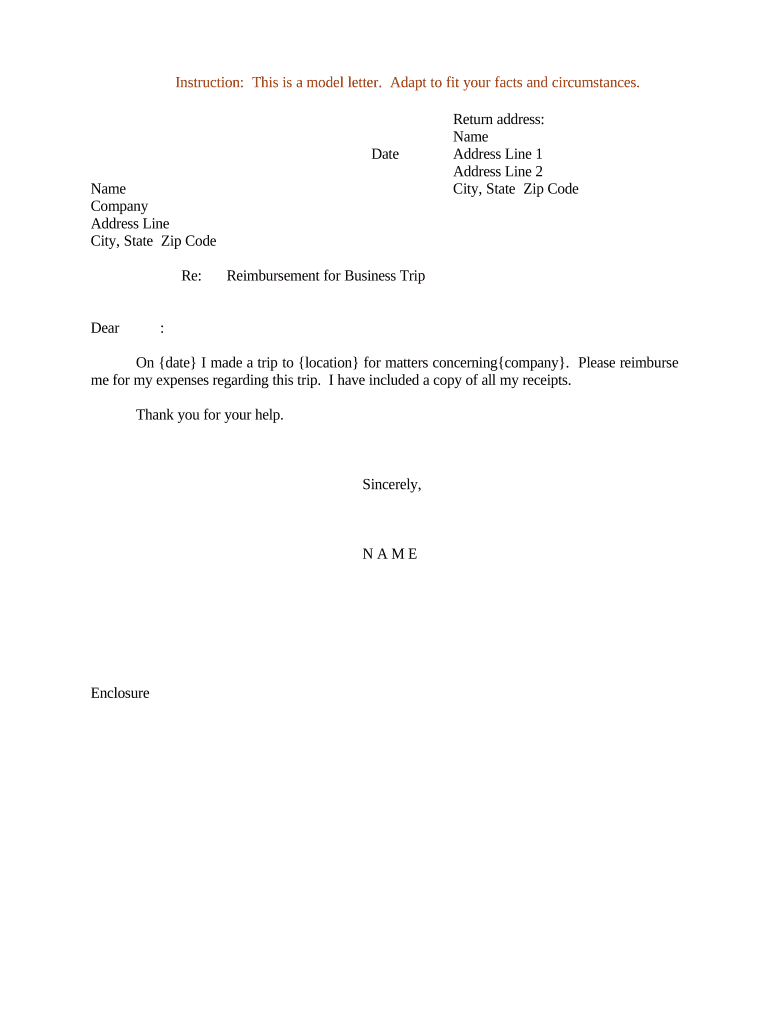
Begin by entering the date at the top of the form. This should reflect the date you are submitting your reimbursement request.
Fill in your name and company details in the designated fields. Ensure accuracy for a smooth processing of your request.
In the address section, provide your complete address including city, state, and zip code to ensure proper correspondence.
Clearly state the purpose of your reimbursement request under 'Reimbursement for Business Trip'. Include specific details about your trip such as location and date.
Attach copies of all relevant receipts by using our platform’s upload feature to ensure all expenses are documented.
Conclude with a polite closing statement and include your name again at the bottom before saving or sending the document.
Start using our platform today to streamline your reimbursement process for free!
Reimbursement form templateReimbursement form pdfPrintable reimbursement formReimbursement form meaningReimbursement form template ExcelReimbursement form for employeesReimbursement form template freeReimbursement form Template Word
Security and compliance
At DocHub, your data security is our priority. We follow HIPAA, SOC2, GDPR, and other standards, so you can work on your documents with confidence.
To be eligible for reimbursement, you must provide. Proof of Payment and submit a valid Claim Form no later than January 16, 2014. 2. Settlement Class MembersRead more
To request employee reimbursement for University of Arizona active employees. This form is optional if the employee prefers to sign the UAccess Financial DVRead more
Cookie consent notice
This site uses cookies to enhance site navigation and personalize your experience.
By using this site you agree to our use of cookies as described in our Privacy Notice.
You can modify your selections by visiting our Cookie and Advertising Notice.