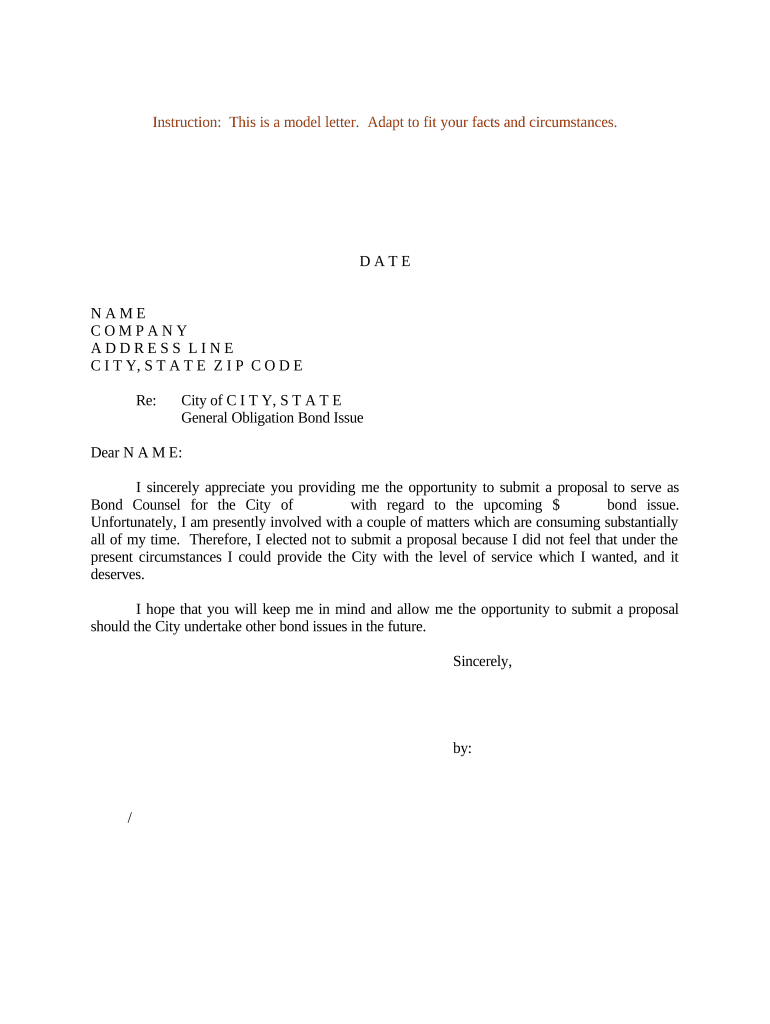
Sample letter notifying 2026

Get Form
sample spousal refusal letter Preview on Page 1

Here's how it works

01. Edit your sample spousal refusal letter online
Type text, add images, blackout confidential details, add comments, highlights and more.
02. Sign it in a few clicks
Draw your signature, type it, upload its image, or use your mobile device as a signature pad.
03. Share your form with others
Send spousal refusal letter via email, link, or fax. You can also download it, export it or print it out.

How to use or fill out sample letter notifying with our platform

Form edit decoration
9.5
Ease of Setup
DocHub User Ratings on G2
9.0
Ease of Use
DocHub User Ratings on G2
  1. Click ‘Get Form’ to open the sample letter notifying in the editor.
  2. Begin by entering the current date at the top of the letter. This is essential for record-keeping and clarity.
  3. Fill in the recipient's name, company, and address details. Ensure accuracy to maintain professionalism.
  4. In the subject line, specify 'General Obligation Bond Issue' to clearly indicate the purpose of your correspondence.
  5. Personalize the greeting by addressing the recipient directly with their name.
  6. In the body of the letter, express gratitude for the opportunity and explain your current commitments that prevent you from submitting a proposal.
  7. Conclude with a polite request to be considered for future opportunities, followed by a professional closing and your signature.

Start using our platform today to easily edit and customize your documents for free!

be ready to get more

Complete this form in 5 minutes or less

Get form

Got questions?

We have answers to the most popular questions from our customers. If you can't find an answer to your question, please contact us.
Contact us

A lot of software applications are available on the market for document modifying and signing. DocHub is one of the most in-demand online solutions that comply with all security and compliance requirements and ensures your eSigned paperwork is legally enforceable. All you need to try it out is to create an account, upload your sample letter notifying, provide the requested information, and click Sign. Generate your eSignature by typing, drawing it, uploading its picture to your form, or scanning a unique QR code.

You can easily edit and complete your sample letter notifying on any iOS device. Open an internet browser of your liking, visit the DocHub site, authorize or create a new account, upload your file for editing, and make your required adjustments. Our service is mobile-friendly, so using its features on your phone will be a no-brainer, even on the first try.

Here are seven steps you can take to write an informative letter: Research your topic. Write your letter heading. Add the recipient information. Draft the body of the letter. Write a conclusion. Proofread your letter. Send your letter. Explain why the information matters.
Main Message: Clearly state the purpose of the notification. For example, Your package is on its way and will arrive by [Date]. Call to Action: Include a direct and clear call to action, such as Track your order or Review your recent purchase.
Tips for writing a formal notice The date and place of the formal notice; The name and contact information of the recipient; The mention by bailiff or by registered mail; The words without prejudice in order to protect you; The expression formal notice or I put you on notice; A summary of the facts;

Security and compliance

At DocHub, your data security is our priority. We follow HIPAA, SOC2, GDPR, and other standards, so you can work on your documents with confidence.

Learn more
ccpa2
pci-dss
gdpr-compliance
hipaa
soc-compliance
be ready to get more

Complete this form in 5 minutes or less

Get form

People also ask

Formal notification means a form of communication between the parties made in writing by mail or email, which provides the sender with concrete evidence that the message was delivered to the specified recipient.

Related links