South dakota file 2026

Get Form
south dakota file Preview on Page 1

Here's how it works

01. Edit your form online
Type text, add images, blackout confidential details, add comments, highlights and more.
02. Sign it in a few clicks
Draw your signature, type it, upload its image, or use your mobile device as a signature pad.
03. Share your form with others
Send it via email, link, or fax. You can also download it, export it or print it out.

How to use or fill out south dakota file with our platform

Form edit decoration
9.5
Ease of Setup
DocHub User Ratings on G2
9.0
Ease of Use
DocHub User Ratings on G2
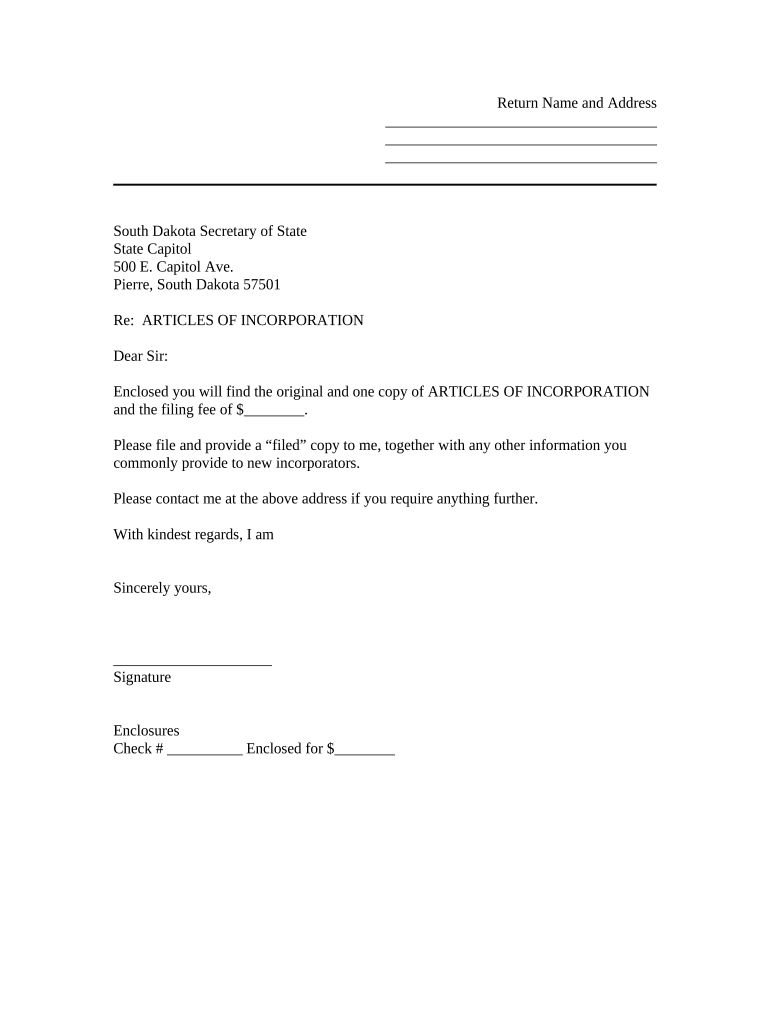
  1. Click ‘Get Form’ to open the South Dakota file in the editor.
  2. Begin by entering your name and address in the designated fields at the top of the form. Ensure that all information is accurate and up-to-date.
  3. Locate the section labeled 'ARTICLES OF INCORPORATION'. Here, you will need to provide details about your corporation, including its name and purpose.
  4. In the next field, input the filing fee amount. Make sure to double-check this figure for accuracy.
  5. Sign the document in the signature area provided. This step is crucial as it validates your submission.
  6. Finally, review all entries for completeness before saving or exporting your completed form for submission.

Start using our platform today to streamline your document editing and signing process for free!

be ready to get more

Complete this form in 5 minutes or less

Get form

Got questions?

We have answers to the most popular questions from our customers. If you can't find an answer to your question, please contact us.
Contact us

Of course, it is possible with DocHub. This secure and compliant online service features a phone-based signing option. After you log in to your DocHub account and add your south dakota file to our editor, fill out all required fields and use the Sign feature on the top barf. Click on Create your signature and select Phone from the available choices. Here, you scan a QR code with your smartphone and draw your signature on your phone screen, as you normally do when signing hard copies. If you access DocHub right from your mobile device, you can electronically sign your document by drawing your electronic signature, uploading its photo, or simply with a typed name.

When you edit your south dakota file with DocHub, you simply will not need to look for other software or solutions to sign it. An electronic signature is a component of DocHub’s substantial editing toolset, which enables you to implement changes in your form without jumping between platforms. Simply complete your form, double-check the correctness of your information and put your electronic signature at the end to make it submission-ready within minutes.

How much does it cost to form an LLC in South Dakota? The South Dakota Secretary of State charges $165 to file the Articles of Organization. There is an additional $15 filing fee if submitted by mail. You can reserve your LLC name with the South Dakota Secretary of State for $25.
However, certain elements of structure are requirements for an LLC. Business Name. Your LLC must have a name that is unique and is not the same or confusingly similar to another business. Registered Agent. Operating Agreement. Articles of Organization. Business Licenses and Permits. Statement of Information Form. Tax Forms.
Why incorporate in South Dakota? Incorporating in South Dakota offers a number of benefits like limited liability, perpetual existence, ease of ownership transfer, and easy accessibility to investment.

Security and compliance

At DocHub, your data security is our priority. We follow HIPAA, SOC2, GDPR, and other standards, so you can work on your documents with confidence.

Learn more
ccpa2
pci-dss
gdpr-compliance
hipaa
soc-compliance
be ready to get more

Complete this form in 5 minutes or less

Get form

People also ask

Annual Report Fees ServicePriceAnnual Report - Profit Corporation$150.00Annual Report - Non-Profit Corporation$61.25Annual Report - Limited Liability Company$138.75Annual Report - Limited Partnership or Limited Liability Limited Partnership$500.00
What you Need to Know Before Forming your LLC. If we are just looking at the cost to form an LLC, Kentucky is going to be the cheapest state to form an LLC at $40 per LLC formation.
How much does it cost to form an LLC in South Dakota? The South Dakota Secretary of State charges $165 to file the Articles of Organization. There is an additional $15 filing fee if submitted by mail. You can reserve your LLC name with the South Dakota Secretary of State for $25.
Just follow these six steps, and youll be on your way. Name Your South Dakota LLC. Choose Your Registered Agent. Prepare and File Articles of Organization. Receive a Certificate From the State. Create an Operating Agreement. Get an Employer Identification Number.
Filing your South Dakota Articles of Incorporation on the website is the fastest, most secure, and preferred method by the Secretary of State. The fee for filing your Articles of Incorporation costs $150 (plus an additional $15 fee if you file by postal mail).

Related links