Type text, add images, blackout confidential details, add comments, highlights and more.
02. Sign it in a few clicks
Draw your signature, type it, upload its image, or use your mobile device as a signature pad.
03. Share your form with others
Send it via email, link, or fax. You can also download it, export it or print it out.
How to use or fill out Application for Sublease - Arkansas with our platform
Ease of Setup
DocHub User Ratings on G2
Ease of Use
DocHub User Ratings on G2
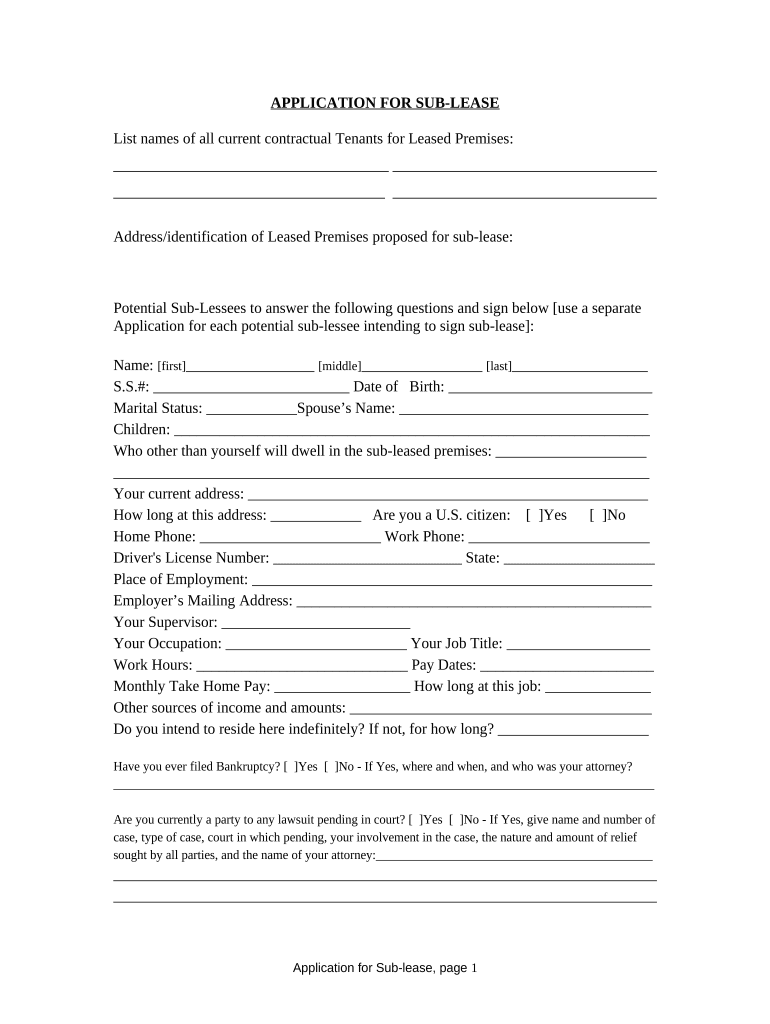
Click ‘Get Form’ to open the Application for Sublease - Arkansas in the editor.
Begin by listing the names of all current contractual tenants for the leased premises at the top of the form.
Provide the address and identification details of the leased premises proposed for sublease.
For each potential sub-lessee, fill out their name, Social Security number, date of birth, marital status, spouse’s name, and information about children.
Indicate who else will dwell in the sub-leased premises and provide your current address along with how long you have lived there.
Answer questions regarding U.S. citizenship, contact numbers, driver's license details, employment information including job title and pay dates.
Disclose any other sources of income and answer questions about bankruptcy or pending lawsuits if applicable.
List three friends or relatives as references with their names, addresses, and phone numbers.
Finally, sign and date the application to confirm that all provided information is accurate.
Start filling out your Application for Sublease - Arkansas today on our platform for free!
Fill out Application for Sublease - Arkansas online It's free
Rental Assistance - Arkansas Department of Human Services
Applications for the Arkansas Rent Relief Program are now closed. Rental assistance may be available through the Emergency Solutions Grant Program.Read more
How do I apply for on-campus housing? Check out our step-by-step instructions for completing the housing application and deposit. When do I make the housingRead more
Cookie consent notice
This site uses cookies to enhance site navigation and personalize your experience.
By using this site you agree to our use of cookies as described in our Privacy Notice.
You can modify your selections by visiting our Cookie and Advertising Notice.