Type text, add images, blackout confidential details, add comments, highlights and more.
02. Sign it in a few clicks
Draw your signature, type it, upload its image, or use your mobile device as a signature pad.
03. Share your form with others
Send it via email, link, or fax. You can also download it, export it or print it out.
How to use or fill out Warranty Deed from Corporation to Individual - Arkansas with our platform
Ease of Setup
DocHub User Ratings on G2
Ease of Use
DocHub User Ratings on G2
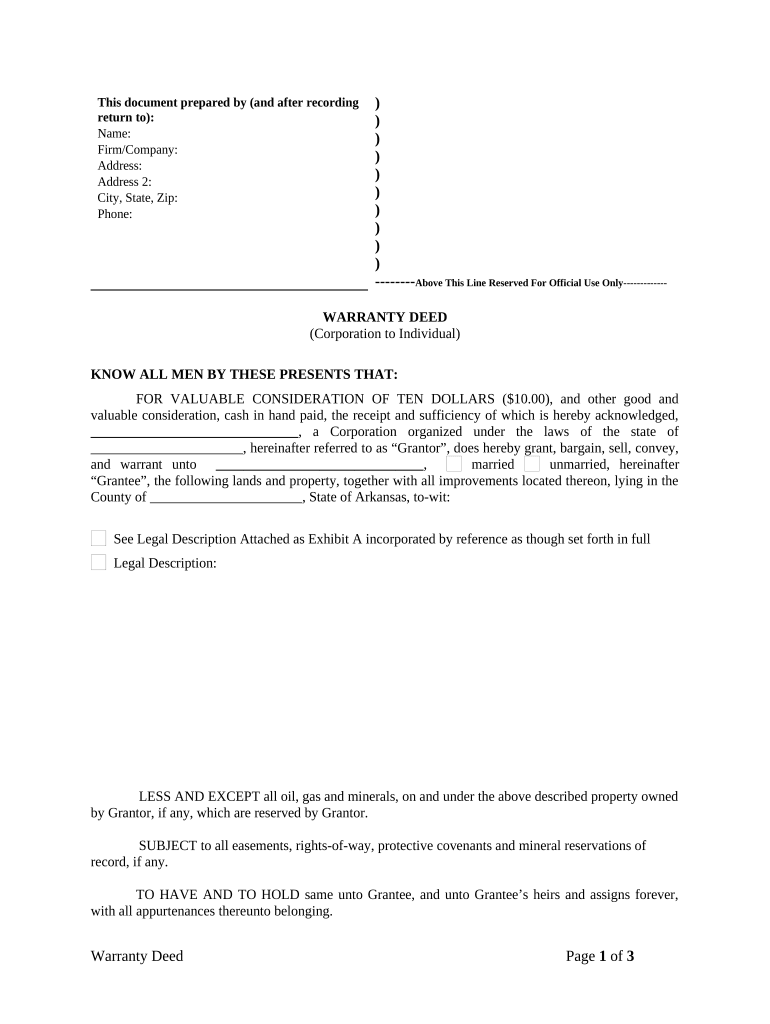
Click ‘Get Form’ to open the Warranty Deed in the editor.
Begin by filling in the 'Prepared by' section at the top. Enter the name, firm/company, address, city, state, zip, and phone number of the preparer.
In the main body of the deed, identify the Grantor (the corporation) by entering its name and state of incorporation. Then specify the Grantee (the individual) and their marital status.
Provide a detailed legal description of the property being transferred. If you have an attachment for this information, ensure it is incorporated as Exhibit A.
Indicate any exceptions or reservations regarding oil, gas, and minerals under the property as well as any easements or rights-of-way that may apply.
Complete the tax proration section by selecting how taxes will be handled between Grantor and Grantee.
Have an authorized signatory from the Grantor's side sign and date the document. Include their printed name and capacity.
Finally, ensure that a notary public completes their section to validate the deed.
Start using our platform today to easily complete your Warranty Deed online for free!
Fill out Warranty Deed from Corporation to Individual - Arkansas online It's free
Does a warranty deed prove ownershipWhat is a warranty deedIs a warranty deed, the same as a deedWhat does a warranty deed look likeWhat is a quitclaim deedWhat is a special warranty deedWarranty deed arkansas templateWhat is a deed of trust
Security and compliance
At DocHub, your data security is our priority. We follow HIPAA, SOC2, GDPR, and other standards, so you can work on your documents with confidence.
by B Warren 2007 In Arkansas the Duhig rule only applies to the construction of a reservation in a warranty deed when the immediate parties to the deed are not the partiesRead more
Although ISM sample collection may be performed by a single individual, a two-person team is often the most efficient method: ideally one person collects theRead more
26 CAR 400-103. Definitions - Code of Arkansas Rules
(11)(A) Limited warranty deed means a unique deed generated by the (15) Owner means any person, firm, corporation, or partnership holding titleRead more
Cookie consent notice
This site uses cookies to enhance site navigation and personalize your experience.
By using this site you agree to our use of cookies as described in our Privacy Notice.
You can modify your selections by visiting our Cookie and Advertising Notice.