Type text, add images, blackout confidential details, add comments, highlights and more.
02. Sign it in a few clicks
Draw your signature, type it, upload its image, or use your mobile device as a signature pad.
03. Share your form with others
Send it via email, link, or fax. You can also download it, export it or print it out.
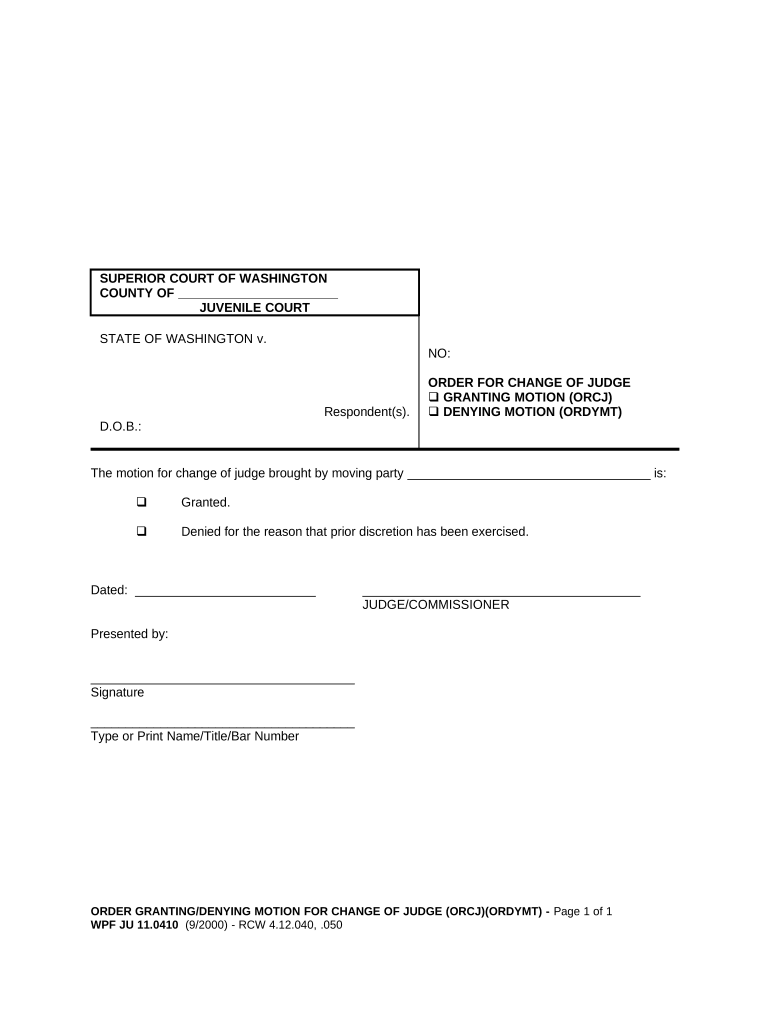
How to use or fill out JU 11.0410 - Order for Change of Judge - Washington with DocHub
Ease of Setup
DocHub User Ratings on G2
Ease of Use
DocHub User Ratings on G2
Click ‘Get Form’ to open it in the editor.
Begin by entering the county name in the designated field at the top of the form.
Fill in the case number and respondent's date of birth (D.O.B.) in the appropriate sections.
Indicate whether you are granting or denying the motion by checking the corresponding box next to 'GRANTING MOTION (ORCJ)' or 'DENYING MOTION (ORDYMT)'.
In the space provided, write the name of the moving party who brought forth the motion for change of judge.
If granting, ensure to sign and print your name, title, and bar number in the designated areas at the bottom of the form.
Finally, add the date on which you are signing this order before submitting it.
Start using our platform today to easily complete your JU 11.0410 form online for free!
Fill out JU 11.0410 - Order for Change of Judge - Washington online It's free
FL All Family 135Washington probate formsFL All Family 181King County Subpoena formFL All Family 135 Declaration word documentFL All Family 001Free legal forms Washington StateFL All Family 112
Security and compliance
At DocHub, your data security is our priority. We follow HIPAA, SOC2, GDPR, and other standards, so you can work on your documents with confidence.
Washington State Courts - Court Forms - Miscellaneous
JU 11.0410, Order for Change of Judge [] Granting Motion [] Denying Motion (ORCJ)(ORDYMT) ; JU 11.0500, Findings and Order Regarding Eligibility for SpecialRead more
Cookie consent notice
This site uses cookies to enhance site navigation and personalize your experience.
By using this site you agree to our use of cookies as described in our Privacy Notice.
You can modify your selections by visiting our Cookie and Advertising Notice.