Type text, add images, blackout confidential details, add comments, highlights and more.
02. Sign it in a few clicks
Draw your signature, type it, upload its image, or use your mobile device as a signature pad.
03. Share your form with others
Send it via email, link, or fax. You can also download it, export it or print it out.
How to use or fill out articles merger with our platform
Ease of Setup
DocHub User Ratings on G2
Ease of Use
DocHub User Ratings on G2
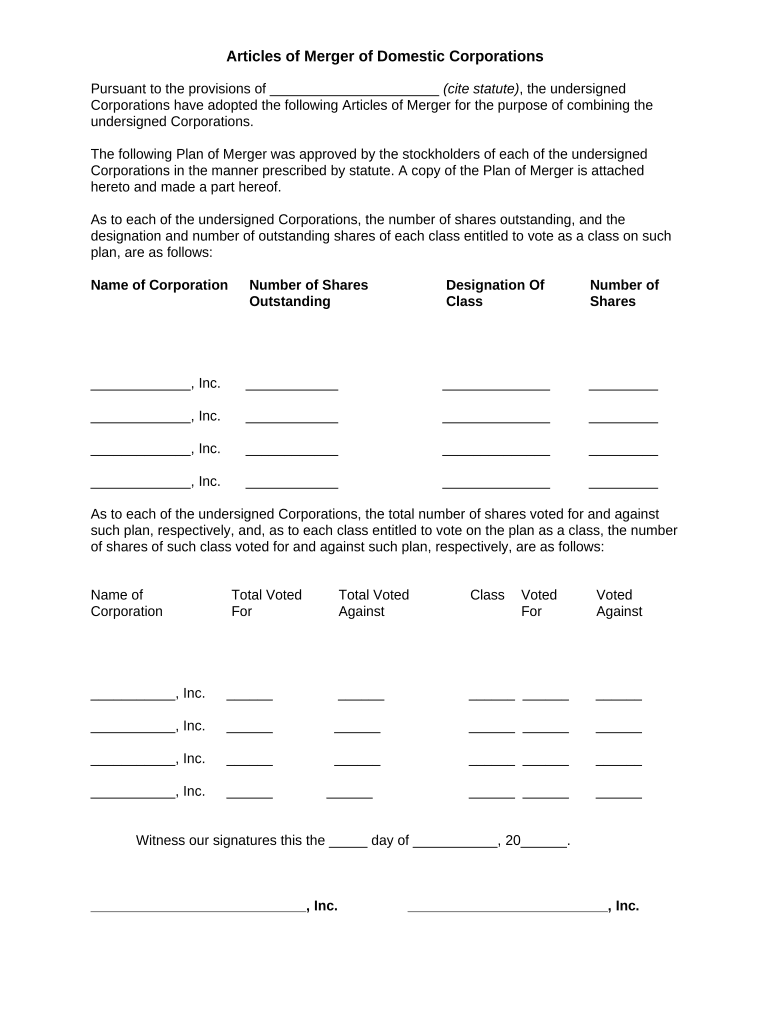
Click ‘Get Form’ to open the Articles of Merger in the editor.
Begin by citing the relevant statute in the designated field at the top of the form. This is essential for legal compliance.
In the section for each corporation, enter the name, number of shares outstanding, designation of class, and number of shares for each corporation involved in the merger.
Next, provide details on how many shares voted for and against the merger plan for each corporation. Fill in both total votes and class-specific votes as required.
Finally, ensure that all directors sign and print their names in the signature fields provided at the bottom of the form. This step is crucial for validating the document.
Start using our platform today to streamline your Articles of Merger process for free!
Articles merger 2021Mergers and acquisitions articlesArticles merger pdfMergers and acquisitions news todayA better approach to mergers and acquisitionsRecent mergers and acquisitionsRecent mergers and acquisitions 2026Harvard Business Review mergers and acquisitions PDF
Security and compliance
At DocHub, your data security is our priority. We follow HIPAA, SOC2, GDPR, and other standards, so you can work on your documents with confidence.
This Article reviews the trends that have emerged in federal merger enforcement and discusses some key differences between deals that have been cleared.Read more
The impact of the Glencore-Xstrata merger on proposed coal
Apr 30, 2021 GlencoreXstrata is the merged company following the May 2013 takeover of Xstrata by Glencore. On its website the company states that -- in
Articles of Merger-Multi Entity Merger Form Instructions
These instructions are intended for use with Articles of Merger for multiple entity types including corporations and limited liability companies.Read more
Cookie consent notice
This site uses cookies to enhance site navigation and personalize your experience.
By using this site you agree to our use of cookies as described in our Privacy Notice.
You can modify your selections by visiting our Cookie and Advertising Notice.