Type text, add images, blackout confidential details, add comments, highlights and more.
02. Sign it in a few clicks
Draw your signature, type it, upload its image, or use your mobile device as a signature pad.
03. Share your form with others
Send it via email, link, or fax. You can also download it, export it or print it out.
How to use or fill out living trust provisions with our platform
Ease of Setup
DocHub User Ratings on G2
Ease of Use
DocHub User Ratings on G2
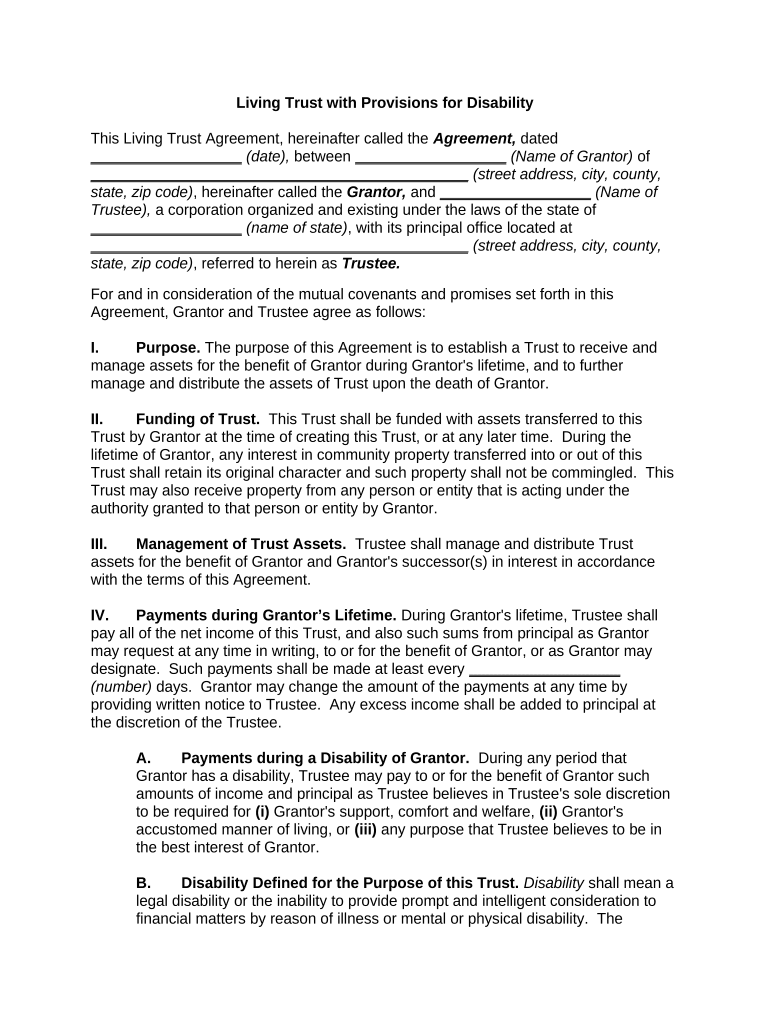
Click ‘Get Form’ to open the Living Trust Provisions in the editor.
Begin by entering the date of the agreement and the names and addresses of both the Grantor and Trustee in the designated fields.
In Section I, clearly state the purpose of the trust. This section outlines how assets will be managed during the Grantor's lifetime and after their death.
Proceed to Section II to specify how the trust will be funded. Indicate any assets that will be transferred into the trust at its creation or later.
In Section IV, detail payment instructions during the Grantor’s lifetime, including frequency and conditions for payments made by the Trustee.
Complete Sections V through IX by filling in specific distributions, tangible personal property details, and any additional provisions regarding trustee powers and revocation rights.
Start using our platform today to easily complete your Living Trust Provisions for free!
What is a living trust on a houseWhat is the downside to a living trustHow to make a living trust without a lawyerLiving trust vs willLiving trust Illinois requirementsWho needs a living trustWhat is a living trust costLiving trust example
Security and compliance
At DocHub, your data security is our priority. We follow HIPAA, SOC2, GDPR, and other standards, so you can work on your documents with confidence.
Mar 11, 2024 A revocable living trust is a written agreement created during your lifetime that designates someone to be responsible for managing your property.Read more
The assets of a living trust do not pass through probate and may be distributed to the beneficiaries by the trustee without the intervention of any court.Read more
Apr 29, 2021 BLDTF was instituted in 1978, and is funded through an excise tax on coal to support a trust fund covering health costs of affected workers.Read more
Cookie consent notice
This site uses cookies to enhance site navigation and personalize your experience.
By using this site you agree to our use of cookies as described in our Privacy Notice.
You can modify your selections by visiting our Cookie and Advertising Notice.