Type text, add images, blackout confidential details, add comments, highlights and more.
02. Sign it in a few clicks
Draw your signature, type it, upload its image, or use your mobile device as a signature pad.
03. Share your form with others
Send it via email, link, or fax. You can also download it, export it or print it out.
How to use or fill out Guaranty Attachment to Lease for Guarantor or Cosigner - Tennessee
Ease of Setup
DocHub User Ratings on G2
Ease of Use
DocHub User Ratings on G2
Click ‘Get Form’ to open it in the editor.
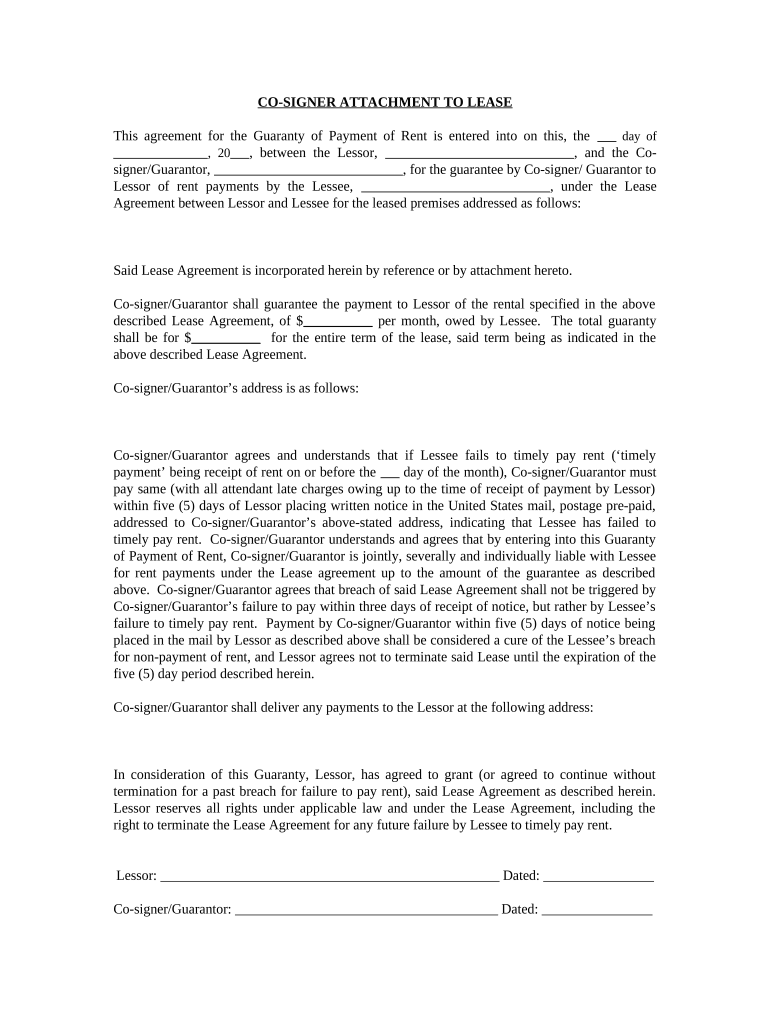
Begin by entering the date of the agreement on the first line, followed by the names of the Lessor and Cosigner/Guarantor. Ensure accuracy as this establishes the parties involved.
Fill in the name of the Lessee who is being guaranteed. This is crucial for identifying who will be responsible for rent payments.
Specify the monthly rent amount and total guaranty amount in their respective fields. This quantifies your financial commitment under this agreement.
Provide the address of the Co-signer/Guarantor. This ensures that all communications regarding payment issues are directed correctly.
Review and understand your obligations regarding timely payments and notice periods outlined in the document before signing.
Finally, sign and date where indicated for both Lessor and Co-signer/Guarantor to finalize the agreement.
Start using our platform today to easily complete your Guaranty Attachment to Lease!
Fill out Guaranty Attachment to Lease for Guarantor or Cosigner - Tennessee online It's free
Guaranty attachment to lease for guarantor or cosigner tennessee templateGuaranty attachment to lease for guarantor or cosigner tennessee sampleGuaranty attachment to lease for guarantor or cosigner tennessee formFree guaranty attachment to lease for guarantor or cosigner tennesseeCo signer Agreement PDFFree co signer lease agreement formCo signer addendum rental agreementCo signer Agreement for rental property
Security and compliance
At DocHub, your data security is our priority. We follow HIPAA, SOC2, GDPR, and other standards, so you can work on your documents with confidence.
Cookie consent notice
This site uses cookies to enhance site navigation and personalize your experience.
By using this site you agree to our use of cookies as described in our Privacy Notice.
You can modify your selections by visiting our Cookie and Advertising Notice.