
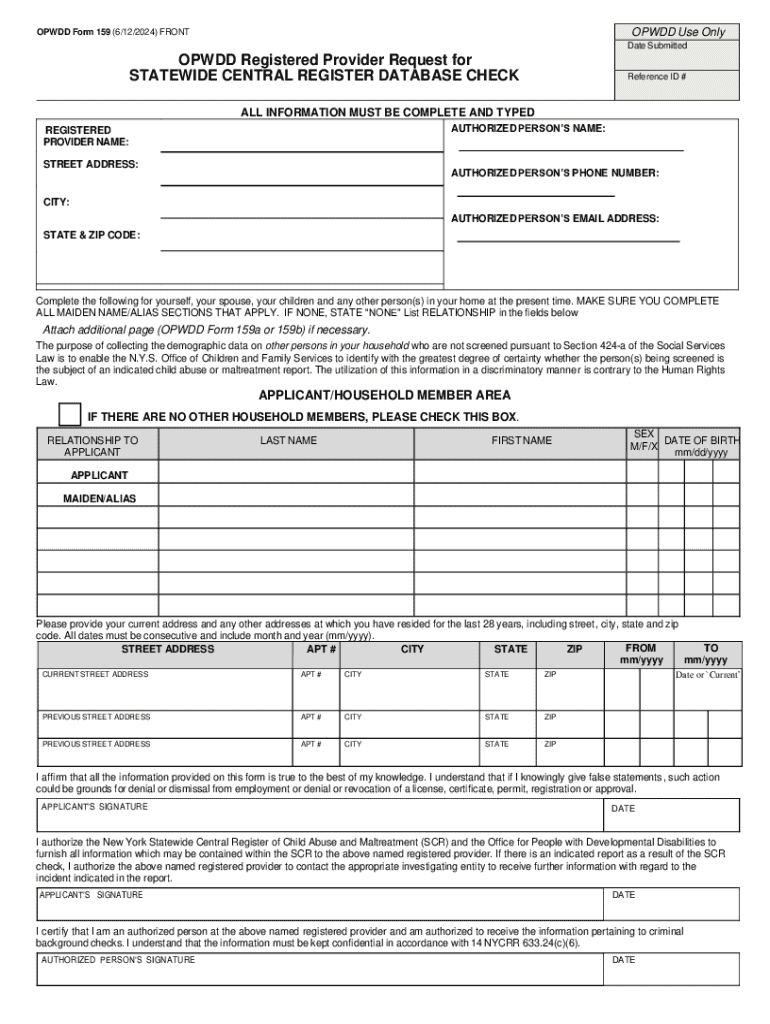







Definition and Meaning of OPWDD Form 159 (6 12 2024)
The OPWDD Form 159 is a formal document used to request a Statewide Central Register Database Check. It is essential for organizations and individuals working with New York's Office for People With Developmental Disabilities (OPWDD) to ensure the safety and security of the individuals they serve. This specific version of the form, updated for June 12, 2024, requires detailed personal information from applicants to verify their background through the state's central registry.
How to Use OPWDD Form 159 (6 12 2024)
When using OPWDD Form 159, individuals and agencies must provide comprehensive personal details, including their full name, date of birth, social security number, and prior address history. The document is integral to the application process for employment or volunteer positions within New York State's developmental disabilities services. The completed form must be signed by both the applicant and an authorized agency representative before submission. Ensure you review all sections of the form to verify its correct completion.
Required Information for Completion
- Personal Information: Applicant's name, date of birth, and social security number.
- Address History: All addresses for the last 28 years.
- Household Members: Details of current and past household members.
Steps to Complete OPWDD Form 159 (6 12 2024)
- Prepare Personal Information: Gather your full legal name, date of birth, and social security information.
- Collect Address Details: List all residences for the past 28 years, ensuring accuracy.
- Identify Household Members: Provide information on individuals who have resided with you.
- Sign and Authorize: Ensure signatures are provided by both the applicant and an agency representative.
- Submit the Form: Send the completed form electronically, adhering to given instructions.
Key Elements of OPWDD Form 159 (6 12 2024)
The OPWDD Form 159 includes various sections that must be accurately filled out. These sections gather critical data required for the register database check.
- Applicant’s Personal Information: Verification data for identity.
- Historical Address Information: Ensures comprehensive background checks.
- Signatories: The applicant and agency must provide their legal signatures.
Importance of Using OPWDD Form 159 (6 12 2024)
OPWDD Form 159 plays a crucial role in safeguarding individuals receiving developmental disability services. The database check process identifies any potential risks associated with applicants, serving as a preventive measure against abuse or neglect.
Legal Use of OPWDD Form 159 (6 12 2024)
Compliance with the legal requirements of completing the OPWDD Form 159 is mandatory. Failing to provide accurate information or secure authorized signatures could lead to delays in the approval process or rejection of one's application.
Compliance with State Regulations
- New York State Law: Adherence to statutory mandates for background checks.
- Data Protection: Ensures confidentiality and integrity of submitted information.
State-Specific Rules for OPWDD Form 159 (6 12 2024)
In New York, the form is regulated by specific guidelines which must be followed precisely by both individuals and agencies. This includes the retention of copies within agency files for a set duration in alignment with state laws regarding record-keeping.
Examples of Using OPWDD Form 159 (6 12 2024)
Agencies often use the form when onboarding new staff, especially those working directly with individuals served by OPWDD. A childcare organization, for instance, will require prospective employees to complete the form during the hiring process to verify that the applicant has no adverse history relevant to working with vulnerable populations.




