Type text, add images, blackout confidential details, add comments, highlights and more.
02. Sign it in a few clicks
Draw your signature, type it, upload its image, or use your mobile device as a signature pad.
03. Share your form with others
Send it via email, link, or fax. You can also download it, export it or print it out.
How to use or fill out ak wife with our platform
Ease of Setup
DocHub User Ratings on G2
Ease of Use
DocHub User Ratings on G2
Click ‘Get Form’ to open the ak wife document in the editor.
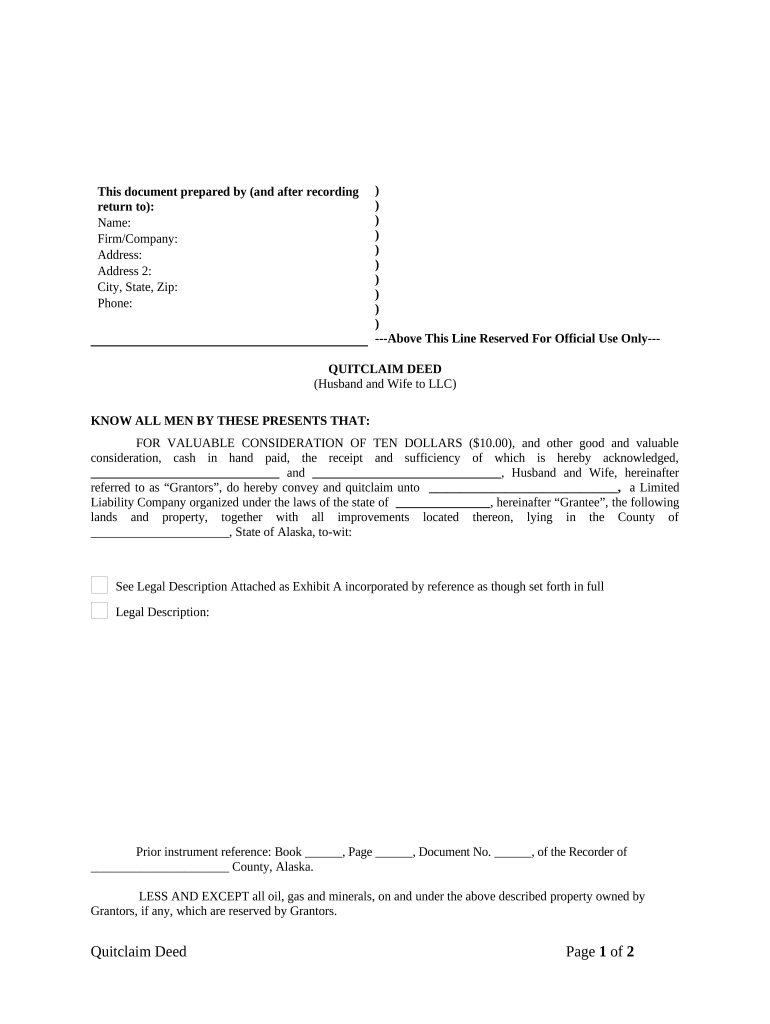
Begin by filling in your name, firm/company, and address details in the designated fields at the top of the form. Ensure accuracy for proper identification.
In the section labeled 'KNOW ALL MEN BY THESE PRESENTS THAT', enter the names of both Grantors (Husband and Wife) as they should appear on the deed.
Specify the Grantee's name (the LLC) and its state of organization in the appropriate fields.
Provide a detailed legal description of the property being conveyed. If you have an attachment, reference it as Exhibit A.
Complete any prior instrument references if applicable, including Book, Page, and Document numbers.
Both Grantors must sign and print their names at the bottom of the form. Ensure that signatures are dated correctly.
Finally, complete notary information to validate your document before submission.
Start using our platform today to easily fill out your ak wife form for free!
The supreme court held that under Alaska law, a spouses separate property may transmute to marital property if the owner acts by express or implied contractRead more
Notes: Title from unverified data provided by the Bain News Service on the negatives or caption cards. Forms part of: George Grantham Bain Collection (LibraryRead more
Cookie consent notice
This site uses cookies to enhance site navigation and personalize your experience.
By using this site you agree to our use of cookies as described in our Privacy Notice.
You can modify your selections by visiting our Cookie and Advertising Notice.